Cloud storage might be convenient, but keeping everything from your photos, videos, media files, and even the shows you watch on someone else’s server can be troublesome. You’re one internet glitch or subscription drop away from losing access to everything. And if you’re on the free plan, the storage limits are simply not enough for modern media.
Whether you’re backing up photos on Google Drive or streaming on Netflix, there’s always the chance that something you want to see might not be there the next time you open the app. I got tired of being a tenant in someone else’s media library. So I built my own, and all it took was a Raspberry Pi, an old SSD, and an evening of my time.
I replaced Google Drive with a self‑hosted cloud and the freedom is worth it
A self-hosted cloud is very liberating and surprisingly not as hard to set up.
A Raspberry Pi, an external hard drive, and open-source software are all you need
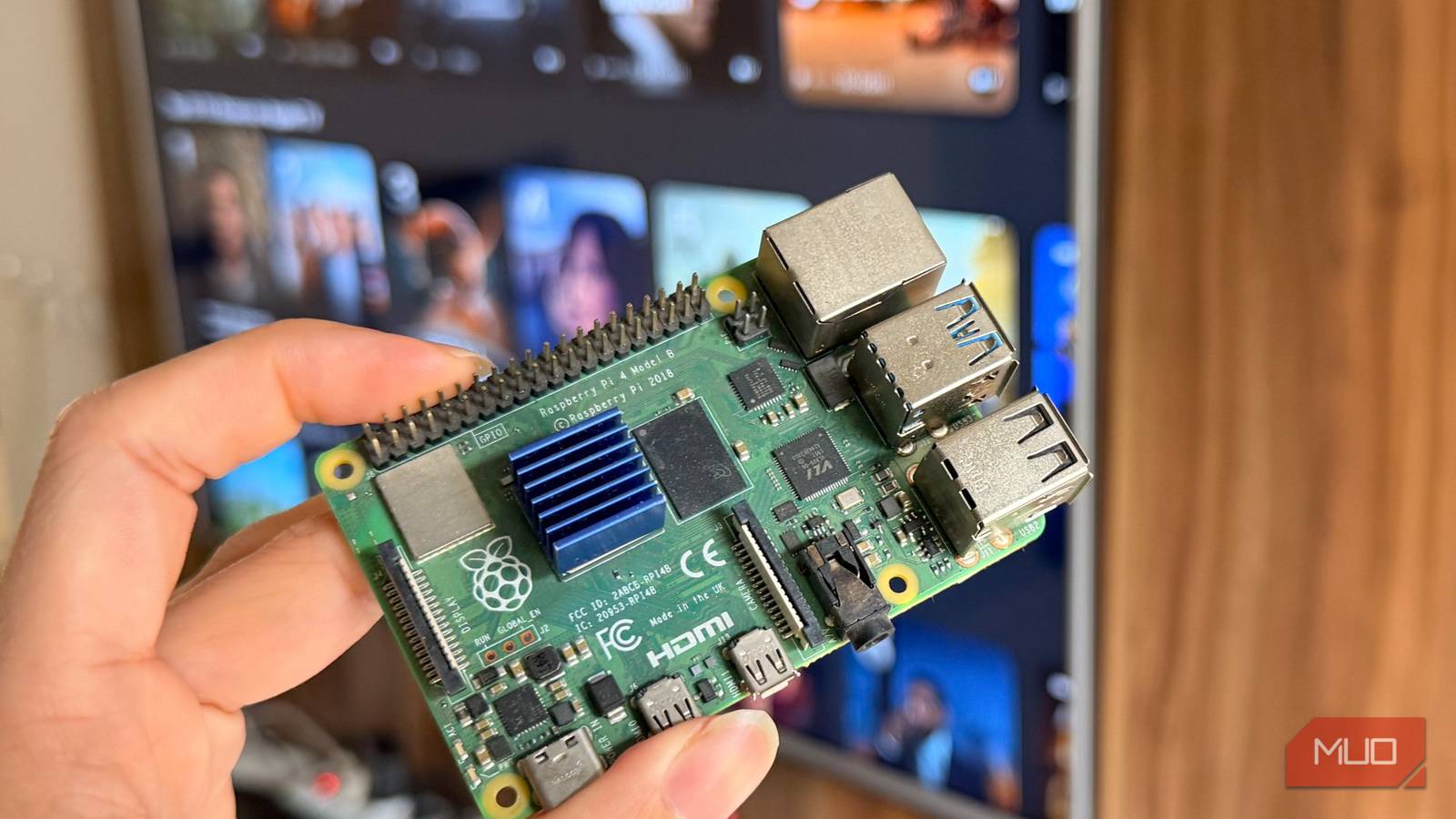
The setup is quite straightforward: you get a Raspberry Pi, flash a Nextcloudpi image, add an external drive for storage, and hook it all up to your network. What you get is a private media server that lives in your home, answers only to you, and will never restrict your access because a licensing deal expired or your subscription didn’t renew.
Nextcloudpi is a ready-to-run Nextcloud distribution specifically made for Raspberry Pi hardware. You don’t need the more powerful Raspberry Pi 4 or Pi 5 either, as it can even run on a weaker but much more affordable Raspberry Pi 3B+. That said, if you’re looking to stream higher resolutions or would be dealing with a massive library, more powerful hardware helps.
An alternative approach would be to use UmbrelOS or CasaOS to turn your Raspberry Pi into a home server. This would allow you to run multiple Docker containers running specialized services like Jellyfin and Nextcloud together.
However, you will require at least a Raspberry Pi 4 for this. The $35 Raspberry Pi 3B can run several self-hosted services at once, but it’s not exactly powerful enough for multiple streaming and file storage services running simultaneously. For a simple media library, though, Nextcloudpi is the easier, simpler approach.
The setup is almost effortless
One installation command gets your media server up and running in minutes
If you’re using a Raspberry Pi 4 or 5, you can directly flash the Nextcloudpi image onto your SD card and boot directly into Nextcloud. However, for older Pis, you first need to install Raspberry Pi OS Lite (legacy edition, Nextcloudpi isn’t supported on Debian Trixie yet), SSH into it, and run the following command:
curl -sSL https://raw.githubusercontent.com/nextcloud/nextcloudpi/master/install.sh | sudo bash
Before it does anything, the installer will warn you that it’s going to disable SSH login for the root user, reset the root password, and give you a 30-second countdown to abort the installation. If you’re logged in as a regular user (as you should be), this won’t affect your access. The script then handles Apache, PHP, MariaDB, and the Nextcloud application’s installation.
The entire process can take around 15 to 20 minutes on the Pi 3B+, and even longer if you’ve got a slow internet connection. When it finishes, open a browser, head to your Pi’s local IP address, and you’ll see a Nextcloudpi page prompting you to begin activation.
The activation screen gives you two sets of credentials. You must save the passwords given here because you won’t be able to see them again after dismissing the page. The top set is for the Nextcloudpi admin panel running at your http://your.pi.local.ip:4443. This is where you manage the server itself, including aspects like USB storage, SSL certificates, caching, and more.
Building a library you’ll actually keep
Organizing movies, TV shows, music, and metadata without relying on streaming platforms
Once Nextcloudpi is up and running, the next step is to plug in an external hard drive so your media server actually has storage space. Simply plug the storage drive into any of your Pi’s USB ports, head to the Nextcloudpi web configuration panel, enable nc-automount so the drive remounts when the Pi reboots, and finally use nc-datadir to point Nextcloud’s data directory to the external drive. This ensures your photos, videos, and music land on the hard drive instead of the microSD card.
If you’re working with a drive that was previously formatted as NTFS, I’d recommend heading to nc-format-USB in the Nextcloudpi configuration and formatting the drive for use with the system. Alternatively, you can install ntfs-3g first and configure the mount point in /etc/fstab with the correct UUID. Regardless, it’s better to format the drive so that it plays well with the system.
Next, enable the Nextcloud Photos app and the Video Player app from the Multimedia section. Create a media folder in your file manager, with subfolders for photos, videos, and music for better organization. Upload a few files, and Nextcloud will immediately start generating thumbnails and building previews.
You can also install the Nextcloud mobile app on your Android or iPhone, point it at your Pi’s IP address, and you’ll get automatic camera roll backup, on-demand media streaming, and full file access from anywhere on your local network. If you’d like internet access, you can either set up Tailscale or a reverse proxy as per your convenience.
Your collection can’t disappear overnight
Why owning your media beats renting access from subscription services
The difference between this setup and a cloud drive or streaming service isn’t just about cost; it’s about owning your data. Your files exist on hardware you physically own, in a format you control, under terms you wrote. No company can revoke your access. No corporate merger reshuffles your library, and no algorithm decides what content you should see.

Nextcloud didn’t expect competition like this
A file server so lightweight and clever, it makes Nextcloud look overengineered.
You also stop being at the mercy of someone else’s catalog decisions. If you ripped your old DVD collection or downloaded films you bought digitally, they live here permanently. If a streaming service removes a film you love, it doesn’t touch your drive. If your cloud storage subscription didn’t renew, your files aren’t locked behind a paywall. The library you build is the library you keep — and no one changes that.