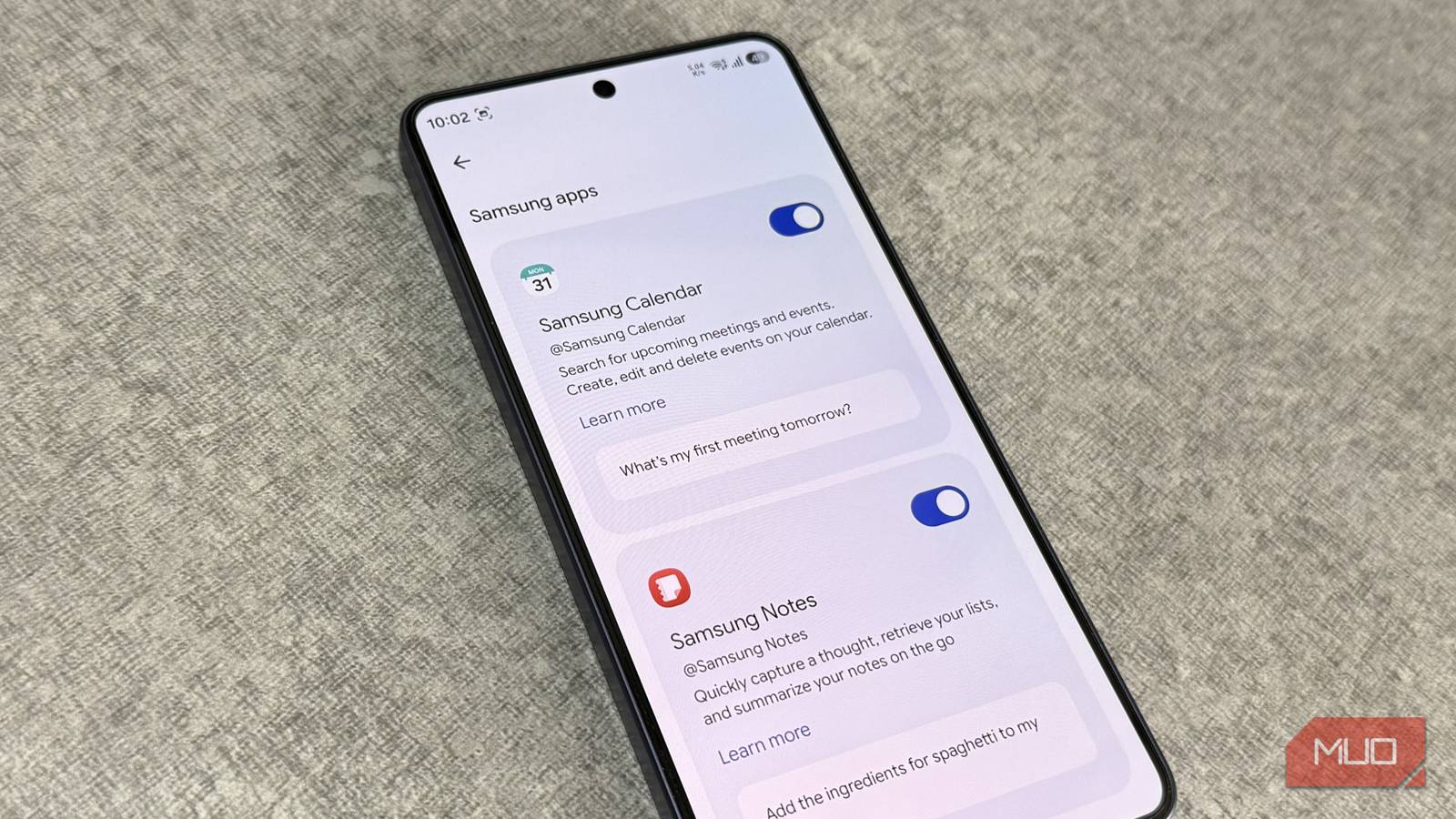
It’s been a while since AI tools like Gemini were launched and a lot of people don’t realize how good they’ve become. I recently let Gemini tap into my favorite Samsung apps, and it supercharged my workflow like never before.
It’s been a week since I tried Gemini’s Connected Apps feature, and the short version is, opening apps feels like extra work now.
Gemini is useful than ever once you connect apps
And you’re not limited to just Google apps

Gemini on your Galaxy phone is not like any other chatbot. Sure, it can do the usual stuff like answering questions, writing text, and generating images. But that’s just the tip of the iceberg. The real reason to use Gemini on your phone is to connect it with apps.
The Connected Apps feature essentially lets Gemini talk to your apps and pull information from them. So you’re not just relying on the data on the web. Gemini can personalize answers using the information stored in your apps, while respecting your privacy, of course. More importantly, it can also do things. That means you can interact with your favorite apps without ever opening them on your phone.
The most surprising part is that Connected Apps isn’t limited to just Google apps. It also works with several Samsung apps. This feature isn’t enabled by default, though. To turn it on, go to Gemini Settings > Personal Intelligence > Connected Apps, and enable the toggles for the apps you want Gemini to access.
This feature is only available to those who are 18 and above and have a personal Google account. It’s also currently not available in regions like the European Economic Area, Nigeria, Switzerland, and the United Kingdom.
I stopped opening my go-to Samsung apps after giving Gemini access
My apps are still there — I just open them less
I’ll be honest — I was a little skeptical about letting Gemini access my Samsung apps. But after using it for a week, I’ve changed my mind. I now prefer to interact with most of my Samsung apps through Gemini.
My favorite thing to do is search for photos using Gemini. I can simply ask it to look for photos of my kid or my laptop, and it pulls them up in seconds. What really sold me was chaining actions. For instance, I can ask it to find photos of my thermal camera and share them with Rob on WhatsApp. That means I don’t have to scroll through thousands of photos and find the ones I need.
Using Gemini with Samsung Notes is my other favorite thing. Instead of opening the Notes app and finding the information I need, I just ask. I recently had it to summarize my lecture notes from last week’s class and it did that in seconds. It can even create notes for me. For instance, if I ask it to save a cheesecake recipe, it fetches it from the web and drops it straight into Samsung Notes.
Interaction with the Reminders and Calendar apps work the same way. I can tell Gemini to set reminders or pull up all my meetings from the week without opening either app. It’s all too easy, and it’s changed how I reach for things. I’ve even added the Gemini widget on my home screen — so whatever I need is usually a tap and a voice prompt away.
Gemini can’t talk to every Samsung app just yet. For instance, My Files, Music, Themes, Samsung Pass are not supported. But yes, the ones that matter most are.
I’m not limiting Gemini to just Samsung apps
The rabbit hole goes further
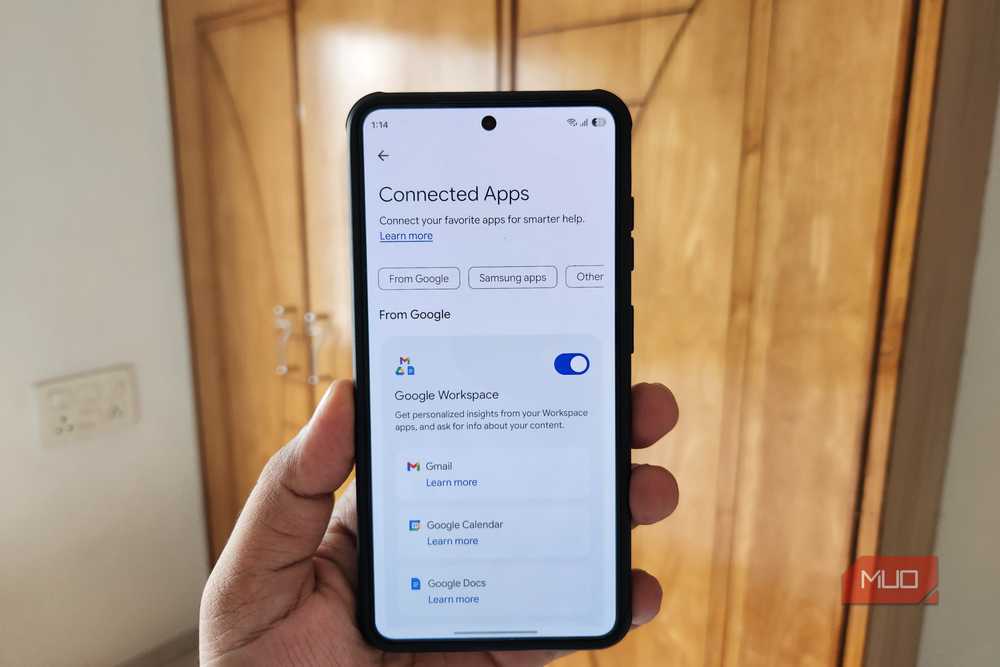
Samsung apps are just the start. Once you start poking around Connected Apps, you’ll realize Gemini can talk to a bunch of other apps on your phone. If you use Gmail, Docs, Drive, or Calendar for work, Gemini can cut across all of them at once. You can ask it to find an email about your car insurance, pull up a Google Drive folder, or add a meeting to your Google Calendar.
YouTube is another fun one. I know YouTube search is already great, but you can get creative here. You can ask Gemini to find good YouTube channels that cover tech, or go niche — educational channels on space engineering, long-form cooking content, whatever you’re into. Google Play works similarly. You can ask Gemini to find an app for a specific use case or even free alternatives to a paid app.
Canva is probably the most unexpected one. Ask Gemini to create a social media graphic or a poster and it’ll kick off the process in Canva. It’s better than asking Gemini to create something directly, since you can go in and edit the design in Canva afterward.