Do you think you’re a fast typer? I thought I was. I grew up doing the Mavis Beacon Teaches Typing program in school to learn how to type. I felt like I had a good grasp on my typing abilities and that I was a pretty fluent typist.
As I chose a career in journalism and communications, I’ve had to write and edit quite a bit. Using computer keyboards has been a prominent part of my life. But no matter how fast I think I am at typing, using Wispr Flow has made me realize I’ll never be as fast as when I’m talking. This dictation software has changed how I work and use a computer daily.
Wispr Flow speeds up my daily life
It takes no time to fly through work
Wispr Flow is a talk-to-text AI software that uses the microphone on your device to seamlessly turn your spoken words into writing. It’s a free app that you can use on your phone or computer. I downloaded the desktop app to my computer and have integrated it seamlessly into my workflow.
The dictation app runs natively on Windows, Mac, iPhone, and Android, making it widely available for many users. It also offers a lot of helpful suggestions as I’m typing, correcting my work as I go. Wispr Flow walks you through how to set it up for your use, and it lets you simplify the controls based on your preferences.
You can trigger the mic to turn on, and it automatically makes the app listen to what you’re saying. This will jot down the words in real time, so you can follow along with what you’re talking about.
If you’re a denier that you think dictating is going to be faster than typing, Wispr Flow actually gives you a test that proves that it’s faster. You try to type a paragraph as fast as you can, and it gives you how fast of a typer you are, but also how much faster it would be if you were saying it out loud. As I was typing, I was reading it out loud in my head and realizing how much faster the reading was going compared to the typing.
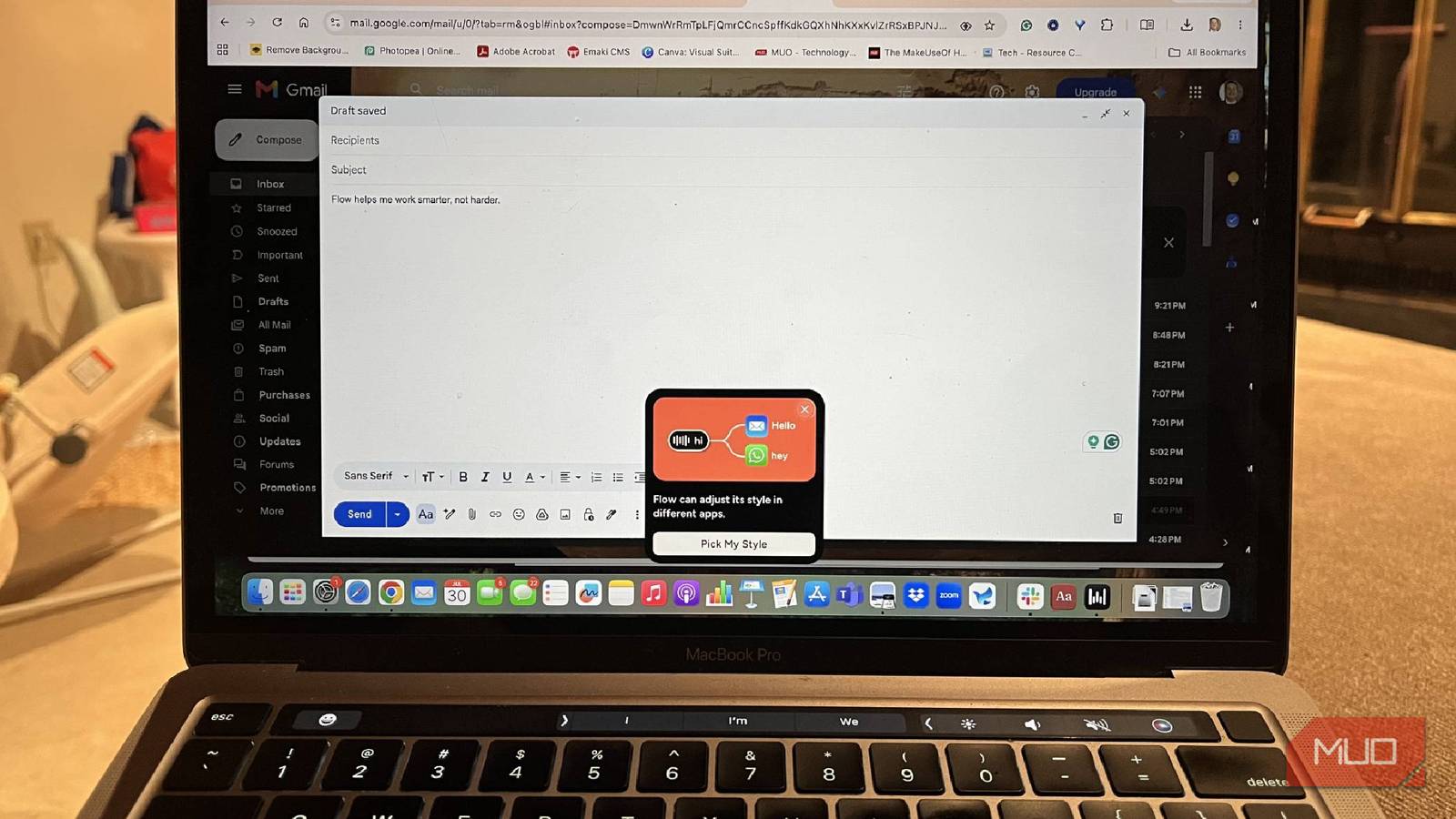
During setup, it also asks you how you want to use it and why you’re downloading the software. For me, I like to use it for team messaging apps like Slack and to help me with emails.
Wispr Flow offers a free subscription that provides standard features. There is also a Pro subscription, which is $12 per month, and opens up unlimited dictations, longer times of holding onto recordings, access to AI thinking models, and more.
Wispr Flow has fit into my work with ease
I’ve found plenty of ways to use it

Wispr Flow works with many standard applications, such as Outlook, Gmail, Slack, and more. You can use it in over 100 languages, making this a truly universal app. By pressing the fn key on my Mac and holding it down, I trigger Wispr Flow to record what I’m saying. No matter what app I’m in, it automatically starts publishing what I’m saying. In fact, there have been large chunks of this story that I’ve written using Wispr Flow.
I’ve found that my writing has gone so much faster because I’m just able to press a button, talk, and then the words show up. It has helped me throughout my workday because I’m able to open up different applications and just start talking. As somebody who likes to jot down notes throughout the day, this has become a must-have on any computer I have, both personal and work.
Wispr Flow also has a feature called snippets, which lets you reproduce the words that you type frequently without having to type them. I’m constantly typing out my email address, so I set a snippet to coincide with my email. All I have to do is say the word “email” and it populates my address.
You can also create your own dictionary in Wispr Flow, allowing you to type out the way that you talk. It’s incredibly helpful when you’re typing up people’s names who might have a different spelling than is traditional.
The AI features really clean up my writing
I can keep track of what I’m saying

What I like is that Wispr Flow keeps tabs on what I’m saying and logs everything so I can go back and re-read things. Not only does it produce them in whatever app I’m using it in, but it also holds them within the Wispr Flow software, so I can go back and see all the time that it’s saving me.
There’s a feature called a Transform, which comes in after you dictate the text. You can then highlight whatever part of the text you want to transform and you can choose for the software to polish it for you or create prompts from what you’ve highlighted. You can also create your own prompts as well. Wispr Flow also has an integration with Claude, basically bringing that same workflow into the Wispr Flow app.
In fact, there have been large chunks of this story that I’ve written using Wispr Flow.
Wispr Notetaker is another perk to the software, which competes with other well-known AI notetakers like Otter.ai. and Granola. This can be integrated into your meeting and Notetaker can even brief you on your upcoming meeting by using previous call transcripts that it has logged to prepare you. While it’s on a call, it records everything and is available for playback in real-time.
I’ve found all kinds of uses for Wispr Flow
I really came into this experience not expecting Wispr Flow to be as good as it is. I’ve been incredibly impressed with all the use cases, and it has really helped me speed up my workflow. The accuracy and the efficiency are something that’s going to work for anybody who uses it.

- OS
-
Windows, macOS, Android, iOS
- Price model
-
Freemium
Wispr Flow is a talk-to-text AI software that recognizes over 100 languages. It can format text in real time, speeding up your workflow.