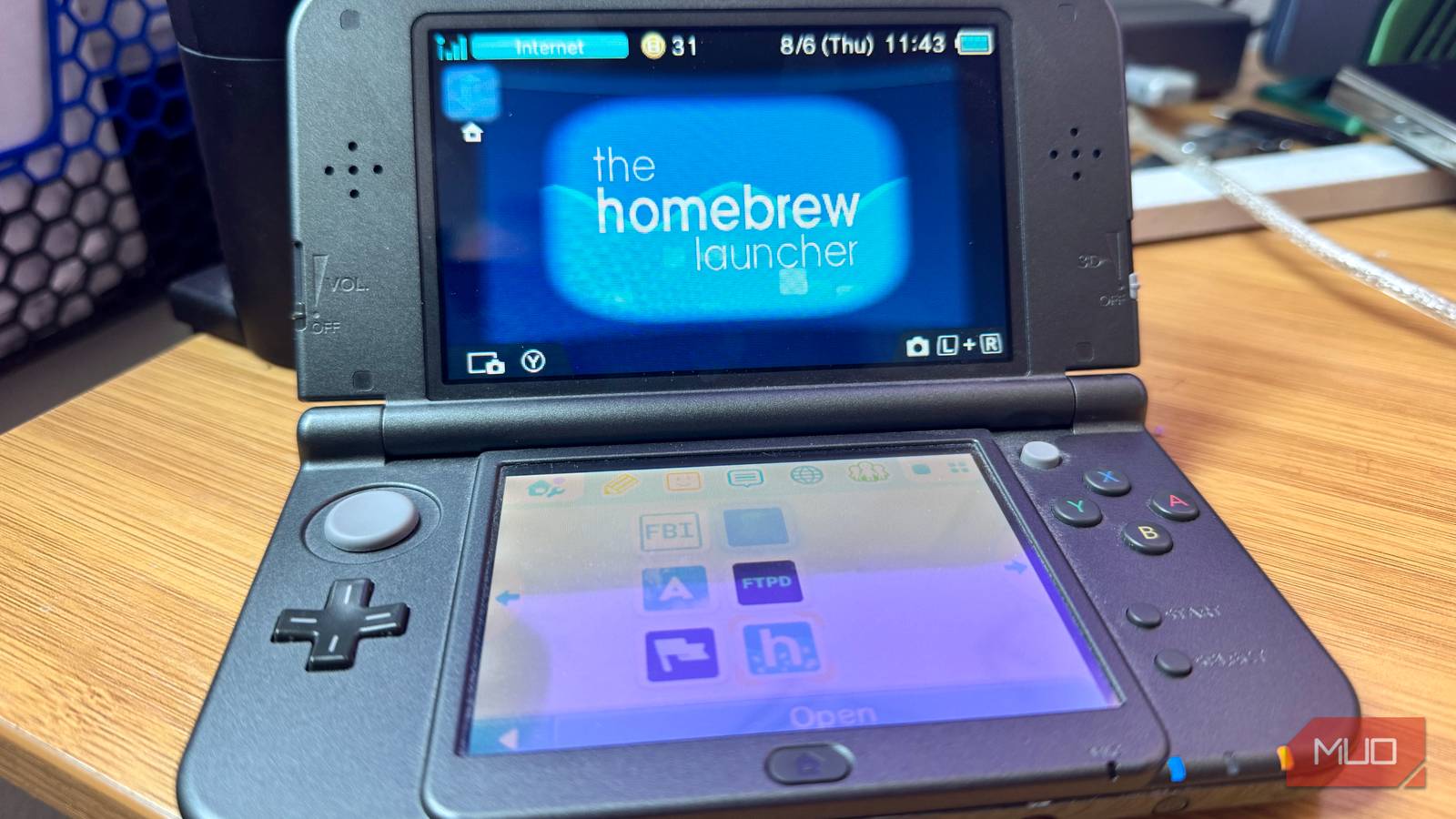
I spent an entire afternoon hacking my Nintendo New 3DS XL the other day, all to be able to use Homebrew on the old portable console. Was it worth the hours spent moving files back and forth on a tiny SD card, hitting dead ends, and digging into forums and Discords for assistance? Yes, yes it was, and here’s why.
How I hacked my New 3DS XL
It took some doing
I opened up my little Nintendo dual-screened handheld a week or so ago, looking to see what there was left to play on the device. The eShop closed a few years back, so I wanted to see what I had left between my physical cartridges and the games I had downloaded to the console previously. Turns out, it wasn’t a whole lot, and what was left on my list didn’t really draw me in.
So I went looking to see what I could do with the gadget outside of official channels. I found a website, 3DHacks Guide, that promised to walk me through the steps of installing custom firmware on my 3DS.
The first bits were fairly easy. I found a tiny screwdriver and removed the back cover of my device to access the Micro SD card in the slot on the rear of the unit. I found an SD card adapter that would let me put the SD card into my Thunderbolt dock on my MacBook Air M5, and went through the steps on the site.
Finding the version number of my sytem was fairly straightforward, and I entered it on the site to funnel me to the correct set of files and scripts to hack my 3DS. Once entered, the site took me to the steps involved with installing boot9strap (super-skaterhax), which sounds like something a teenager would make, but ok. This is where I ran into my first dead end.
This method of installing custom firmware asks you to go to a specific website on your 3DS via the built-in web browser. I was able to get my console online just fine, but it would not load the website I needed it to. After trying a few times, I decided to go to the second method to install the firmware.
Installing boot9strap (MSET9)
The longer method

This process involves a lot of back and forthing with the little SD card in the back of the 3DS. Basically, I had to use Python to run scripts that came in a folder that I installed onto the SD card while it was mounted on my macOS desktop, using the terminal to tell the script which type of 3DS I had and then putting the card back into the console. This back and forth happens several times, with a trip to the System settings on my handheld, the Mii creator app, and various hacks and workarounds that exploit the software to install a working custom firmware. The steps are all here, and they seemed pretty direct until, well, it didn’t work.
I was bummed out, of course, so went looking for a third way to hack my little handheld, finding that I could use netrboot, a special recovery mode that uses a hardware flashcart, which cost around $20 or so and would take days to get here. I could have done that, but I was feeling impatient, so I dug a little deeper, finding a Discord associated with the website I’d been using.
I dropped into the Discord channel, overwhelmed with all the channels, and sifted my way to an assistance channel with some pretty helpful folks. No one told me to RTFM or dismissed me as a n00b (which I surely am, but they were nice about it). I dropped some of the script output into the channel and immediately got a reply.
Turns out, I’d been misidentifying my 3ds in the script, which was why it wasn’t working. After a couple of aborted attempts to try again, I was able to remove the old files the previous script had created, start from scratch again, and (after moving that tiny SD card back and forth what felt like a hundred times) got the custom firmware installed.
The wide world of custom firmware
Now what?

So what can you do with a hacked 3DS? A lot of things, it seems. Not all of them legal. Legally, though, you can do fun stuff like install fan-made games that recreate old titles like Duke Nukem and Quake. There’s a Wordle app and a Discord app (though I can’t get the latter to work, yet), too, and several versions of Minecraft-style games.
There’s a whole Reddit thread that answers this basic question. Users explain that basic homebrew allows for backing up and managing save files (from both digital titles and physical cartridges), applying custom themes, and using cheat plugins. However, installing full custom firmware (what I did)unlocks broader functionality, such as running fan-translated games, emulating retro systems (NES, SNES, GBA), playing custom game mods, and installing custom programs directly to the console.
The firmware I ended up with, Luma3DS, is a custom firmware that removes software restrictions on the Nintendo 3DS and lets you run unsigned code such as homebrew apps, emulators, and game backups. Additionally, it offers features like built-in cheats, screenshots, a blue light filter, and the ability to force New 3DS performance enhancements on older games.
It also lets you pirate games, which isn’t something I or this site endorses.
My Nintendo New 3DS XL is genuinely interesting again
Now I pick up my 3DS way more than my Switch, because it has a whole bunch of new things I can do with it. It’s interesting to play with, find new uses for, and generally keeps my brain engaged as a hacked system. That’s more than my Switch can say, which (so far) remains unhacked and beholden to the company restrictions. If you’re into tinkering and messing about with older hardware like I am, this could be a fun weekend project and you might end up with a bunch of fun new things to play with along the way.