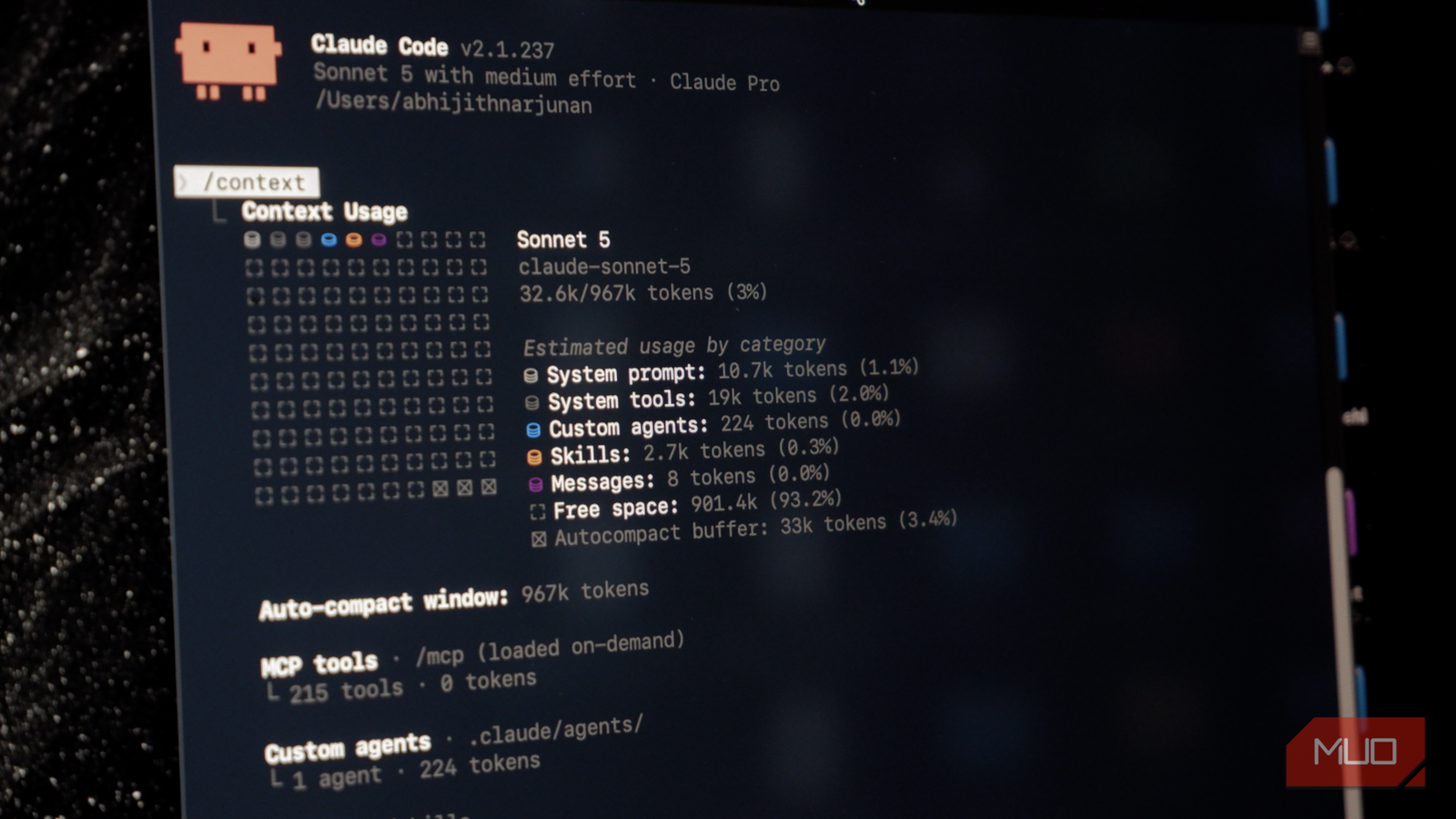
I love almost everything about Claude Code, but I hate how quickly Claude Code sessions eat through my session limits! Most people think their prompts are the only reason the agentic coding tool consumes tokens, but that’s not entirely true.
On the contrary, many default settings and features can take a toll on the number of tokens spent! The worst part? Many of these components start consuming tokens even before you type the first prompt in the Terminal.
Here are five such settings that quietly burn through your Claude Code budget.
CLAUDE.md loaded before I typed a word
Every session pays a tax it never asked for

As you may know, CLAUDE.md is the file that stores all your custom instructions, and Claude Code is designed to load everything from this file into the context the moment a session starts. More importantly, Claude Code doesn’t care whether the prompt you enter relates to the custom instructions. For instance, I may have added deployment-related instructions to the CLAUDE.md file, but they load even when my session asks Claude Code to scrape a webpage.
To understand how many tokens are being spent, you can use the /context command on Claude Code. It should provide you with an overview of the session context. So, if you run the /context command before you type a prompt, you’ll get to see what these quiet burners are. The solution is simpler than you imagine. First, audit the CLAUDE.md file and see what’s in it. If the file contains tasks or project-specific instructions, you should convert them into skills.
MCP connectors were already live at launch
Six servers were listening before I said hello

MCP servers are a great way to extend Claude Code’s capabilities, but they also start working even before you send a prompt. If you are like me, you may install MCP servers as required, but may forget to recheck and disable them. This creates a collection of MPC servers that connect automatically — and consume your Claude Code budget. Fortunately, disabling these servers’ auto-connect behavior is easier than you might think.
You can run the /mcp command, and Claude Code will show you all the MCP servers you have connected to. The idea here is to deactivate the servers you don’t really use. If you want to understand which MCP servers are consuming the most amount of resources, you can use the /usage command, which lets you know your server-wise contribution to token consumption. Similarly, if you feel Claude AI connectors are consuming too many tokens, you may want to set disableClaudeAiConnectors to true in settings.json.
Scheduled tasks kept firing while I was gone
My budget moved on a clock, not a prompt

As you may know, Claude Code lets you set up scheduled tasks that can run without a direct prompt. These tasks can also contribute to token consumption over time. More importantly, each time these scheduled sessions run, many of the elements mentioned above are incorporated into the context. Therefore, depending on the number and intensity of scheduled tasks you have set up, you may see a significant use of tokens before you enter even a single prompt.
The solution remains simple, of course: go to Claude Code and ask it to show all scheduled tasks. You should primarily check when these tasks are scheduled and whether the instructions require calling additional tools. If you want a more GUI-centric way to manage scheduled tasks, you can open Claude Code Web and go to the Routines tab. Here, you can control when and how each task will be executed.
Skill listings arrived with my very first message
Even those skills I’ve not used in a while

Skills are another widely used feature on Claude Code, and they can also consume tokens before you enter the first prompt. It works regardless of whether you intend to use skills during the session. By default, Claude Code sends a list of available skills and a brief description to Claude whenever you start a session. Though it doesn’t consume many resources, the number may be high depending on how many skills you have installed.
The solution, once again, is pretty simple. You can run the /doctor command in Claude Code to see how widely used the skills are. For instance, if you don’t recognize many of the installed skills, it’s better to remove/deactivate them in Claude Code. I should warn you here that the skill list doesn’t have a huge impact on the overall token consumption. However, if you regularly want to get the best out of what the Pro plan allows, you may want to check this.
Fixing all five isn’t the same call for everyone
While all these settings contribute to token consumption on Claude Code, there’s no one-size-fits-all solution. Instead, you have to understand how crucial these settings are to your workflow and project. For instance, if you use multiple MCPs to help Claude Code with functions like web browsing and scraping, you’d definitely need those MCPs enabled. Similarly, disabling multiple skills may not be economical for many people. Yet, it doesn’t hurt to run commands like /context, /usage, and /doctor to see where you can improve. Even if you save only a few thousand tokens, they do contribute to savings in the long run.