
For years, my Raspberry Pi was the default answer whenever I needed a tiny, low-power computer. It ran web services, network utilities, and automation scripts without turning my desk into a space heater. Then I looked at an old Android phone gathering dust and realized it already had everything I kept adding to the Pi.
The phone had a capable processor, enough RAM, flash storage, Wi-Fi, Bluetooth, a touchscreen, cameras, and its own battery backup. It was a complete computer sitting unused because its screen was cracked. For the modest services I was running on my Pi, though, that screen didn’t matter, but the hardware did.
Termux turns a dead phone into a headless Linux box
Port 8022, excluded from battery optimization, alive after reboot
If you’re going to repurpose your old Android as a server, the first thing you need is a terminal. Android 16 offers a built-in terminal, but it’s not quite as good as third-party options like Termux. Not to mention that an old phone might not see the Android 16 update in the first place.
Termux provides a terminal environment and package ecosystem on Android that lets me install familiar tools without rooting the phone. I added OpenSSH, Git, Python, and some command-line utilities, then copied over my scripts. Termux supports both OpenSSH and Dropbear; its OpenSSH server listens on port 8022 by default, meaning I can administer the phone from my computer just like the Pi.
I treated the phone like a headless machine after the initial setup. I gave it a reserved IP address, set up SSH keys, and excluded Termux from Android’s battery optimization. That last step matters because Android can defer background CPU and network activity when a device sits unused. I also configured my essential scripts to start after a reboot because Android cannot be trusted to keep everything alive indefinitely.
This is not a perfect, drop-in Linux server, though. Android uses its own userspace, permissions, and power-management rules, and modern versions can impose limits on background processes. Termux itself warns that Android 12 and newer may terminate excessive or CPU-heavy processes. I would not move a complicated Docker stack onto a phone and expect it to hold together as it would on Raspberry Pi OS. However, small web apps, scheduled scripts, file syncing, dashboards, network tools, and SSH work just fine.
The battery alone beats half of what I bolted onto the Pi
Wi-Fi, Bluetooth, and a built-in UPS, all before you plug in anything
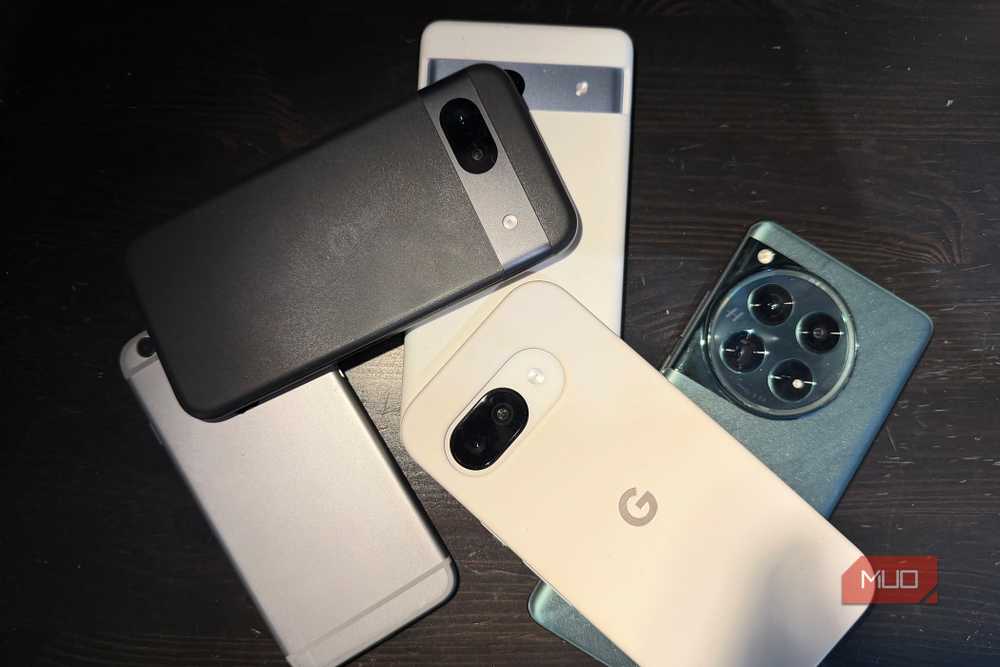
In several ways, the phone was more convenient than the board it replaced. It doesn’t require external storage, power, or a screen. The battery acts as a mini UPS, allowing the server to ride out power outages and charger mishaps. Wi-Fi and Bluetooth are built-in, while the cameras and sensors would have required actual cameras and sensors hooked up to the Pi.
Storage is also much simpler. I didn’t need another microSD card because the phone had enough internal storage. USB host mode also lets compatible Android devices communicate with peripherals like keyboards, cameras, and controllers, although support varies by hardware, and using host mode while charging requires a USB-C dock.
There are some precautions you have to take as well. For example, I wouldn’t leave a phone with a swollen or damaged battery plugged in, and I keep mine somewhere ventilated while limiting unnecessary heat and charge stress where the manufacturer’s software allows it. I also avoid exposing Termux directly to the internet. Tailscale works perfectly here, letting me access my server when I’m away from my local network without having to punch holes in my firewall.
GPIO pins are the one thing Android can’t fake
USB host mode helps, but it’s not the same as a breadboard
Raspb
The phone replaced the computing side of the Raspberry Pi but it could not replace the Pi’s 40-pin GPIO header. Those pins provide direct digital input and output in addition to hardware interfaces like I2C, SPI, UART, and PWM. That is what turns a Raspberry Pi from a small computer into a practical bridge between software and hardware.
With the Pi, I can connect an LED, relay, button, temperature sensor, fan, or small display to the board and control them with Python scripts. My phone has plenty of internal sensors, but Android doesn’t expose a set of pins where I can attach whatever component I want. USB is useful, but it cannot match the immediacy of jumper wires and a breadboard.
You can pair a phone with an ESP32, Arduino, or similar microcontroller over USB, Bluetooth, or Wi-Fi. Android has supported USB host mode since Android 3.1, so apps can communicate with compatible USB devices when the phone and adapter support it. The microcontroller handles real-time pin control while the phone provides the interface, storage, networking, and higher-level logic. It works, but adds another board, firmware project, and failure point.
Not obsolete, just reconsidered
The next Pi purchase just got a lot less automatic
My old phone has not made the Raspberry Pi obsolete, but it will make me reconsider the next time I’m looking to buy one, especially considering the sky-high Raspberry Pi prices in 2026. It has shown me that many Raspberry Pi projects are simply small, always-on computer projects. For those, a retired Android phone can be cheaper, tidier, and more self-contained than buying another single-board computer.
I still reach for a Raspberry Pi when a project needs sensors, relays, motors, HATs, or direct electrical control. For everything that ends at the network or filesystem, the phone does the job remarkably well. I gained a server without buying hardware and kept a usable device out of a drawer. The only part I miss is that row of GPIO pins.