When it comes to internet connectivity, you ideally want some kind of wireless functionality. For laptops, the choice (or lack thereof) is quite simple — you use whatever Wi-Fi card is bundled with your system, soldered or otherwise.
For desktops, it gets a bit tricky. Most desktop computers have an Ethernet port built into the motherboard, which might be enough for folks not to bother with Wi-Fi at all.
That said, there are distinct classes of wireless internet connectivity, with a PCIe card and a USB adapter being the most common. As you’ll quickly find out, these are worlds apart in terms of performance and reliability.
Comparing the AX 210 with a Wi-Fi 6 USB card
The AX 210 is faster and more reliable

For this particular comparison, I used two different classes of Wi-Fi cards, one USB and the other PCIe-based. The USB adapter in question was a Unigen AX900 Wi-Fi 6-compatible one, and it connects via USB-A. It’s also dual-band capable, with Bluetooth functionality included.
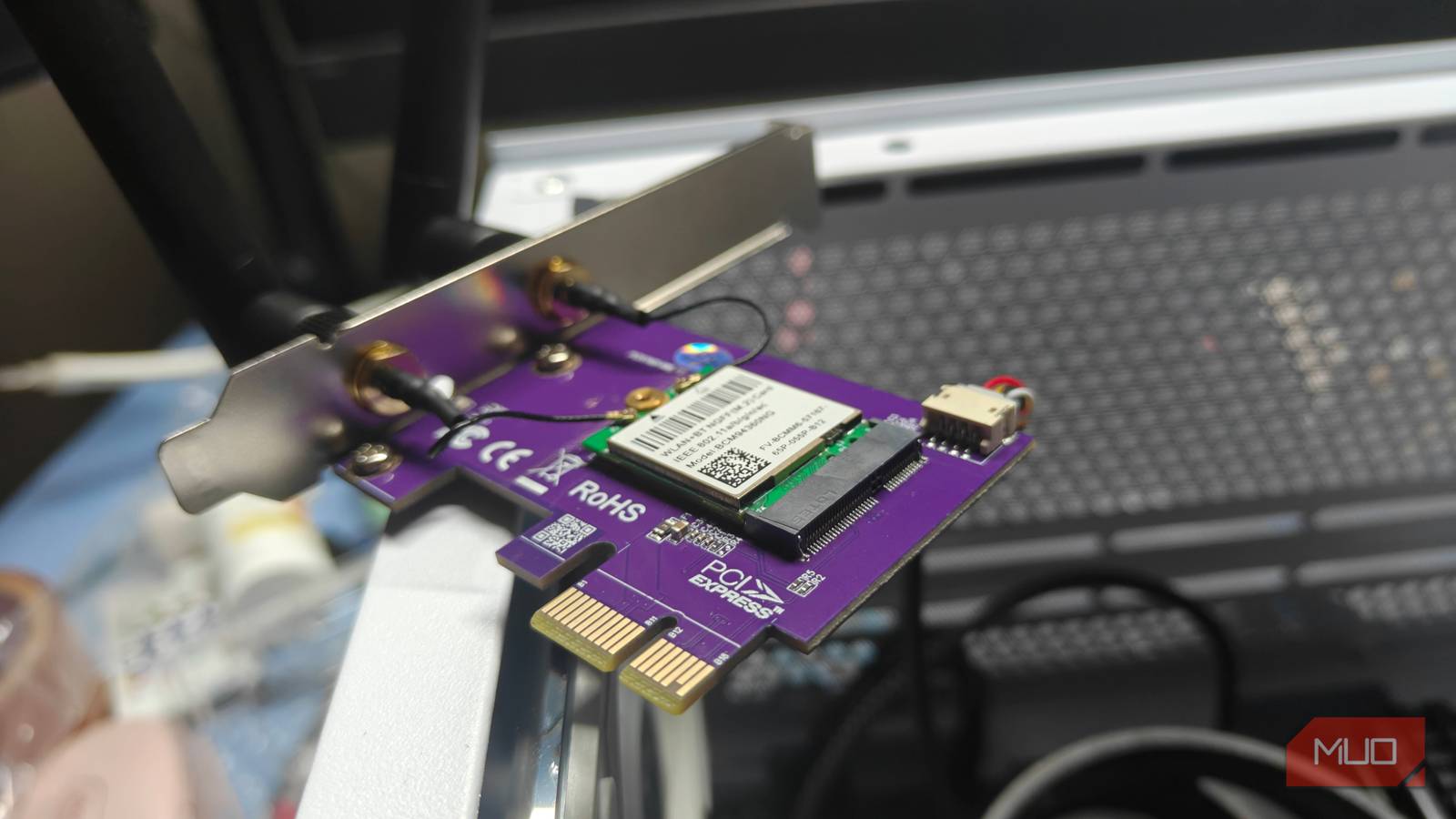
For the PCIe card, it was the old but trusty Intel AX 210. This Wi-Fi 6E M.2 card connects to one of the PCIe x1 slots on your motherboard, expanding it to add both Bluetooth and Wi-Fi dual-band functionality.
As for the tests, I carried out a standard speed test using Ookla’s own suite. I did this on my home internet connection, which has a cap of 300Mbps. Running the tests, the results were quite eye-opening, to say the least:
|
Type |
Down (Mbps) |
Up (Mbps) |
|---|---|---|
|
USB Wi-Fi |
241 |
53 |
|
PCIe AX 210 Wi-Fi |
230 |
79 |
|
Wired Ethernet |
304 |
337 |
As you can clearly see, wired Ethernet wins by a landslide in both stability and speed. That being said, this is about Wi-Fi, and here the PCIe Wi-Fi goes the extra mile, offering superior speeds.
Admittedly, while the USB Wi-Fi adapter wasn’t all that far behind (with the exception of upload speeds), it did lack stability. The PCIe connection was a lot more consistent, with less frequent dips and disconnects.
This alone is enough for me to recommend a PCIe card over anything else — assuming you have the ports for it.
USB Wi-Fi cards aren’t cheap, and have driver woes
It’s not an out-of-the-box experience
Perhaps the biggest drawback of using a USB-based Wi-Fi adapter is its driver set (or lack thereof). Many budget chipsets use obscure drivers, and those require manual installation (or tweaking security settings).
This was the case with my AX900 dongle as well. In fairness, the device would detect just fine within Windows, but the network refused to initialize. Turns out, I needed to install a specific driver to get things working.
The Windows driver was bundled within the USB dongle, on a separate 3 MB partition. You might not be so lucky, since the drivers for these cards can be really hard to track down.
This was much worse on Linux, and it involved wasting a few hours hunting down the DKMS-specific driver that actually worked. Thankfully, this was bundled within the AUR, but not every distribution might be so lucky, which might force you to manually download, compile, and install the drivers against your compatible kernel version.
And it’s not like they’re affordable either. USB Wi-Fi cards cost roughly the same as a standalone PCIe Wi-Fi solution. Of course, there are cheaper adapters, but these do not offer Wi-Fi 6 (let alone Wi-Fi 7) speeds or, in some cases, dual-band functionality.
By comparison, most PCIe-based network solutions are fully plug-and-play, with drivers built into the system kernel. They’re also a lot more reliable, offering stronger signal reception too.
Nothing beats wired Ethernet
Still leagues ahead in terms of stability and speed

If you can manage it, always go for a wired connection. Ethernet is far superior when compared to any form of Wi-Fi, having none of the disadvantages you’d see otherwise, including signal degradation.
Since it’s a direct connection, Ethernet also has the distinct advantage of being less prone to interference and lower speeds. A wired connection is also capable of pushing more bandwidth, which is essential for something like a homelab setup.
Still, life without wireless internet is a pickle, and you’d want to keep both connection types around. Relying on Wi-Fi alone is not a great idea.
The ideal solution is a hybrid approach
Wi-Fi is too finicky, and Ethernet is too restrictive. This leaves us in a precarious situation, and the only way out is to keep both connections active. Ideally speaking, you’d want both a wired and a wireless connection through your house.
The idea is to keep a wireless connection (along with a host of repeaters and endpoints) for mobile devices, while simultaneously maintaining a direct wired connection to your home’s router.
The wired connection would be used for high-bandwidth devices, or devices where latency can be an issue, like PCs for game streaming. It’s a setup I’m sure most of us have been rocking for a while now, and it just works.