Many music streaming providers offer hi-res audio as one of their biggest selling points, and I’ve tested several to see whether it’s worth the hype. Ultimately, I found it wasn’t worth chasing 24-bit/192kHz audio before I properly set up my system, and that a few key changes made the biggest difference in what I actually hear.
Upgrade your system first
Hi-res audio can’t fix a compromised signal chain

I started experimenting with lossless audio because I was trying to decide whether it’s worth switching from Spotify, back before it finally joined the ranks of Apple Music, Amazon Music Unlimited, Qobuz, and Tidal as a hi-res provider.
I hoped that switching would instantly transform my listening experience. However, in reality, every part of the audio chain matters, from the source to the connection, the DAC, and your speakers or headphones.
If any link in that chain limits the signal, hi-res audio becomes little more than a larger file to process. I decided to look at my setup more closely and noticed much bigger improvements by optimizing this than by activating the hi-res option in my music app.
Use a wired connection
Bluetooth is usually the biggest bottleneck

Throughout the digital domain, there are always compromises regarding performance versus convenience, and Bluetooth is perhaps the most glaring example. Most Bluetooth codecs compress audio before it reaches your headphones or speakers, and even excellent codecs like AAC, aptX, or LDAC involve trade-offs between bandwidth, stability, and battery life.
Of course, my lifestyle sometimes demands Bluetooth’s wireless convenience, and I’m a big fan of my Sennheiser wireless headphones. However, for focused listening at home, switching to a wired USB DAC or a direct headphone connection immediately removes Bluetooth’s limitations.
Instruments will sound cleaner, stereo imaging will become more precise, and subtle details will be easier to pick out because less is compressed during playback. So, before getting serious about hi-res audio, make sure the connection is up to par.
Let an external DAC do the heavy lifting
Your laptop’s audio hardware may be holding everything back

Another trade-off between convenience and quality is the audio chip inside your phone or laptop. While these are usually perfectly respectable, they will never match the fidelity of an external device. A dedicated external DAC provides cleaner digital-to-analog conversion, better amplification, lower electrical noise, and often better connectivity options.
Whether or not the improvement is dramatic depends largely on your speakers and connectors. A high-quality pair of wired headphones or reference speakers will show the benefits immediately, as vocals gain clarity, bass becomes tighter, and complex recordings feel less congested.
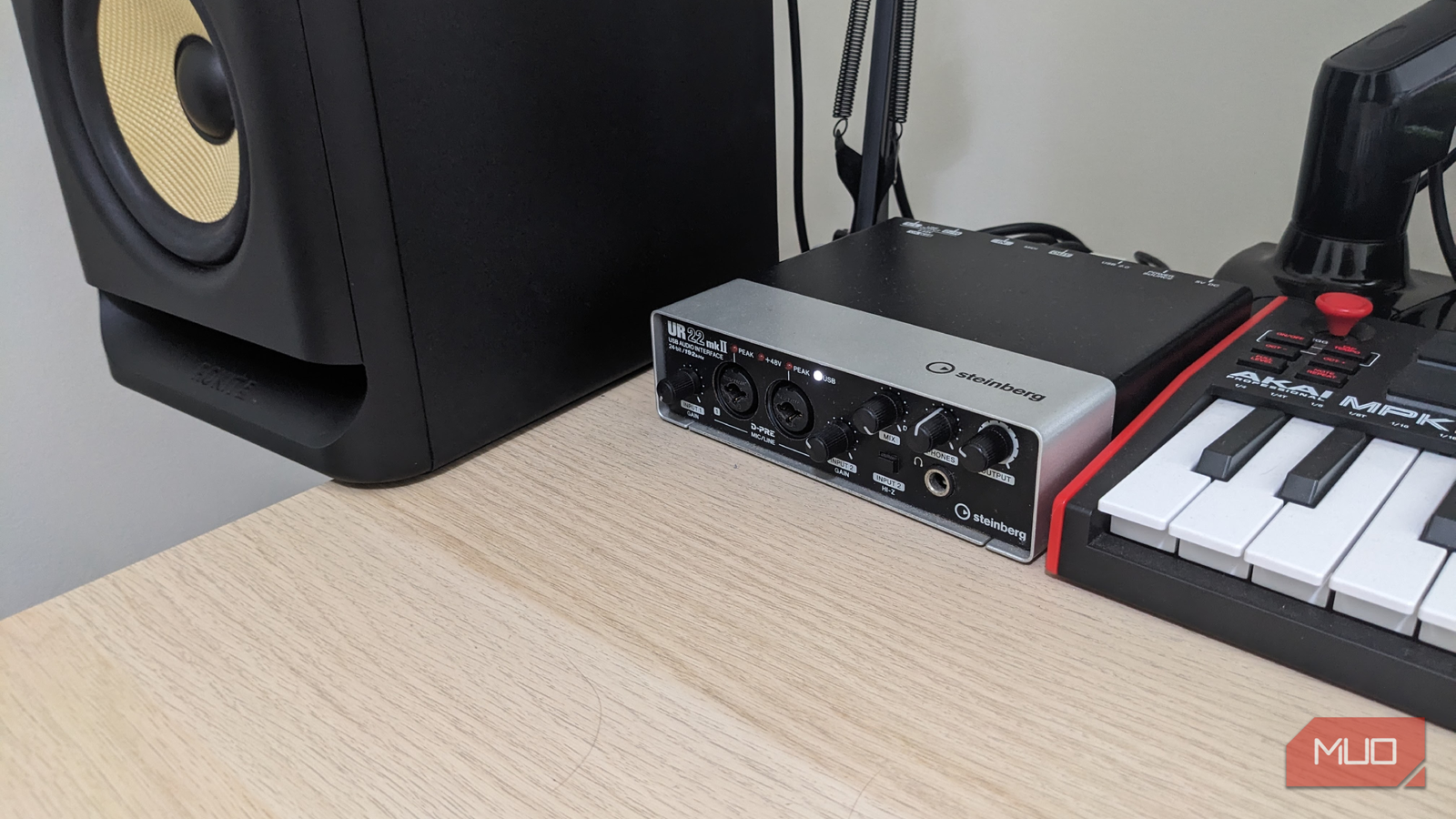
You don’t have to shell out a fortune to see the improvement, either; even affordable USB models, such as my trusty old Steinberg UR-22 mkII, will greatly outperform most onboard audio hardware.
Disable every sound enhancement
The cleanest signal usually sounds the best and true to the original
Windows, macOS, and even some DAC software love adding their own processing, even before you start delving into your audio streaming service’s presets. Features like spatial audio, loudness equalization, virtual surround, dialogue enhancement, and bass boost all alter the original recording. And, ironically, they are reductive and strip away the detail that hi-res audio is supposed to preserve.
I disabled every enhancement and set my playback device to its highest native output. As a result, I found the soundstage to be far more natural-sounding, especially with less-processed styles like classic rock, classical, and jazz. I often tweak the EQ to suit my preferences, but removing additional processing makes the results cleaner and much closer to how the original artists and recording engineers intended them to sound.
Is hi-res audio overkill anyway?
It’s often difficult to hear the difference

There’s definitely an argument against chasing hi-res audio. In tests, many users have struggled to consistently tell the difference between CD quality and high-resolution formats, and premium high-res services are often significantly more expensive.
If I’m listening through cheap wireless earbuds on a noisy commute, the difference between 16-bit lossless and 24-bit hi-res is unlikely to be the weakest part of my setup, so it often depends more on where you listen than on how you listen.
The takeaway isn’t that hi-res audio is pointless, but that it should come last, not first, on your list of priorities. A wired connection, a capable DAC, clean system settings, and quality speakers or headphones will improve every song you listen to, whether it’s a 320kbps MP3 or 24-bit FLAC.
Build the system before buying the format
I was quick to fall into the marketing trap of seeing hi-res audio as an essential upgrade. However, it’s really the final step in a longer chain. By optimizing my connection, using an external DAC, eliminating unnecessary processing, and choosing wired playback, I saw a far more noticeable improvement than simply switching streaming quality. Get the setup right first, and you’ll finally give lossless music a chance to sound the way it was meant to. Otherwise, it’s like drinking vintage wine from a dirty glass.