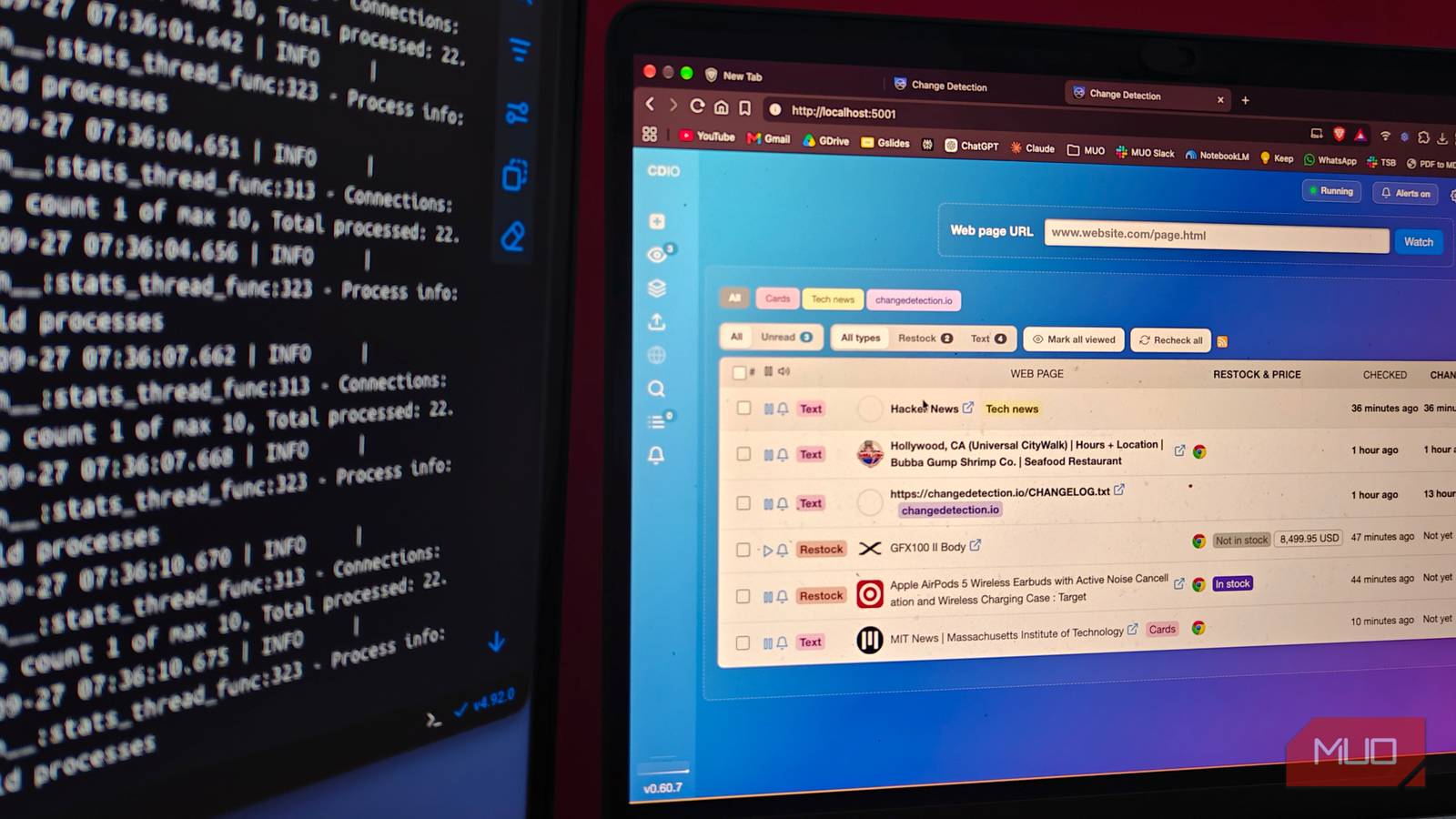
Finding the best deals is what makes online shopping special, but it often means manually checking for price drops, discounts, and other updates. The same is true when you’re waiting for an item that’s been out of stock for a while. By the time you realize it’s back in stock, you might already be staring at that dreaded “Out of Stock” message again.
Recently, I came across an amazing self-hostable tool that has helped me stop doing these manual checks. Instead, a Docker container I’ve set up does it all for me, notifying me whenever a product’s price drops, it gets restocked, or there’s another important update. Since setting it up, changedetection.io has been a real time- and money-saver.
What changedetection.io actually is
My one Docker container versus infinite refresh

Changedetection.io is a web page monitoring system that you can self-host using Docker. This open-source system works by frequently checking a selected webpage URL, detecting changes, and notifying the user when a specific change happens. The idea is simple: you run this Docker container in the background, and you receive a notification when a product drops in price or is back in stock.
Unlike other site change detector tools and extensions you may have come across, changedetection.io can detect advanced changes, such as restocks, price drops, changes in PDF documents, JSON API responses, and even keyword appearances. It’s also the reason changedetection.io has become widely used by shopping enthusiasts.
This free-to-use tool also packs a number of features that set it apart from a generic RSS reader. For instance, you can specify what kinds of changes the system should look for and where you should receive notifications. You can even integrate an AI tool to summarize all the changes in an easy-to-understand manner. And for all that it does, it was effortless to self-host this tool.

- OS
-
Web
- Individual pricing
-
Free
Changedetection.io is a free, open-source webpage monitoring system that you can self host and use to track changes, price drops, etc.
Getting it running took ten minutes
Docker compose up, and I was already watching pages
I’m not an expert in self-hosting, but setting up changedetection.io with Docker was effortless. Once I’d cloned the repository, all it took was a simple Docker compose up command, and the tool was running. I started trying the basic site change and restock detection options before installing additional features like AI-powered updates. It’s also worth noting that the self-hosted app doesn’t require an account. It starts working the moment you open the localhost page.
Setting up a change-detection instance with changedetection.io is pretty simple. Click the New button and paste the URL of the web page you want to track. The same interface will let you decide whether you want to track web page content in HTML or want advanced options for a single project. You can also choose between available browsers for advanced options, especially if you want to track a specific element on the webpage. You also get to customize how these requests are processed.
I have also noticed that changedetection.io is smart enough to suggest changes. For instance, when I added a Fujifilm camera product page for text-based tracking, it asked me whether I wanted to convert it to a restock-based one because it contains an individual product. The self-hosted version of the tool doesn’t limit the number of products/pages you can track, either. It’s also why you would want to use organization features like tags and groups — and maybe AI integration.
You can also integrate AI for better results
Though the core restock and price alerts are on point, there are times when you want advanced monitoring for specific webpages. For instance, you may want to know when a specific date on a government webpage changes. I’ve had instances where I wanted to be notified when certain positions became available. Running a text-based diff using changedetector.io may be less effective, but this is where I love its Visual Selector feature. It lets me target a specific component on the webpage while setting up a watch.
Let’s say I want to know when the application deadline on a webpage changes or when the footer content changes. Similarly, I may want to be notified when a specific product style becomes available. These are insights you cannot really get from text-based diff, but Visual Selector makes this part seamless.
Keep in mind that you have to install another component, Playwright, for changedetection.io to get screenshot capabilities. Until and unless that happens, you won’t be able to use the Visual Selector feature.
If you would rather have plain-text descriptions and updates on what has changed, you would want to integrate an AI or LLM into the tool. There are a lot of options here because you can bring in API keys from multiple providers, and changedetection.io just works. If you want to track too many pages and want a structured understanding of all changes, you’d want to use these AI features. AI integration also lets you provide natural instructions, such as “notify me only when the price drops.”
Just so you know, changedetection.io is a very extensive project with many features beyond what I’ve written about here. For instance, there are options to set up capture or proxy servers, or even use multiple APIs for better results. You can also customize how and where notifications arrive, so if you are willing to put in some effort, this Docker container actually delivers.
Where changedetection.io still makes me work
Though I love what changedetection.io offers, there are still instances where it lets me down. For instance, when a web page has a CAPTCHA or other browser-based verification, the detector doesn’t work, which has been a problem on multiple pages. As I mentioned earlier, you need to install another container to access additional features like Visual Inspector, which comes with an infrastructure cost. Yet it’s also about the control you have over price tracking and restocking, and I love that I don’t have to check websites at odd hours to see when the stock arrives. Instead, I set up this tool and act when I receive a notification.