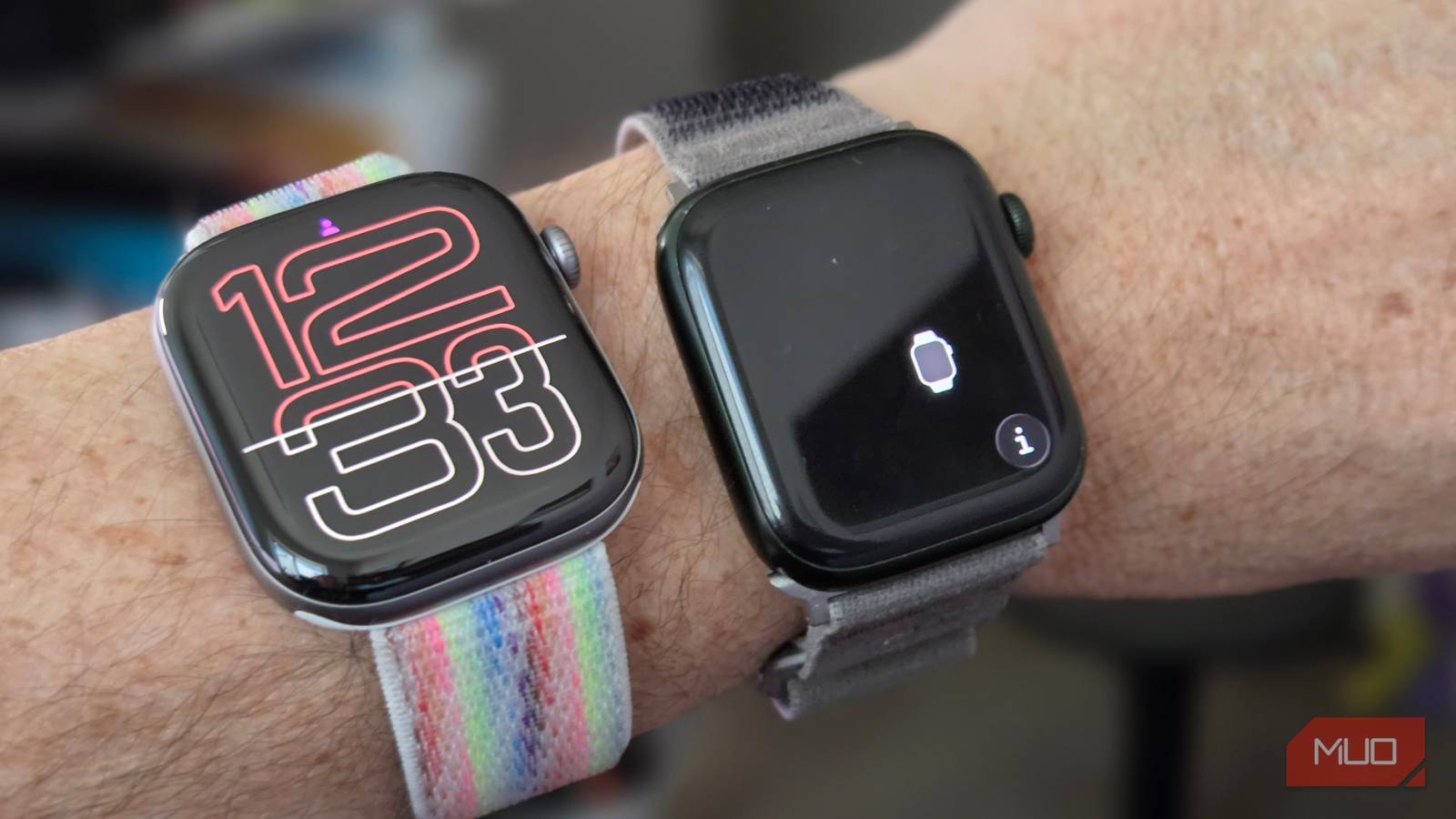
My Apple Watch Series 7 did its job for almost five years. It tracked my workouts, helped me set timers, and notified me about messages I should’ve ignored. Then Apple’s watchOS 27 update left it off the supported list, and it had a horrible battery health score that led to it being on the charger more often than I needed it on my wrist, and it was time to upgrade.
So I bought the Series 12. On paper, it’s the same rounded square with a slightly bigger screen, for sure. But five generations of chip, battery, sensor, and display upgrades add up to more than just a new face. Here are the seven changes that made the upgrade worth it for me.
Battery life that finally covers a night of sleep
From 18 hours to 24, or 38 in Low Power Mode

Apple rates the Series 7 for 18 hours, and mine did a bit better. Still, it could just barely track a night of sleep, but only just. I’d always end up with a dead watch by the time I got to the kitchen for coffee The Series 12 is rated for 24 hours, or up to 38 in Low Power Mode. With the same all-on settings, my Series 12 lasts all night, and then some. I’m able to keep it on while I get ready, take a shower, and head downstairs for some coffee. Then I can drop it on the charger and get it full again. That extra headroom is what makes overnight tracking with the Sleep app on Apple Watch much more practical. Just having less battery anxiety made this upgrade so worth it.
A screen I can read in direct sunlight and at night
2,000 nits at the top, 1 nit at the bottom

The Series 7’s display tops out at 1,000 nits, but the Series 12 goes up to 2,000 nits, and its wide-angle OLED panel stays readable when I glance at it from an angle instead of twisting my wrist toward my face. It’s just much easier to see in bright sunlight, too. Newer Apple Watches also dim all the way down to 1 nit, so checking the time at night doesn’t light up the bedroom or blind me in the process. My Series 7 never got that dim. To be fair, Apple introduced both of those numbers with the Series 9 in 2023, but coming from a Series 7, the difference is hard to miss.
A quick top-up actually gets me through the day
80% in about 30 minutes instead of 45

Fast charging was one of the Series 7’s big features in 2021. Apple said it could reach 80% in about 45 minutes, about a third faster than the Series 6. The Series 12 cuts that to roughly 30 minutes, according to Apple’s own testing with the included fast-charge cable and a 20W USB-C adapter. Fifteen minutes less time doesn’t sound like much, but it’s definitely worth it to me.
You’ll need the fast-charge puck that comes in the box and any USB-C wall charger that supports Power Delivery. If you’re not sure your setup qualifies, here’s how to charge the Apple Watch properly. An old USB-A cube or a puck without fast-charge support will charge the watch at standard speed.
Better connectivity and a tougher face
Ceramic Shield 2, second-gen Ultra Wideband, and optional 5G

My Series 12’s upgrades here are less exciting, maybe, but they do add up. My aluminum model has Ceramic Shield 2 glass, which Apple says is 60% tougher than the Ion-X glass on last year’s Series 11, so the gain over my five-year-old Series 7 should be even bigger. It’s not like I don’t take care of my Series 7, but there are definitely scratches on it after five years of use.
The second-gen Ultra Wideband chip means the watch can use Precision Finding to help me find my iPhone 15 Pro Max with distance and direction. My Series 7 could only make the phone ping.
Bluetooth also gets a little bump from 5.0 to 5.3. I went with the GPS-only model, but if you want to leave your phone at home, the cellular Series 12 now supports 5G through RedCap, a lower-power version of 5G built for wearables. My Series 7 topped out at LTE.
watchOS 27 left my Series 7 behind
Security updates only, and none of the new features

When Apple announced watchOS 27 in June, my Series 7 didn’t make the cut. Neither did the Series 6, Series 8, second-gen SE, or the original Ultra, so the new minimum is the Series 9, third-gen SE, or Ultra 2. Apple’s explanation was that features like Siri AI and the new tap gesture “work best with the processing power that is in Apple Watch Series 9 and later.”
My Series 7 still pairs with my iPhone and gets security patches, but nothing new is coming. That’s one of the clearer signs it’s time to upgrade your Apple Watch. A watch that never gets new features feels older every month.
Health tracking that tells me something useful
Readiness score, temperature, and hypertension alerts
My Series 7 could track heart rate, blood oxygen, and run an ECG, but the Series 12 collects far more data. When I wasn’t working out, my Series 7 checked my heart rate about every 5 minutes. Apple says the Series 12 does it every 5 seconds, all day, and checks heart rate variability (HRV) as often as every 5 minutes. A
ll of that feeds a new Readiness score: a 0-10 number based on recent activity, sleep, vitals, and recovery that suggests whether to push hard or take it easy. The Series 12 also has a temperature sensor, which the Series 7 lacks, so it tracks overnight wrist temperature changes against my baseline. It can also notify me about possible signs of sleep apnea, a feature my Series 7 never got.
Siri AI on my wrist
The S11 chip makes the Series 7 feel slow

The biggest software gap between my two watches is Siri. The Series 12 runs Siri AI, the new version of Siri built on Apple Intelligence, which can hold a back-and-forth conversation and draw on both general knowledge and my own personal context. My Series 7 can’t run watchOS 27, so it’s stuck with the old Siri. Siri AI is still in beta and English-only for now, but it works with my iPhone 15 Pro Max.
The Series 12 also adds a set of features Apple calls Audio Intelligence. Shazam can now spot the song playing around you and show the title on your wrist. Sound Recognition, which alerts people who are deaf or hard of hearing to sounds like sirens and doorbells even without an iPhone nearby, is also coming to the watch.
The two fancier features are Live Rewind, which turns the last 15 seconds of a conversation into text with a double press of the Digital Crown, and Siri Recap, which writes up notes after a conversation. Both need an iPhone 16 or later (not the 16e), so I can’t use them with my 15 Pro Max. Still, when I upgrade, I’ll be able to use them.
I’m still glad I upgraded, but Series 9 owners can probably wait
Five years is a long time in smartwatch years, and the Series 12 makes that obvious. Every upgrade on this list either fixed something that bugged me about my Series 7 or added something it could never do, and watchOS 27 made waiting any longer pointless.
If you’re wearing a Series 9 or newer, though, the case is much weaker. Your watch still gets watchOS 27 and Siri AI. It already has the same 2,000-nit display that dims to 1 nit, and it already supports sleep apnea alerts.
What the Series 12 adds is mostly its new Health Sensing System, with all-day heart rate every 5 seconds, plus a few Audio Intelligence features. The best of those, Live Rewind and Siri Recap, also need an iPhone 16 or later. At $399, that’s a nice-to-have, not a must-have.
If your watch supoprts watchOS 27, keep wearing it.
If it isn’t, like my Series 7, the Apple Watch Series 12 is a no-brainer. Personally, I’m wearing mine all the time again, and I keep finding better and better uses for it.

- Brand
-
Apple
- Heart Rate Monitor
-
Yes
- Color Screen
-
Yes
- Notification Support
-
Yes
- Battery Life
-
Up to 24 hours
- Operating System
-
watchOS