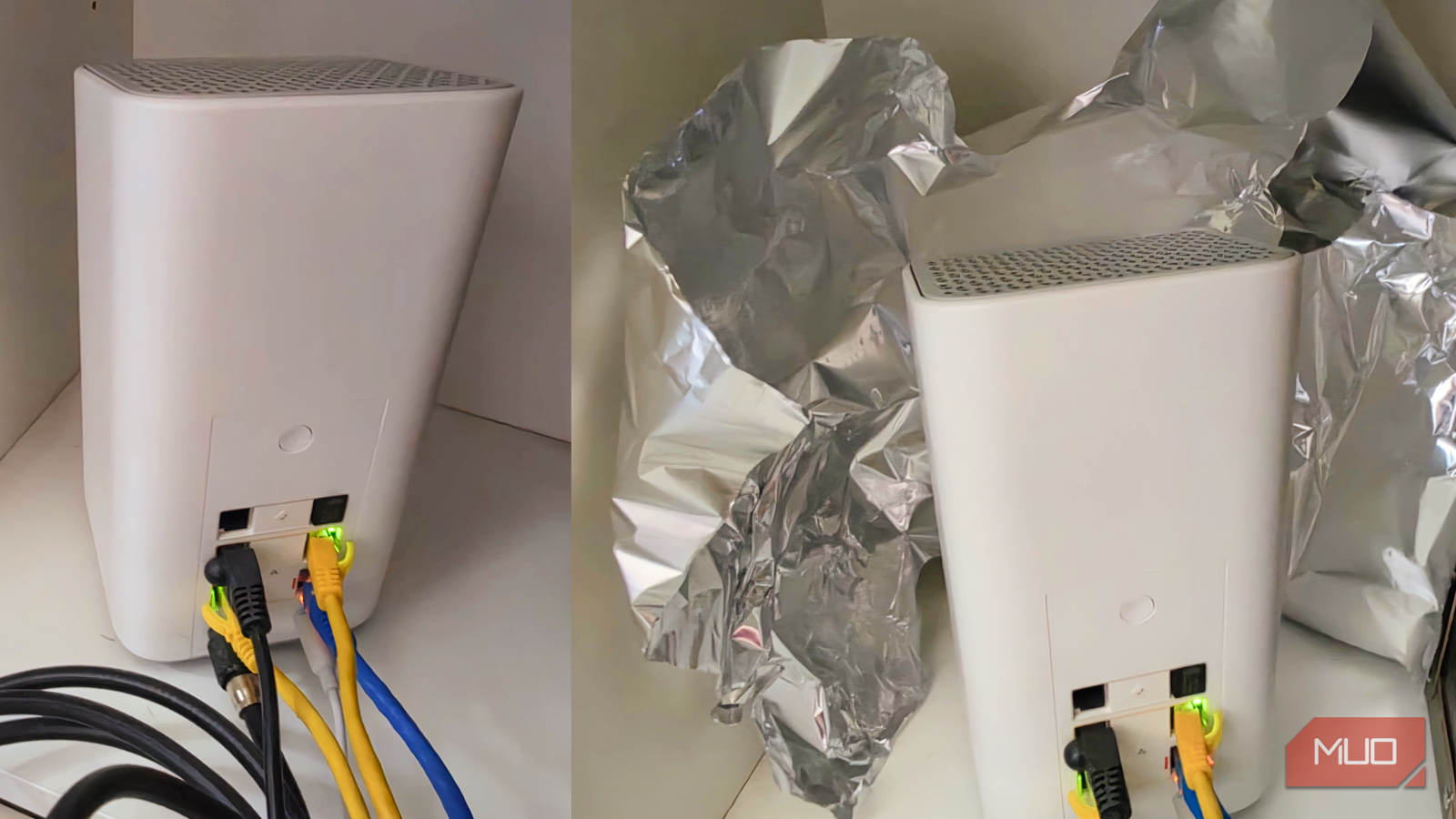
When I went to install some security cameras in my driveway a while back, I found that the Wi-Fi signal strength wasn’t powerful enough to make them work. Then I heard about this aluminum foil trick, where you add regular kitchen foil to your router setup, that could help with my problem.
Of course, I went to check it out. I measured three spots in my house, my computer desk, my bedroom, and the garage spot I’d had trouble with. The signal strength itself stayed consistent in each spot with and without the foil, but the weakest spot (by my garage) ended up with much faster throughput.
The foil trick has real science behind it
Dartmouth tested reflectors in 2017
The team presented research in November 2017 that showed positive results from a metal-coated reflector placed around a router. In the study, the team found that it could push signal towards some rooms and keep it away from others.
The physics says that metal reflects radio waves, just like a mirror reflects light. Usually, router antennas are omnidirectional and radiate in a donut shape, stronger at the sides and weaker above and below.
If your router is shoved against an exterior wall, a chunk of that donut is heading into drywall or your neighbor’s yard (congrats, your neighbor’s Wi-Fi just got a free boost). That’s the wasted signal foil promises to recover.
Swarun Kumar, a Carnegie Mellon wireless networking professor, told Popular Science the reflector idea makes sense in principle, and a Linksys product manager agreed it “does sort of work.”
Of course, the famous study didn’t use a sheet of kitchen foil. Their reflector was a 3D-printed plastic shape computed for a specific floor plan, and then coated in household foil. The signal in the study rose by about 6 dB in target areas and dropped by 10 dB where it wasn’t wanted. Throughput ranged from a 63.3% loss to a 55.1% gain at sampled spots.
They also found that it only works if the reflector covers all the antennas and sits within about 10 cm of the router.
Ultimately, the researchers concluded that reflectors are better at weakening signal, not strengthening it, because the foil blocks most of the signal headed behind it but bounces only part of that forward.
I tested it the way average folks can
My setup and how I measured
I didn’t want to print out a geometrically perfect shape and cover it in foil, since most of us don’t have the time or the equipment to do so. So I did what you might do: I grabbed a sheet of kitchen foil, curved it around the router (I’ve got one the cable company sent me with internal antennas), and tested it in three areas of my house. My router, like many other people’s, sits on the bottom shelf in my office, right next to my computer.
I split my dual-band router into 2.4 and 5 GHz Wi-Fi SSIDs, and tested on the 2.4 GHz band only. I used a Galaxy Z Fold 8 running Android 17 and One UI 9 with Wi-Fi Analyzer from Google Play and iPerf3 client from F-Droid. I connected my MacBook Air M5 to Ethernet and then ran the iPerf3 server there via home-brew. I ran one test upload and download via iPerf3 and tested the signal strength with Wi-Fi Analyzer.
I ran the tests with the foil off, then with it on, all in the same places.
The signal meter barely moved, but my garage got four times faster
What the numbers showed

|
Spot |
Signal (no foil / foil) |
Upload |
Download |
|---|---|---|---|
|
Desk, west |
-35 / -33 dBm |
66 / 45 Mbps |
64 / 54 Mbps |
|
Bedroom, behind foil |
-48 / -50 dBm |
29.6 / 36.9 Mbps |
36.5 / 38.2 Mbps |
|
Garage, in front of foil |
-62 / -64 dBm |
2.2 / 4.8 to 6.9 Mbps |
3.9 / 18.6 Mbps |
As you can see, the download jumped from 3.9 to 18.6 Mbps in the garage, and the upload more than doubled with the foil on. In the bedroom, nothing got worse, even though the research says it should have since it’s “behind” the foil. The desktop data didn’t significantly change; it’s right next to the router.
Yes, it was one run per spot, but the garage went from unusable to theoretically usable (I haven’t put the webcams back in there yet).
Foil only makes sense for one specific setup
When it’s worth ten minutes

It’s possible that you’ll find that foil will help with a stubborn dead zone in a predictable direction from a router you can’t or don’t want to move. Internal antennas make aiming it a bunch of guesswork, and the Dartmouth reflector only worked when it covered every antenna. The orientation of your router may actually matter much more.
The FCC caps how much power a router can radiate in any one direction, but I’m pretty sure some aluminum foil around your consumer-level router will be fine. Ideally, keep the foil a few inches from the case and off the vents; my router uses a fan to manage heat, so keep an eye on that.
The foil stays
The foil seemed to help my garage and didn’t hurt anywhere else, so I’m leaving it in place. It costs nothing, and the worst case is no change. If foil doesn’t help your dead zone, the bigger fixes still apply: reposition that router out of a bad spot, and you might see an immediate improvement. Better yet, mesh systems can cover what placement can’t.