
As inviting as they may look, not all motherboard slots are meant to be filled, and I learned that the hard way. Not all slots run at the same speeds, and your high-speed component might throttle if you put it in the wrong slot.
For PCIe, some motherboards might have two slots, but that doesn’t mean they run at the same speed, which can be confusing because they look the same, even though one runs at just a quarter of the lanes of the other, due to the electrical lane limitation.
Same slot, different wiring
Physical size and electrical lanes are two separate specs
Although the two PCIe slots on the motherboard are the same physical size, they have different electrical lane configurations. The main PCIe slot has x16 electrical lanes, allowing more data to pass through.
Meanwhile, the second x4 slot only transmits a quarter of the total bandwidth compared to the primary slot because it has fewer lanes.
Typically, the main x16 slot is on top, closer to the CPU since it connects through the processor, while the secondary x4 slot is on the bottom, farther from the CPU, routed through the chipset.
Lanes aren’t the only limitation for the secondary PCIe slot. The x4 PCIe slot can also run at a lower PCIe generation than the primary slot, further reducing bandwidth due to both fewer lanes and the lower generation.
Your CPU only has so many lanes
Ryzen 9000 offers 28; Intel Core Ultra 200S offers 24
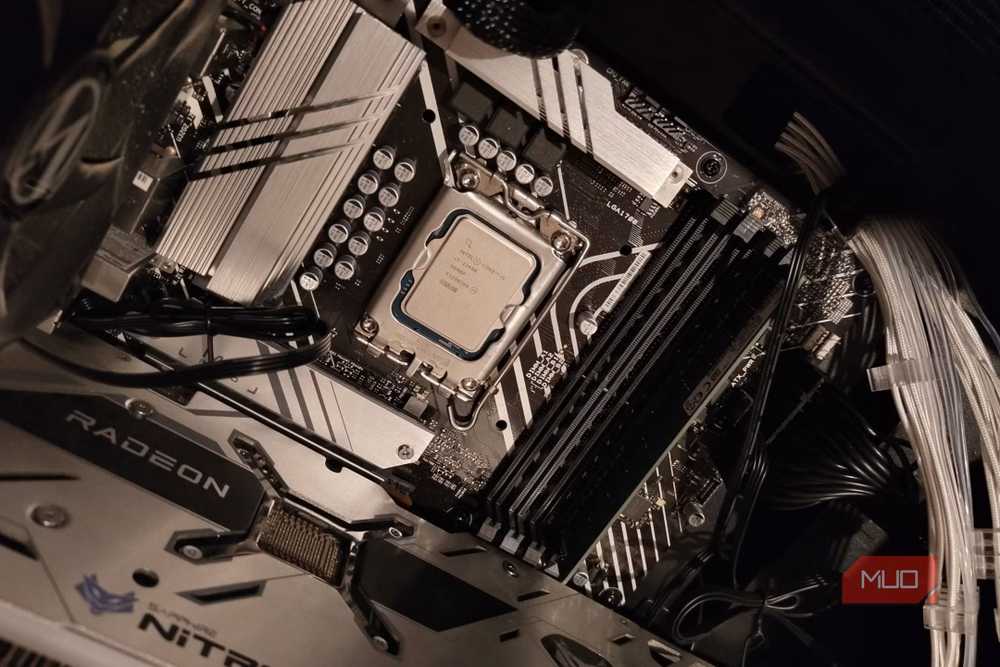
All slots from PCIe, M.2, and additional x1 or x2 slots are either shared or switched between slots. Consumer chips like the latest Ryzen 9000 processors can handle up to 28 lanes.
In contrast, Intel Core Ultra 2000S processors can handle 24 lanes at once, plus 4 additional lanes from the motherboard’s connectivity.
On paper, the lane calculation might seem different, but that isn’t the case because AMD advertises 28 lanes that include lanes from the chipset, while Intel counts them separately, so the lanes are roughly the same across both manufacturers.
If the lane count exceeds what the CPU or motherboard can handle, some connections might lose lanes to compensate for others. With M.2, adding an NVMe drive can disable a SATA port or another expansion slot.
What happens when a GPU lands in the x4 slot?
Bandwidth drops by 75%, but the real-world hit depends on the card

Putting a GPU in the secondary PCIe slot can incur a bigger performance penalty than one might think. For starters, a x16 slot can deliver 63GB/s of unidirectional bandwidth for modern cards like the RTX 5090.
Placing this monstrosity of a GPU in a x4 lane would cut speeds by a quarter, limiting unidirectional bandwidth to just 15.8GB/s (on PCIe 5.0), which would impact workflows like gaming or rendering hard because the bandwidth would be throttled to 25% of the intended amount.
In a benchmark conducted by TechPowerUp, the RTX 5090 loses around 11% of gaming performance at 1080p, 10% at 1440p, and 6% at 4K when dropping from PCIe 5.0 x16 to PCIe 4.0 x4. However, on tasks where a lot of asset streaming is required, like rendering, the performance penalty is greater.
Mid-range GPUs that natively run x8 would lose less performance — only 50% less bandwidth, to be precise. Low-end cards like the RX 6500 XT can run natively but need more lanes to access system RAM when VRAM runs out. Those same four lanes can then become more congested between VRAM and main RAM.
The x4 slot still has jobs worth doing
Perfect for add-in cards that outweigh the x1 slots

Though you can fit a secondary GPU in the x4 slot, that has limited uses in 2026 because such a configuration was never really ideal in the days when Nvidia’s SLI and AMD’s CrossFire technologies were marketed, because both GPUs, even identical ones, won’t behave like one, and all they do is split workloads between them. Then you’re also limited by the lane bandwidth.
However, when capacity matters more than bandwidth, a dual-GPU configuration works; in tasks like running local LLMs or rendering models, you can populate the secondary x4 slot with another GPU to fit larger models. The same slot can be used for AI accelerators, which handle inference workloads and simple AI operations much more efficiently compared to GPUs.
The secondary slot also works for add-in cards that outgrow a x1 slot, like 10GbE network cards, capture cards, Wi-Fi 7 adapters, and so on, with a converted slot installed.
Labeling would end the guesswork
Instead of creating two identical PCIe slots, motherboard manufacturers could do more to distinguish them. Even though the slot nearest the CPU is fastest, manufacturers could at least color-code the slots or print a clear label next to them, so users don’t get confused.
Some boards do this, and you’ll find the main PCIe slot with 16 lanes is armored, implying it’s the fastest, but do check out the manual first. Then again, a bit more labeling costs almost nothing to print.