
A Ryobi charger has just two small LEDs, but they report more than most owners realize. Green covers the charge itself. Red covers nearly everything else: a pack that’s too hot, one that’s too cold, one drained so low the charger has to nurse it back, and, when it blinks alongside green, an actual fault.
In nearly 10 years on ONE+, I’ve found that most blinking asks for patience, not a new battery. The four bars on the pack only tell half the story, and the charger handles the other half. Learning its handful of patterns takes a few minutes and can spare you from replacing a battery that still had years left in it.
Green lights track the charge
Flashing, fading, and solid all mark progress
A flashing green LED is the normal charging state on Ryobi’s 18V chargers, and it’s the pattern you’ll see most often. Once the pack is full, the green light goes solid. Ryobi’s current 6-port charger, the PCG006, adds an in-between step worth knowing. Its green LED starts fading on and off once the battery passes 80%, so you can grab that pack and get back to work without waiting out the final stretch.
Solid red with the green off is where owners start to worry, and usually they shouldn’t. On a single-port charger with nothing in it, that combination just means the charger has power. Multi-port models work differently. Six-port models charge sequentially, starting with whichever pack you docked first, so steady red on another port just means that battery is queued.
A full pack can stay docked. The charger switches to Energy Save mode and checks in occasionally to top it off.
A lone flashing red usually means wait
Heat and cold trigger the same pause
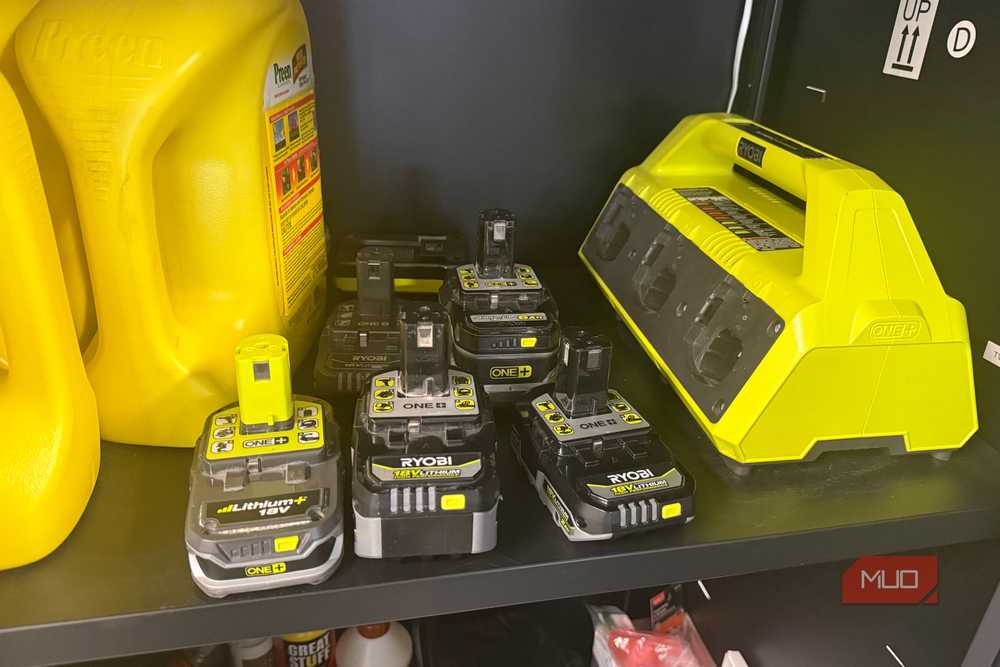
When the red LED flashes and green stays dark, the charger has paused because the pack is outside a safe temperature range. Ryobi’s instructions say to leave it docked. Once the battery cools down or warms up, charging begins on its own, with no reseating required.
Most of my own run-ins with this come from heat. Running my 40V string trimmer, blower, and edger in 90–100°F summer weather leaves the packs hot enough that the charger sits in its temperature delay before doing anything. Early on, I dropped hot packs straight from a tool onto the charger once or twice.
Now I let them cool first, since a hot battery on the charger only moves the wait to a different spot. Cold delays are rare for me because my batteries live in a garage I heat to around 50–55°F all winter. One older Ryobi charger manual spells out the approximate limits: a hot pack needs to drop to about 122°F, and a cold one has to climb above 32°F.
The pause protects the part of the Ryobi system you actually paid for, since charging lithium-ion cells outside their comfort zone wears them out faster. Ryobi’s single-port chargers also use flashing red for a deeply discharged pack. In that case, the charger feeds it a slow pre-charge until the voltage recovers, so give it several minutes before writing the battery off.
Red and green flashing together is the real warning
Run the swap test before buying anything

Both LEDs flashing at once is Ryobi’s defect signal, and it’s the only pattern that points to failed hardware. The catch is that the charger can’t say which half is at fault. The problem might be the battery, or it might be the charger.
Ryobi’s troubleshooting steps narrow it down fast. Start by reseating the pack. When the error comes back, swap in a different battery. If the second battery charges normally, the first pack is bad; if the second battery shows the same error, the charger could be failing.
A spare charger, if you have one, gives you a third data point. Before any of that, let a just-used pack rest so heat isn’t skewing the result, and look at the terminals for dirt or corrosion. I’ve cleaned the terminals on my own packs, and it’s worth doing before you assume the worst.
I haven’t hit this error yet, even on a pack approaching 10 years old. Age doesn’t create a compatibility problem here. Ryobi still uses the 18V interface it introduced in 1996, so an error on an older pack signals a genuine fault. When the swap test singles out a bad part, check its warranty status and track down the receipt before spending money.
Not every Ryobi charger speaks the same dialect
Check the label before trusting a chart

Most Ryobi 18V chargers follow the red-and-green scheme above, but a few break from it. The older 6-Port Supercharger (P135) uses flashing red for a deeply discharged pack and a fading red for an error, with a separate orange light handling temperature delays. Some single-port models, including the P117, also add an orange LED for hot or cold packs.
The 40V side has its own quirk. Ryobi’s OP406A rapid charger shows a hot or cold pack with red and green both lit steadily rather than flashing, and it reserves simultaneous flashing for errors. Someone reading that charger with an 18V chart in mind could easily mistake a harmless temperature delay for a failure.
The model number on the charger’s label settles any confusion. Match it to Ryobi’s manual for that exact unit, and the lights stop being guesswork.

- Battery Type(s)
-
Lithium-Ion
- What’s Included
-
2 Batteries
Read the light, then decide what to replace
Most of the blinking on a Ryobi charger is routine. Green tracks the charge, solid red often means a pack is waiting its turn, and a lone flashing red asks you to wait while a hot or cold battery settles. Only red and green flashing together justifies a closer look, and even then, a quick swap test usually identifies the culprit.
If the charger turns out to be the weak link, replacing it doesn’t have to mean paying full retail; Ryobi’s own factory outlet is worth checking first. Either way, a minute spent reading the light beats buying a battery you didn’t need.