
Smart home gadgets exist to solve problems, automate processes, and generally make your life easier. If you have a bunch of smart home gadgets keeping your household moving, you’ve probably wondered what will happen to them when the internet connection drops. Unless you’re using a local, self-hosted smart home server, your accessories count on a stable internet connection to link them to the cloud. Without it, the fast, wireless, and remote smart home control experience starts to fall apart.
I have tens of smart home accessories connected to Apple Home and Google Home over Matter and Thread. While internet outages in my area are relatively rare — hopefully I don’t jinx that — they do happen occasionally. So, I proactively unplugged the internet to see how my smart home behaved, and the results surprised me.
Nest cameras still recorded, but only for an hour
When the internet comes back online, recorded events upload
Google Nest cameras are the perfect example of smart home devices you’d expect to turn into paperweights when the internet starts acting up. They rely entirely on Google’s cloud infrastructure and even require a subscription for anything beyond a basic six hours of event recording. When I unplugged the internet, my third-generation Nest Cam Indoor security cameras didn’t stop working. Instead, they continued recording for eight minutes straight, before switching over to event-based recording.
This behavior is partly because the camera remained connected to power and I had an active Google Home Premium Advanced subscription — both are required for 24/7 recording. My battery-powered Nest Doorbell could only continue event-based recording. That said, both cameras could continue to capture events until they hit an hour of total recordings. At that point, the cameras lacked additional on-device storage to keep event recording going.
Of course, the Nest cameras couldn’t upload their recordings to the cloud until the internet came back online. That meant I couldn’t receive real-time notifications or view recordings in the Google Home app while the internet remained offline. This isn’t surprising, but it does reveal notable limitations of Nest cameras while offline. I could rest assured my cameras would record up to an hour of events. Beyond that, my cameras were useless.
HomeKit security cameras couldn’t record
But they would have if I installed on-device storage beforehand

Aside from my Google Nest security cameras, I also own a few HomeKit Secure Video cameras. Specifically, I have TP-Link’s Tapo C125 cameras set up in my home, and they’re used for video recording with end-to-end encryption. After unplugging the internet, the Tapo C125 wasn’t able to record. This is because I only set up the Tapo C125 cameras to record via HomeKit Secure Video, and without an active link to my Apple Home hub, they lost all practical functionality.
If I had set up a backup recording option, like a microSD card for local storage, it would’ve been smooth sailing for the Tapo C125. With a high-capacity and high-endurance microSD card, I could’ve continued local recording for hours, outlasting the Nest cameras. This is an example of why this exercise is so helpful in refining your smart home’s capabilities. You can learn where your gadgets fail, and how you can improve them. If local recording is important to you, make sure you choose a camera with that option and take the time to configure a local storage device, like a microSD card.
Smart displays and speakers turned into bricks
Apple and Google controllers shut down completely without Wi-Fi
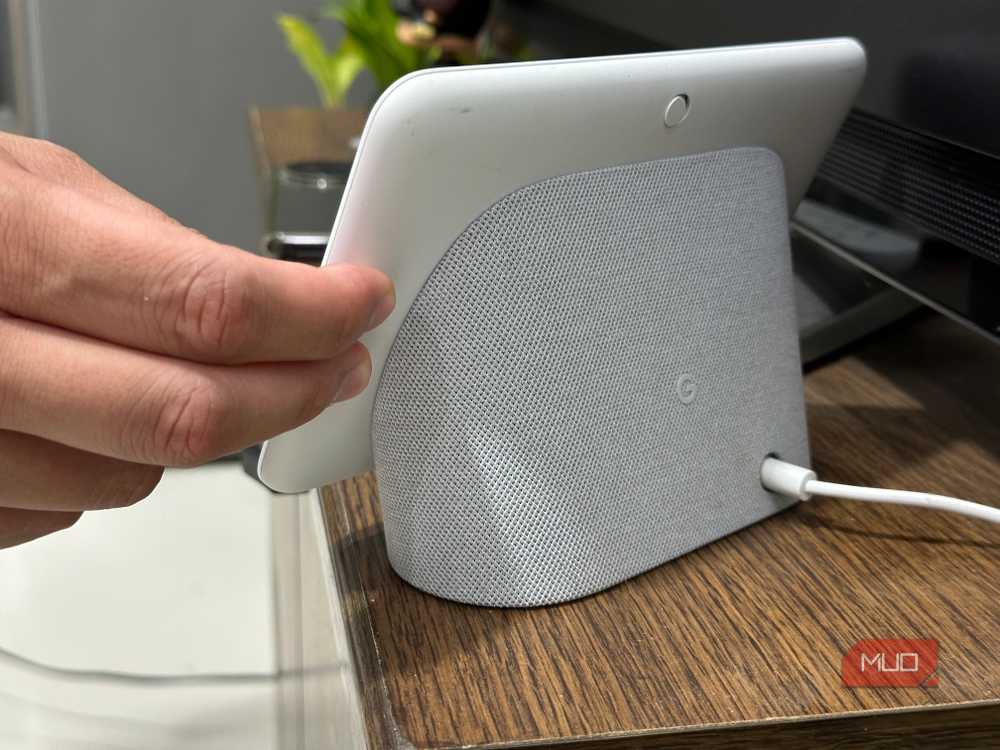
I own a handful of smart speakers, smart displays, and smart home hubs. Google’s smart home devices became useless when the internet dropped. The Google Nest Hub and Nest Hub Max lack local control support. They can’t so much as set a timer or tell you the date without a Wi-Fi connection, and that’s unfortunate. The same is true of the new Google Home Speaker. You can forget about asking it a question when the network is down.
Although the Nest Hub Max has a built-in camera that can be used as a Nest security camera, this only works while the internet is up. Unlike dedicated Nest security cameras, the Nest Hub Max can’t save recordings to local storage and upload them when the connection is back. If you’re using a Nest Hub Max for this purpose, be aware of the limitations.
I use HomePod smart speakers and an Apple TV to control the HomeKit side of my smart home. Without the internet, HomePods became unable to respond to spoken requests. If I asked it to do something as simple as turn on a light, it couldn’t complete the action. However, HomeKit has a built-in mechanism for local control. They can use Thread — a low-power, local mesh Wi-Fi network — to communicate without the cloud. This only works if the accessories you’re trying to control natively integrate with HomeKit without any third-party bridges, though.
Smart lights, thermostats, and sensors still work
They lose cloud connectivity, but trudge on in ‘dumb’ mode
The majority of my smart home accessories continued working without a hitch when the internet connection became no longer available. That includes smart lights, thermostats, smart plugs, and sensors. These gadgets continued to work in “dumb mode.” In other words, I could use a physical switch to turn off a light or tap the capacitive sensors on my thermostat to change its temperature setting, but I couldn’t control them remotely.
I have a basic Google Nest Thermostat, and it works completely fine without the internet. I can set the temperature, change heating and cooling modes, and use schedules without an active Wi-Fi connection. In fact, I used it for a few weeks without ever connecting it to the internet or adding it to my Google Home ecosystem.

Water sensors will let you know if there’s a leak even without a Wi-Fi connection. You won’t get a notification in the app without cloud connectivity, but most water leak sensors have built-in sirens that will go off as soon as liquid is detected. Battery-powered sensors will continue looking after your home even when the power is out, which is extra helpful.
Why it matters how your smart devices behave when the connection drops
Internet outages are bound to affect your smart home eventually. You should know how your smart home will respond when Wi-Fi or Ethernet is unavailable, because some smart home devices are mission-critical. I’m not going to lose sleep over a smart speaker that can’t answer trivia questions when the internet cuts out, but a security camera that can’t record offline is a genuine security issue. Based on how your smart home gadgets perform when you unplug the internet, you can tweak your setup.
If you’re tired of relying on the cloud entirely, building an offline Home Assistant server may be the solution you need.