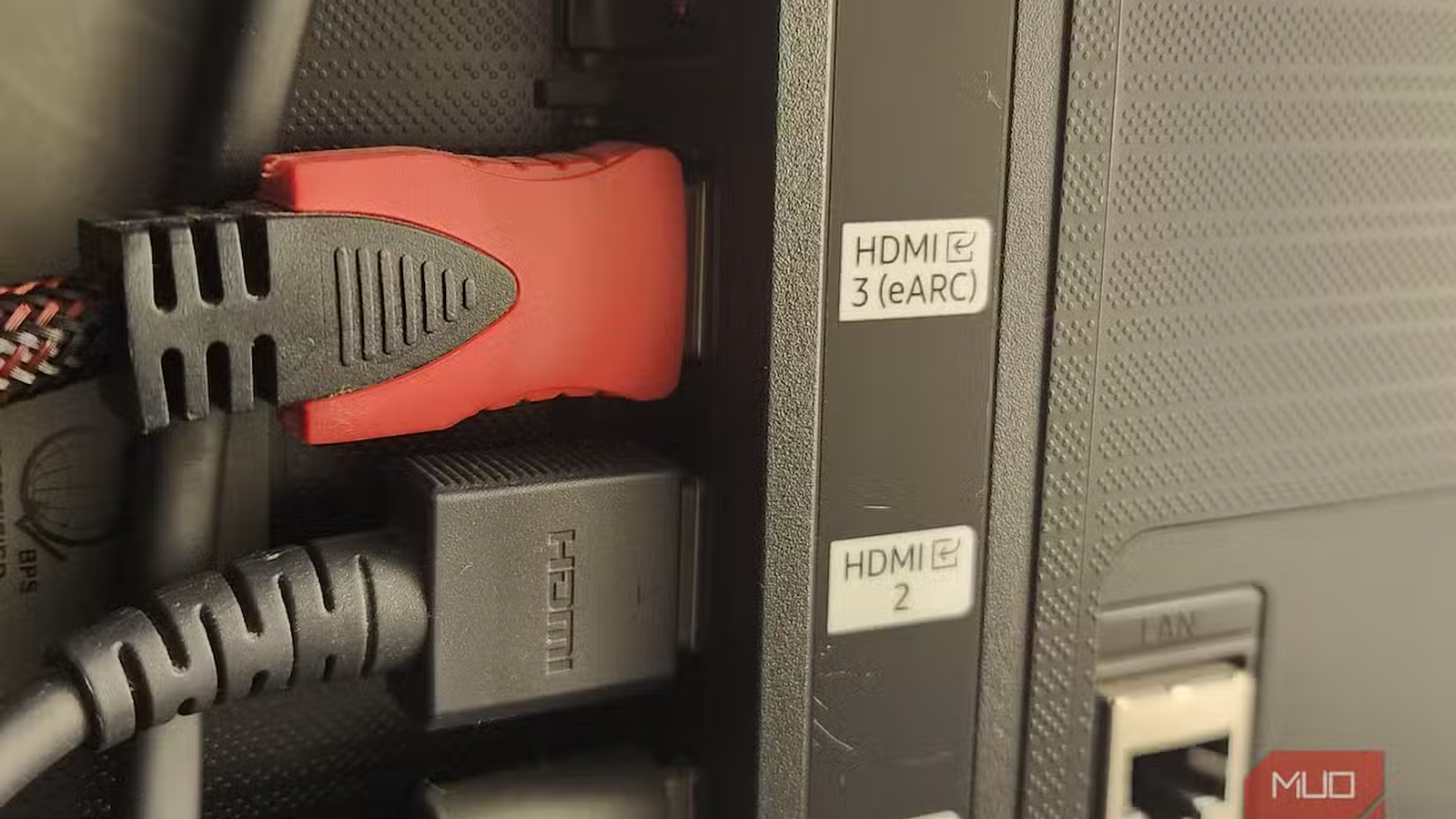
You’ve got a shiny new HDMI 2.1 cable. It’s rated for 48Gbps, boasting 4K at 120Hz and all the buzzwords that can future-proof your home entertainment. You plugged it into your TV, and nothing changed. You don’t experience 120Hz or any extra sharpness. And you wonder why you’ve spent extra money on a better cable.
Well, an HDMI 2.1 cable can fit and work with an HDMI 2.0 TV. The connector is the same, so the cable still fits into the port, and your devices can communicate with each other. Since the HDMI connections are backward compatible, an HDMI 2.1 cable will show picture and sound on an HDMI 2.0 TV.
Now, what the newer HDMI 2.1 cable can’t do is give your HDMI 2.0 TV features that it doesn’t support in the first place. In fact, that extra bandwidth will be wasted. That’s where the confusion starts.
Your HDMI 2.0 TV has limits
A new HDMI cable can’t upgrade your TV
The HDMI 2.0 standard was officially launched in 2013, and it still works for a huge amount of content. It supports 4K resolution at up to 60Hz, along with HDR10 formats and 32 audio channels. It’s enough for watching movies, sports, and most streaming content.
If you’ve got an HDMI 2.0 TV, it has got some limits. It depends on the chipset, processor, and the actual ports. HDMI 2.0 tops out at 18 Gbps of bandwidth. This is enough to handle 4K@60Hz content. However, it can’t handle 4K@120Hz, 8K resolution, or dynamic HDR formats like Dolby Vision. The HDMI 2.1 standard supports these features.
It supports up to 48Gbps, which unlocks extra perks like 4K at 120Hz, 8K at 60Hz, Variable Refresh Rate (VRR), Auto Low Latency Mode (ALLM), and enhanced eARC audio. Now, if you buy a new HDMI 2.1 cable to unlock these features on your HDMI 2.0 TV, that’s not going to happen. That’s because your TV is the bottleneck, and not the cable you’re using.
For instance, you connect a PS5 to an HDMI 2.0 TV using an Ultra High Speed HDMI cable (HDMI 2.1). Both your PS5 and cable are capable of handling HDMI 2.1 class bandwidth. However, your TV’s HDMI 2.0 hardware is the limiting factor. If your TV can’t handle a particular resolution or refresh rate via its HDMI ports, the cable can’t change that.
The HDMI cable name is more confusing than it should be
There are some vague marketing terms

One of the most common reasons why some folks fall for the wrong cable is how HDMI cables are named. I feel they are named quite inconsistently. USB at least slaps a speed rating onto its cables (even though “USB 3.2 Gen 2×2” is a nightmare).
On the flip side, HDMI cable packaging leans on vague marketing terms and not clear technical specs. You’ve probably seen labels like “High Speed (supports up to 10.2 Gbps bandwidth),” “Premium High Speed (up to 18Gbps),” or “Ultra High Speed (up to 48Gbps)” across cable boxes at the store. They refer to different HDMI versions.
For example, Ultra High Speed cables are certified for full HDMI 2.1 bandwidth. But that relationship isn’t obvious from the packaging unless you already know what to look for. You would expect to see “2.1” printed on the box, but you may not even find it. The older cables are simply labeled “High Speed.” This can be confusing because that label doesn’t clarify the performance you’re likely to get.
In recent years, the HDMI Forum has also moved away from strict version numbers like HDMI 2.0 or 2.1 to speed-tier labels instead. That’s meant to simplify things, but it also creates confusion for casual users. If you go for a cable based on price or brand recognition alone, you can’t tell whether you would get 18Gbps or the full 48Gbps HDMI 2.1 experience.
Check your TV before buying an HDMI cable
HDMI ports matter more than the cable

Before spending extra on an HDMI 2.1 cable, it’s a smart idea to check the ports on your TV and device you wish to connect. This is especially important if you’re buying one for a gaming console or streaming box. To use the HDMI 2.1 standard, both ends of the chain should support it.
Look for the features you actually want to use. For example, if you want to play games at 4K and 120Hz, check whether your TV’s HDMI port actually supports it. Similarly, if you’re interested in variable refresh rate (VRR), verify your TV can handle it. The same rule applies to Auto Low Latency Mode (ALLM), eARC, Dolby Vision, and other features. An Ultra High Speed HDMI cable won’t add these features to your TV.
If you are not sure what features your TV supports, you can look up your exact model number and search for its specifications on the manufacturer’s website (usually under the ports or connectivity section). You can also dig through the settings menu. Some TVs often list HDMI port capabilities directly. This will help you figure out if you actually need an HDMI 2.1 cable or not. It’s worth knowing that many newer TVs only designate one or two of their HDMI ports as “HDMI 2.1 full-bandwidth”. Others might be capped at 2.0 speeds.
Who should buy an HDMI 2.1 cable
It matters if you’re planning for an upgrade

No, HDMI 2.1 cables aren’t useless, but they’re just not universally necessary. Let’s say you own a PS5 or a modern gaming PC that packs a capable graphics card, and your TV also has a labeled HDMI 2.1 port (or HDMI eARC) that supports 4K@120Hz or VRR. In such a case, you must get an HDMI 2.1 cable. You can unlock smoother gameplay and reduced input lag.
If you’re about to buy a new TV or console anytime soon, a certified HDMI 2.1 cable will help you future-proof your setup. It would be a worthy investment. You won’t have to replace all your cables when your hardware catches up.
On the flip side, if you mainly watch 4K content at the standard 60Hz your TV supports, you don’t need to replace your existing HDMI cable just because a newer one exists.
HDMI 2.1 cables aren’t magic upgrades
The newer HDMI 2.1 cables can’t transform your TV’s capabilities. They’re only as useful when you’ve got higher-bandwidth hardware that supports the HDMI 2.1 standard. So, before you spend extra on a “better” cable, make sure to check what your TV and source device can actually output. If they’re capped at HDMI 2.0, that expensive cable is just an unnecessarily expensive way to watch the same picture you already had. An HDMI cable carries the signal your hardware gives it, but can never give your hardware newer capabilities.

- Length(s)
-
1ft, 6.6ft, 10ft, 20ft, 100ft, 200ft
- Brand
-
Highwings