
Running Ethernet through walls isn’t like replacing a USB cable or swapping a patch lead under your desk. Once the cable disappears behind drywall, changing it later means fishing a new line through studs, ceilings, or conduit all over again. DIY installers typically spend time comparing Cat5e, Cat6, and Cat6a before buying, assuming that’s the decision that matters most. But there’s another specification most folks rarely think to check before pulling an Ethernet cable through their walls: whether to use solid-core or stranded cable.
I stopped using Ethernet adapters throughout my house once I realized they bottleneck gigabit speeds
Ethernet adapters seem really convenient until you use them and realize they’re not as great as they seem.
The spec you’re actually overlooking
Not all Ethernet cables are built the same way

Every Ethernet cable has a category rating that tells you how fast it can carry data and how well it handles interference. But that rating doesn’t tell you how the cable is actually built. Instead, each cable is built with one of two conductor types: solid-core and stranded. Solid-core cables have a single piece of copper running through each wire. Stranded cables bundle multiple thin copper strands into each wire. You can’t tell the difference from the outside.
The solid-core is stiffer and holds its shape once routed, but it doesn’t like being bent back and forth repeatedly. That same rigid construction makes it better suited to long cable runs. Stranded takes the opposite approach. Bundling many thin strands makes it much more flexible, so it coils easily and handles repeated movement far better.
Manufacturers offer both construction types across multiple category ratings because they solve different problems. One describes what the cable can do, the other tells you how it’s built. Picking the right category doesn’t mean you’ve got the right design.
Built to stay behind your walls
Permanent wiring needs a permanent cable

Cables behind walls stay there for years, and today they’re doing more than connecting a desktop PC to a router. Security cameras and smart doorbells often need cable runs to the outside of the house. Inside, ceiling-mounted Wi-Fi access points and VoIP phones rely on permanent runs through attics and ceilings. Many of these devices also use Power over Ethernet (PoE), which transmits both data and electrical power over a single cable, eliminating the need for a separate power outlet at each location.
Solid-core is the standard choice for these installations. Compared to stranded, its lower resistance means less power is lost over the length of a PoE run. That makes it better suited to devices such as outdoor security cameras and ceiling-mounted access points, where both data and power need to travel reliably over long cable runs.
If a cable is going behind a wall and staying there, whether it’s feeding a security camera outside or an access point upstairs, it should be solid-core. In-wall cabling is a one-time project. The cable you pull should be built to match.
The right cable for the right job
Know which type goes where

Stranded cable has its own place. The short cables connecting a laptop to a wall jack, a gaming console to a switch, or a desktop PC to a nearby router are all better off being stranded. These cables get unplugged, moved around desks, coiled into bags, and bent in ways that would eventually crack a solid-core conductor. Anywhere a cable needs to flex regularly, stranded is the better choice.
The good news is that the packaging usually makes this choice for you. Almost all pre-made Ethernet patch cables sold in stores and online are already stranded. They come factory-terminated in standard lengths, ready to use right out of the box. Bulk cable on spools, the kind you buy for permanent installations, is almost always solid-core. So the solid-core vs. stranded choice only comes up when you’re buying bulk cable for a wiring project.
If you’re buying a bulk spool, confirm it’s solid-core before ordering. Check the product title, the specifications section, or the printing on the cable jacket. That one detail is easy to miss but worth verifying before the cable goes behind a wall.
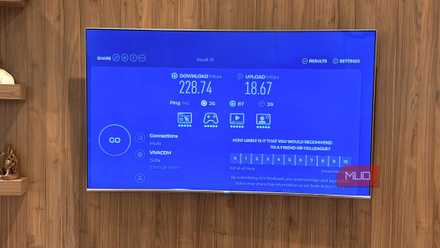
I accidentally added a gigabit Ethernet port to my smart TV
Your TV’s Ethernet port is probably stuck at 100 Mbps. Mine accidentally got 1000 Mbps. It doesn’t make a difference.
The detail worth getting right
Category ratings describe what an Ethernet cable is capable of, while the construction type tells you what it’s designed for. Get that detail right once, and the cable will outlast every router, switch, and device you ever connect to it.

- Brand
-
Dasook
- Length
-
6ft
- Cable Type
-
Ethernet
- Connector Type
-
RJ45
With high speed and bandwidth, a Cat 8 Ethernet cable is ideal for low-latency and lag-free gaming, as well as motion-free action and accurate visuals. The Dasook Cat 8 Ethernet Cable is a wise choice for gamers, not only because it meets the criteria but also because you get excellent value with two in a pack.