Until recently, Gemini Gems were the only way to create a repetitive workflow with Google’s AI assistant. However, these Gems never worked with the larger workflow within Gemini.
Fortunately, Gemini is saying goodbye to Gems and introducing something else in their place: skills.
If you’ve used Claude, you’re already familiar with skills that offer efficiency and save time. Gemini’s take on skills seems to follow the same approach, and the results are better than Gems ever were.
Skills work in the chat you are already having
Gems made me change rooms to ask one question

The biggest limitation with Gemini Gems is that you need to leave the current chat to access one of them. For instance, I may have a fact-checking Gem that I’ve built to verify claims. I can’t invoke this gem in an existing chat. This is where skills differ, as they work in the chat you’re currently having.
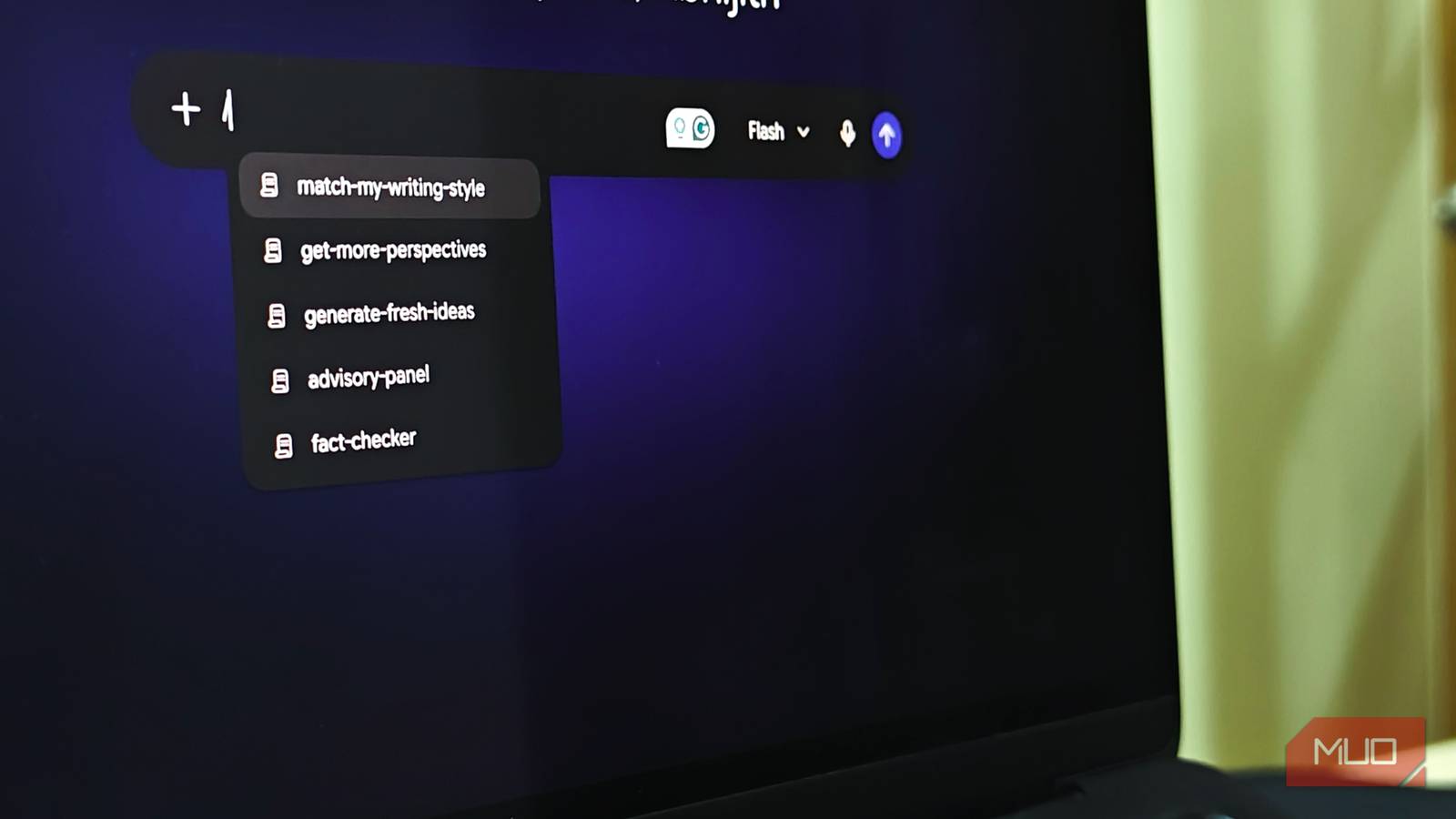
Let’s say that I’m in the middle of a brainstorming session and want to fact-check one of the claims. Now, instead of opening a Gem in a new tab and losing the important context, I can use the /fact-checker command to verify a claim. There’s also an option to have Gemini automatically invoke the skill, which saves even more time.

I rebuilt my worst Gem as a skill from scratch
Gemini wrote half of it while I watched
To be completely clear, Gemini hasn’t pulled the plug on Gems yet. They will be available until November 16, after which all your Gems will be converted into skills. However, you don’t have to wait until next month to use this feature. Instead, you can use the Create Skill link on the Gems page to come up with one yourself.
I love that Gemini offers three options to create a skill: Create with Gemini, Create manually, and Upload skill. Depending on your requirements, you can pick the right option. As you can guess, Create with Gemini is the easiest option as the AI assistant asks proactive questions as you build the skill.
For instance, you can say something like “Create a fact-checker skill”, and Gemini will ask enough follow-up questions to polish it. Once the process is done, that skill will be saved and be accessible across Gemini conversations. However, if you already have skills you use with other AI tools, you can upload SKILL.md files or entire folders.
Gemini also recommends a few skills you can create in a single click.
Stacking two skills did what no Gem could
Turns out my Gems never learned to share a desk

Using two Gems at once was something you couldn’t do with Gemini Gems. It has more to do with how each Gem requires a different tab and how two Gems don’t interact. With skills, however, Gemini has gotten rid of that limitation, and you can invoke two or more skills in a single conversation.
Depending on your workflow, this feature offers you many opportunities. For instance, let’s say you have set up two pre-made skills from Google, /match-my-writing-style and /prep-for-meetings. Now, instead of running these two skills separately, you can use the following prompt and get better results:
/prep-for-meetings /match-my-writing-style Brief me on my next meeting with my editor and write the brief the way I would.
This way, Gemini will consolidate everything into a single workflow and deliver better results. Similarly, you may want to run a decision-advisor skill to get different opinions and have the match-my-writing-style skill create something in your voice. Alternatively, you may have a research assistant skill that works alongside a citation verifier skill.

Let’s take another scenario where you want to create a skill to draft customer response emails. You may want to include a tone-checker skill nested within the main skill so that all your email drafts are verified for potentially dismissive phrasing. Alternatively, you can integrate an action-item extractor into a meeting note taker skill so that you get different kinds of output.
What Gems still do better right now
While most things that skills bring to the Gemini experience are great, there are times when I miss Gems. Skills don’t currently have access to tools like Create video, Create music, Canvas, Deep Research, and Guided learning. Some other features I regularly use with Gems, such as Google Drive and Gemini Notebook integration, are also still on the way.
On the bright side, when these features are integrated into skills, Gemini should be more useful than it is now, and you can get more done by switching early, before an automated migration.