
When 1Password told me my Individual plan was going from $35.88 to $47.88 a year, I didn’t renew straight away. I opened my vault and looked at what I was actually paying for.
Leaving wasn’t a small decision, since I’d already moved my 2FA codes from Google Authenticator into 1Password. Those would have to move too. I ended up on KeePassXC, a free, open-source password manager with no account to create. It covers almost everything I used 1Password for, with one catch.
A price hike made me audit 1Password
Most of my subscription paid for features I never opened
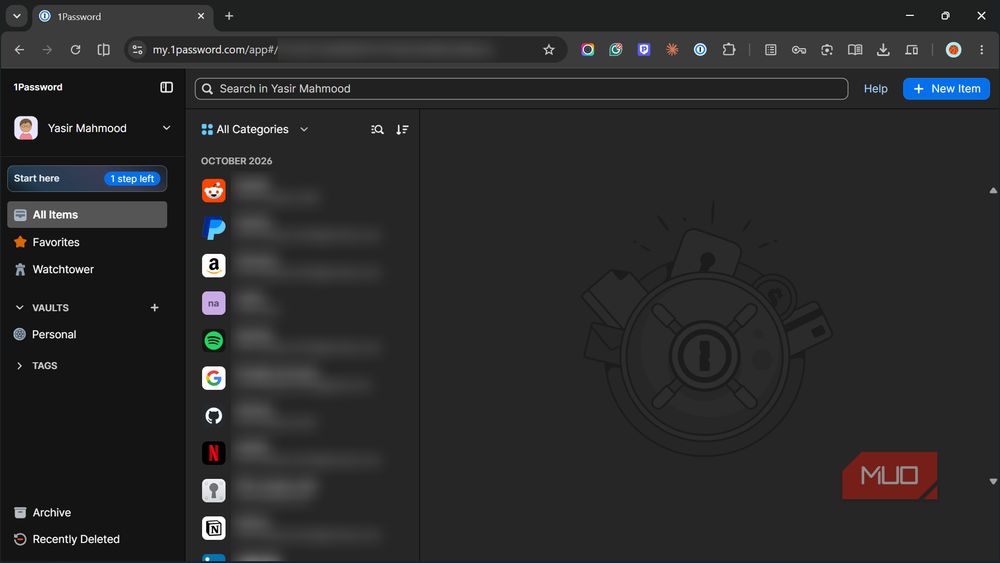
A $12 increase doesn’t sound like much. But when 1Password raised its Individual and Family plan prices in March 2026, it turned into a $47.88 bill that renews whether I open the app or not. Staying on would cost me about $239 over the next five years for one person’s passwords, and that assumes the price never climbs again.
So I listed what I actually touched every day. Browser autofill, the 2FA codes stored next to my logins, Watchtower’s alerts about weak or breached passwords, and a handful of passkeys. That was the whole list. I’d never shared a vault, never turned on Travel Mode, and never sent anyone a sharing link.
Seen that way, the decision got simpler. What I was paying for was a large bundle, and I used four parts of it. If a free app could cover those four, the subscription had nothing left to justify it.
KeePassXC took my vault and 2FA codes
One export file moved everything except passkeys
Moving out took less effort than I’d braced for. 1Password can export your whole account as a 1PUX file, and KeePassXC reads that format directly. I went to Database -> Import, picked 1Password Export, checked the preview, and clicked Done.
The 1PUX file isn’t encrypted, so anyone who opens it can read every password inside. Delete it as soon as the import finishes, and empty the Recycle Bin too.
Each 1Password vault became a group in KeePassXC, and my logins, notes, tags, and attachments came along with it. Favorites and archived items arrived with matching tags, so nothing got buried. Best of all, the 2FA codes worked straight away, and I didn’t rescan a single QR code.
Passkeys were the exception. 1Password leaves them out of 1PUX exports on purpose, and its staff explained on the 1Password Community forum that this stops them from being saved in plain text. That’s a fair reason, but it means registering each passkey again, site by site, through the KeePassXC-Browser extension. Those 2FA codes are also why I skipped the more obvious open-source pick. Bitwarden’s free plan doesn’t generate them inside the vault, because the built-in authenticator is part of the Premium plan. KeePassXC shows the code right in the entry at no cost.
Watchtower has a stand-in, too. The Health Check report under Database -> Database Reports flagged two old accounts sharing the same weak password within seconds. I also turned on Windows Hello, so I don’t type my master password every time. There’s a strong case that KeePassXC is the better open-source pick than Bitwarden if you want to own your vault outright.
Free means I handle sync myself
OneDrive and KeePassDX cover what 1Password’s cloud did

KeePassXC does ask for something in return. There’s no account, so there’s no recovery option if I forget my master password. There’s no official mobile app, and no company syncing my vault in the background. 1Password handled all of that quietly, and that convenience is a big part of what its subscription pays for.
So, each gap needed one small fix. My vault is a single .kdbx file, so it sits in my OneDrive folder, which I already pay for through Microsoft 365. OneDrive keeps version history as well, which covers a bad save or an accidental deletion.
On my Android phone, KeePassDX opens that same file and fills in passwords inside apps, not just in the browser. It’s free and open source too, so the whole setup costs nothing beyond what I already had.
The one habit this asks of you is keeping a backup, because nobody can reset a forgotten master password. An offline copy on a USB drive is enough. If you’d rather keep your vault off the cloud entirely, you can sync KeePassXC between your devices with Syncthing instead.
Who should still pay for 1Password?
One afternoon of setup replaced a yearly bill
1Password is still the easier choice if you share vaults with family, want a way back in after forgetting your master password, or rely on passkeys everywhere. Those are real reasons to keep paying, and its apps are more polished than anything in the KeePass world.
But if you’re one person like me on Windows and Android and don’t mind looking after a single file, KeePassXC does the job for free. The switch cost me an afternoon, once, and there’s no renewal email waiting next year. If managing your own file sounds like too much, there are free password managers that hold up against the paid ones without the extra work.

- OS
-
Windows, macOS, Linux, Portable
- Price model
-
Free
KeePassXC is an offline password manager that offers strong password encryption and does not require the cloud to store or handle your credentials. It is open source and community maintained.