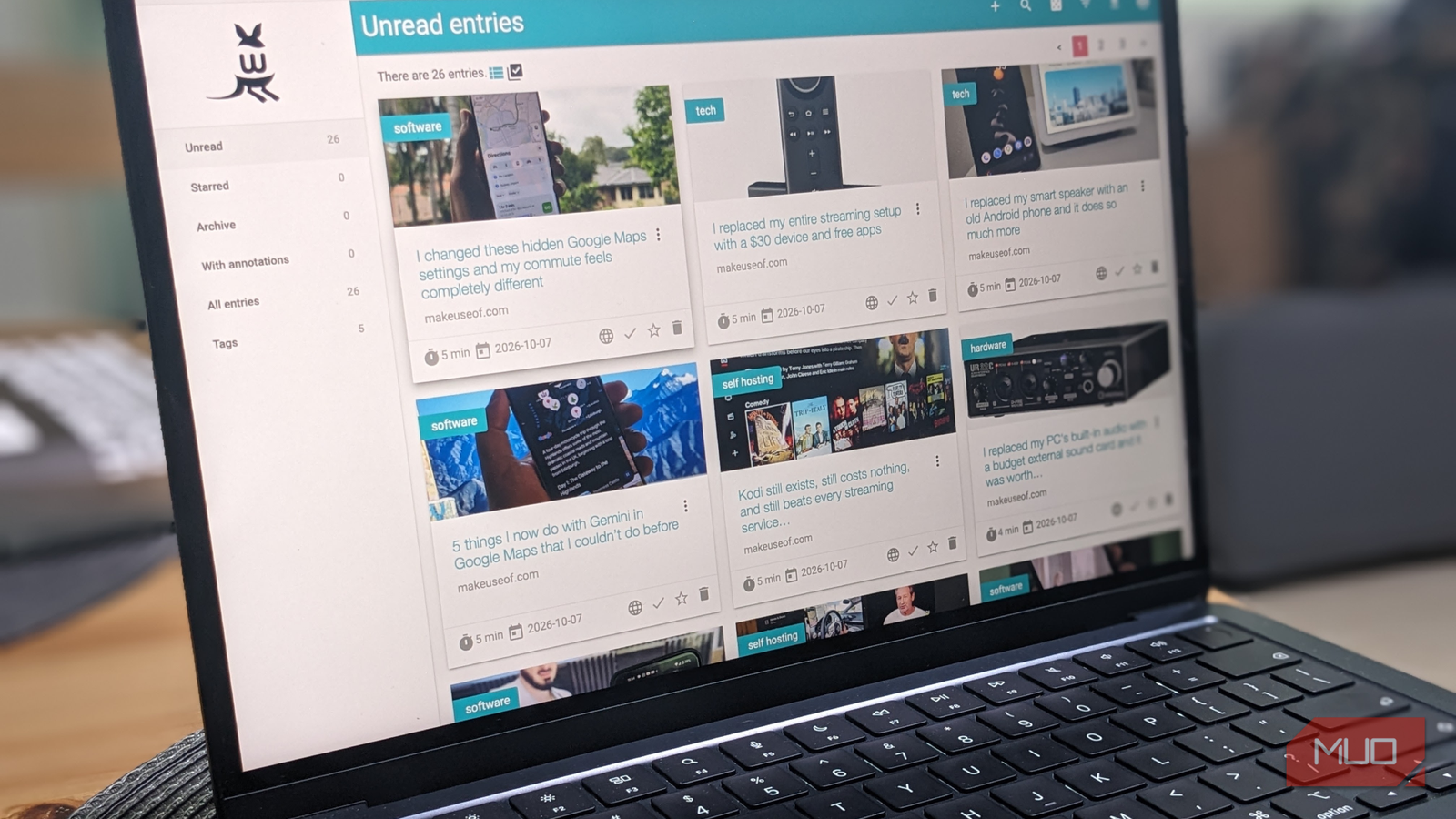
I’ve accumulated hundreds of bookmarks over the years, but I rarely revisit them, even if I remember they exist. What I really wanted was a proper read-it-later library where everything I want to keep is presented in an attractive UI, properly categorized, and with recognizable thumbnails.
I didn’t want another subscription, so I installed the free, open-source Wallabag myself in Docker. Then I started filling it with my own MakeUseOf articles to test it, and I quickly realized I’d been thinking about bookmarks all wrong.
A bookmark only tells me where something is
My browser was like a filing cabinet that I never bothered to open
My browser bookmarks are more like a retirement home for links than a proper library. Even though I think I’ve got things organized, I’d save an interesting article because I wanted to read it later, only to forget why I saved it or where it was buried.
For me at least, part of this problem is visual. A bookmark is essentially a pointer that doesn’t feel worth revisiting. As a writer, I’ve accumulated hundreds of articles I’d like to return to, but I want something more deliberate, with a gallery view and properly formatted articles that remove unnecessary fluff.
Wallabag offers the perfect solution. Instead of showing me the full website, ads, and surrounding navigation, it extracts the article and presents it in a clean reading interface. And rather than paying for yet another online subscription (an option through Wallabag.it), I decided to run it myself in Docker as a free, privately hosted service.
I tested Wallabag with familiar material
Building a library from my own MUO articles made sense
Adding articles to Wallabag is as easy as pasting in a link, so instead of saving a handful of articles for review, as I originally planned, I loaded 26 of my MakeUseOf articles. I deliberately chose a mix of subjects and categories to see just how useful the software could be.
My collection included articles about software, streaming, hardware, self-hosting, and other technology topics. Some included mostly text, whereas others were heavier on images, links, and title cards.
This turned out to be a much better test than choosing random articles from around the web, since I already knew how each article looked on MUO and could easily compare the pages Wallabag created. I also knew the content inside out, which would come in handy later when checking search features and other functionality.
The clean reading view changed everything
Wallabag made my saved articles feel like a real library

As a test, I opened one of my longer, image-heavy pieces in Wallabag, and everything survived the extraction. My title, headings, paragraphs, and images were all there, but the distracting elements surrounding the original webpage were gone.
My next test was to open an article with lots of links, and even these were preserved and working, including outbound links to other websites. Had these been removed, any saved copy would be considerably less useful. Wallabag even saves useful metadata, such as the reading time and article source.
The biggest change, however, was psychological. I was no longer looking at a list of bookmarks, but a proper UI that felt like my own, well-presented collection. Now it was time to delve deeper into what else Wallabag had to offer.
I wasn’t just bookmarking the internet anymore
Search and tags made saving items more organized

Having added 26 webpages, I was ready to test Wallabag’s features, starting with search. I wanted to know how accurately Wallabag would retrieve pieces based on search queries, without me having to scroll through my entire collection.
I started by searching for “Figma,” since I have written an article about the software and also included it incidentally in the body text of another. Sure enough, Wallabag narrowed it down to the two articles I had in mind. This will be highly useful when looking for an article based on content, rather than titles alone.
Next, I started assigning tags to articles, including software, self-hosting, streaming, tech, and hardware. This gave me another way to organize my collection, and I could quickly and accurately search an entire category instead of browsing a mix of random articles at once. At that point, I realized Wallabag would be genuinely useful to me going forward.
I finally have somewhere to keep the things I want to read
While I am still relatively new to Wallabag, I am happy I found it, and I can see it becoming a regular fixture in my workflow. That doesn’t mean I’ll abandon bookmarks entirely, since they still have their place as a simple shortcut to a website or service.
Wallabag feels different because it is more deliberate: I am building a library of everything that will come in useful, reading it in a lightweight, viewer-friendly format without the clutter of most websites, and using powerful search features to navigate my resources quickly.
I started this experiment because I wanted an attractive, intuitive, self-hosted application, rather than a collection of links. What I found in Wallabag has exceeded my expectations.