
When it comes to tech, I tend to go for the best thing I can get. But with networking gear, “best” has a way of meaning most expensive without actually being better.
I’ve spent hundreds of dollars over the years on networking upgrades that were supposed to improve my home network, only to find that most of them made zero difference. The real fixes turned out to be free or dirt cheap, and the expensive stuff was just marketing doing its job.
7 devices in your home that really shouldn’t be on Wi-Fi
If you care about a reliable home network, move these devices off of wireless immediately and start using Ethernet instead.
Gaming routers
RGB lights won’t lower your ping
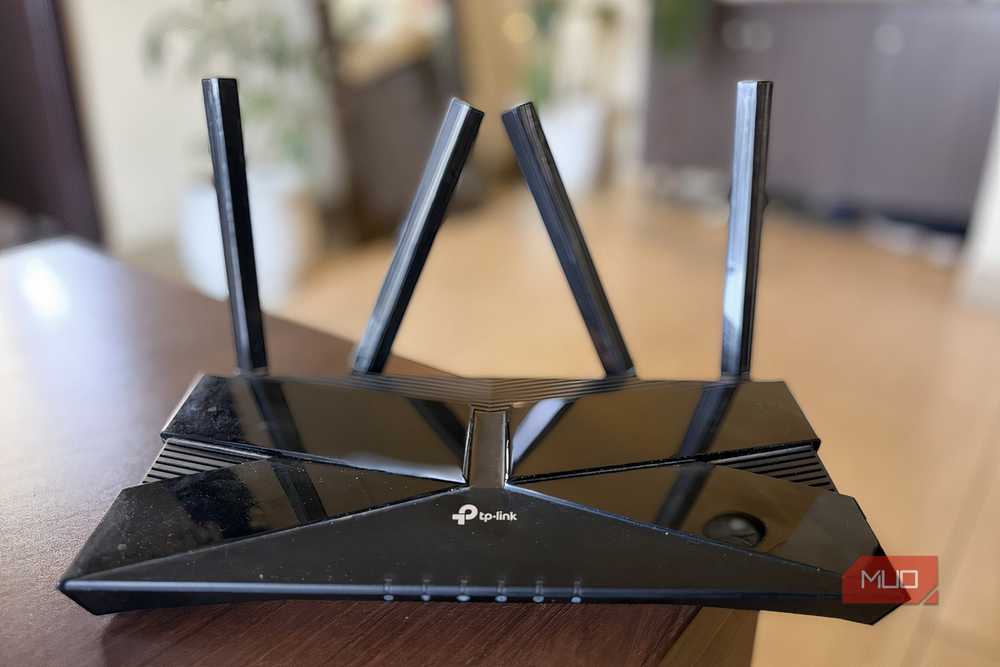
Companies love to slap “gaming” on a high-end router and sell it to you for a premium. The truth is, there’s no such thing as a gaming router. It’s a marketing label, and that’s all it has been all these years.
I’ve tested several gaming and regular models over the years, and found no meaningful latency difference between them when the network wasn’t congested. When your internet connection isn’t overloaded, every modern router forwards packets fast enough that your ping stays roughly the same, whether your router has RGB lighting or not.
The one feature that matters for gaming latency is QoS (Quality of Service), which prioritizes game traffic, so your downloads don’t starve your connection. But QoS isn’t exclusive to gaming routers. Most decent mid-range routers already have it, sometimes under a different name. The Game Boost toggle on your $300 Asus ROG router? It’s just QoS with a fancy label.
If you want lower ping, plug in an Ethernet cable instead of relying on WiFi, or connect to the 5GHz band if you must use wireless. And make sure nobody is running large downloads while you game. Those three things will do more for your latency than any gaming router ever will.

- Brand
-
ASUS
- Range
-
3,000 Sq. Ft.
AX1800 dual-band WiFi 6 router with MU-MIMO, OFDMA, and beamforming. Four Gigabit LAN ports, AiMesh support, lifetime AiProtection security, and easy setup via the ASUS app.
Anything above Cat5e cables
Your Ethernet cable is probably fast enough already

Speaking of Ethernet cables, here’s another money pit. I assumed higher cable categories meant better performance, so I fell for the misleading labels on those fancy Ethernet cables and bought Cat6a and Cat7 cables for my home network.
Cat5e cables officially support 1Gbps speeds, but in practice, most quality Cat5e cables can handle 2.5Gbps over typical home distances. Unless your ISP is delivering multi-gigabit speeds, which most don’t, your Cat5e cables are doing just fine. Even if you upgrade your internet plan, Cat5e can often push 5Gbps or more over shorter runs of a few meters.
Cat6 is a reasonable middle ground if you’re running new cables from scratch, since the price difference is small. But ripping out working Cat5e to replace it with Cat6 or Cat6a is a waste of money and effort. The bottleneck in most home networks isn’t the cable, but the internet plan, the router placement, or the WiFi signal itself.
10GbE is a trap
You’re paying for speed you can’t use

And even if you do upgrade your cables, you’ll be tempted to take the next logical step and go full 10 Gigabit Ethernet. It sounds incredible on paper: ten times faster than standard gigabit. But for a home network, 10GbE is a money pit.
First, the equipment cost. A 10GbE switch alone can cost $200 to $400. Then you need 10GbE network cards for every device you want to connect, and those aren’t cheap either. Your router probably doesn’tdoesn’t have 10GbE ports, so that might need replacing too. Before you know it, you’ve spent over $1,000 just to move files between two computers slightly faster.
Second, your internet connection almost certainly can’t saturate even a regular gigabit link. Most ISPs still top out at 1Gbps for residential plans. So 10GbE only helps with local transfers between devices on your network, like copying files to a NAS. For most people, even a homelab setup, regular gigabit Ethernet handles that workload without breaking a sweat. The money is better spent on more storage or a better backup setup.
WiFi 7 mesh kits
The latest standard won’t fix a bad setup

I’ve fixed spotty WiFi at my home using a budget mesh system, so I know mesh networks work. However, spending $1,500 to $2,000 on the most expensive WiFi 7 mesh kit won’t fix your network problems if the underlying issues are something else entirely.
The biggest problem with premium WiFi 7 mesh kits is that almost none of your devices support WiFi 7 yet. Your phone, laptop, smart TV, and smart home gadgets are probably running on WiFi 5 or WiFi 6 at best. Buying a WiFi 7 mesh system for devices that can’t use it is like building a six-lane highway for a road that only sees bicycle traffic.
On top of that, most ISPs don’t even offer speeds fast enough to take advantage of what WiFi 7 promises. If your internet plan tops out at 500Mbps or even 1Gbps, a well-placed WiFi 6 mesh system will handle that without missing a beat. What can fix your WiFi problems is proper node placement, using the right frequency band, and making sure your mesh nodes have a clear line of sight to each other. A $200 WiFi 6 mesh kit with good placement will outperform a $2,000 WiFi 7 kit shoved in a closet.
Managed switches
Enterprise features you’ll never configure
When I started reading about home networking, managed switches kept coming up as an essential upgrade. VLANs, QoS, traffic monitoring, port mirroring: the feature lists sound impressive. But my home setup certainly didn’tdidn’t need one.
Managed switches make sense in business environments where you need to segment network traffic, monitor bandwidth usage across dozens of devices, or enforce security policies. In a typical home with a router, a handful of wired devices, and a WiFi network, an unmanaged switch does the job perfectly. You plug it in, and it works.
The one exception is if you’re running a serious homelab with VLANs or need to isolate IoT devices from your main network. But even then, your router can often handle basic traffic segmentation on its own. For most people, a managed switch is an expensive solution to a problem they don’t have.
Paying more doesn’t always get you more
Expensive networking gear isn’t snake oil. WiFi 7 and 10GbE will earn their keep eventually, maybe in five years, maybe ten. Right now, most of it is built for enterprise environments where multi-gigabit speeds and dozens of high-bandwidth devices are the norm. That future isn’t here yet for the average home network, and buying ahead of it is how I ended up with expensive gear that does exactly what the budget gear was already doing.