Every device in your home is probably running its own little ad-blocker, keeping those intrusive pop-ups and whatnot at bay.
That’s the setup I had for years, until I realized that the better and more efficient way is to run ad blocking and filtering at the network level. This has two effects. One is that your devices will see fewer ads, which is great. The second, which is something you might not expect, is that you’ll free up some RAM on your devices.
Network-level filtering moves the process away from your devices
Filter from the top, not the end
On desktops and some smartphones, ad blocking and filtering usually means using a browser extension like uBlock Origin, AdGuard, or similar. It’s useful, but only protects that device.
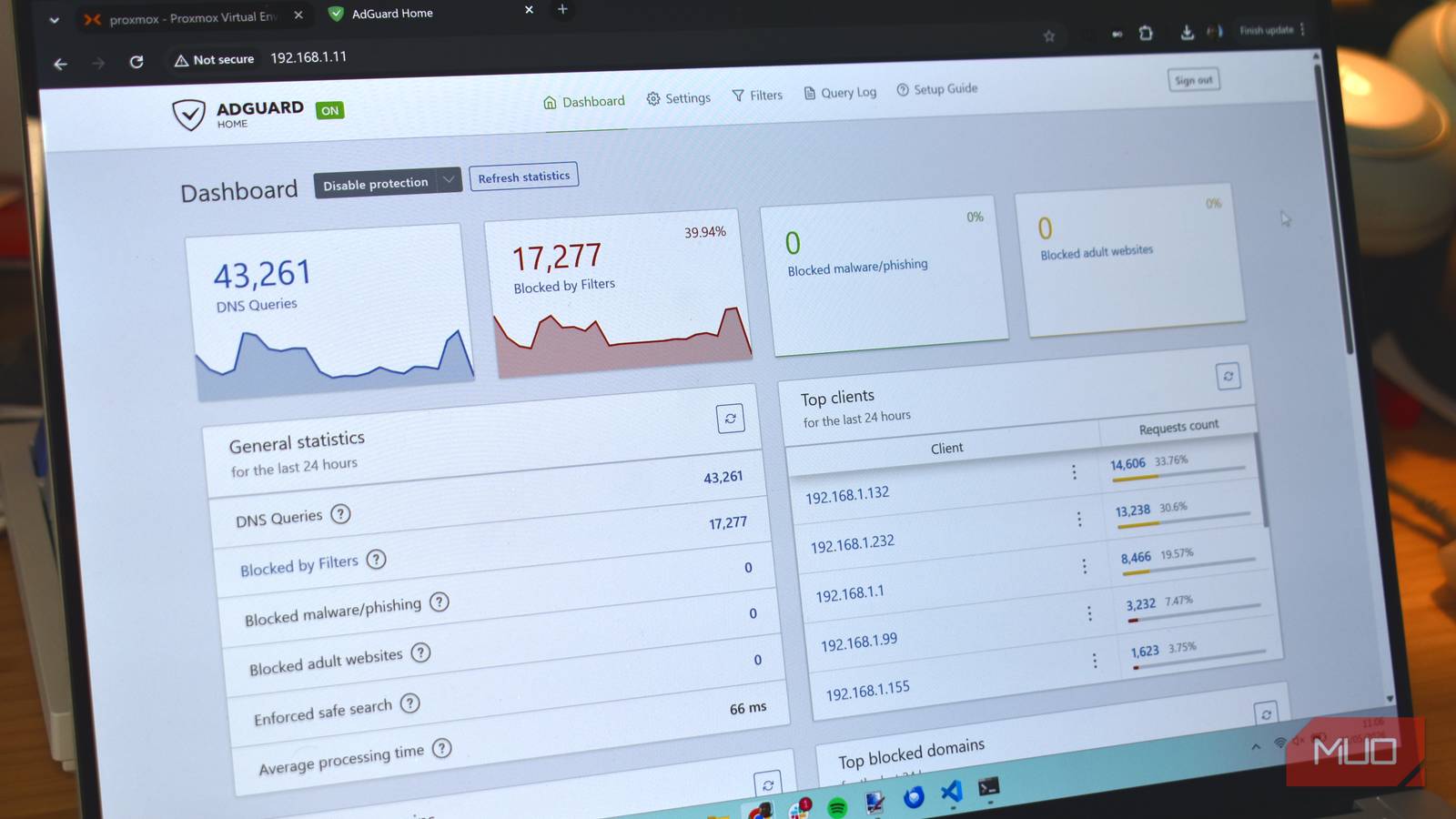
However, there are numerous filtering options you can use to protect your entire network. For example, installing a DNS resolver like Pi-hole or Adguard Home on your router or a secondary device attached to your router, as I’ve done with my Proxmox-Unbound-AdGuard Home stack at home.
That’s because filtering, ad blocking, and other script-blocking elements are applied before your device has to do anything. Instead of having to run its own version of everything, your device takes its cue from the network.
Where does the RAM go?
It’s not the ads, it’s the scripts and tools that block them

The filtering here is applied through network-level DNS, which means requests to known advertising, tracking, and malicious domains can be blocked before your devices ever connect to them, cutting out a lot of the stuff you don’t want.
Browser-based ad blockers have to stay loaded in memory while you browse, checking page requests against their filter lists and deciding which resources to block. It’s not an enormous amount of memory on modern hardware, but it is another process running on your device every time your browser is open.
With network-level filtering, much of that work moves to your DNS resolver instead. Ads and tracking domains are blocked before your browser ever connects to them, which means you can often remove your browser-based ad blocker entirely.
That’s where the RAM savings come from. It isn’t that blocking ads somehow frees memory on its own — it’s that your device no longer needs to keep the extension or app running locally, so that memory becomes available for everything else.
How much RAM can you actually save?
And is it worth the time?

Now, there isn’t a universal specific level of memory you’ll save by implementing network-level filtering. It really depends on the device, the number of apps you were using beforehand, and so on.
A good example, though, comes from my main PC and my laptop.
Previously, I was using AdGuard AdBlocker in Chrome on both devices. Most of the time, AdGuard used around 250MB RAM, but could extend up to 500MB when I had a bunch of tabs open or particularly heavy times of use. And that was across both of my main machines. Switching to Adguard and Unbound running on a Proxmox server freed all of that data up, giving me back up to 500MB RAM.
Now, I’m sure many of you are reading this and saying, “Gavin, I have 64GB RAM installed.” You’d be right to question whether setting it up is worth clawing back up to 500MB RAM, because when you reach that level of memory (or even 32GB RAM), these smaller figures don’t make a huge amount of difference.
But you have to consider the broader implications for devices with less RAM. Even with smartphones and tablets now featuring 16GB or more memory, it still adds to the processing overhead, and that’s something you can relieve to deliver faster performance on your device elsewhere.
On a PC with 64GB, up to 500MB is less than a single percentage of the total RAM. But on a device with 16GB, that rises to around 3 percent, increasing further if your device has less total memory.
That’s also just considering whether you run a single ad blocker. More privacy-focused folks may run more extensions, further adding to that load. In fairness, network-level filtering may not replace all those apps, so you’ll have to keep some on your local device. But at a minimum, you can remove the costly overhead of your ad blocker.
Network-level filtering isn’t a dramatic RAM overhaul, and it doesn’t need to be
Freeing up a few hundred megabytes won’t turn a struggling laptop into a new machine. But alongside the memory savings, your browser also has fewer advertising and tracking resources to download and process, which can slightly reduce CPU usage and network activity during everyday browsing.
As said, it’s not all about releasing multiple gigabytes on your high-end gaming PC, though it doesn’t hurt. You’ll notice a bigger uptick on devices with limited memory and processing power, like the one that lives in your pocket most of the time.
The most important thing is to check your numbers and track the difference. Even glancing at Chrome’s Task Manager or the Windows Task Manager to see the savings will illustrate just how much effort your ad-blocker usually exerts to keep your browsing experience clean and easy, and just how much you’ll end up clawing back.