I have always liked the idea of a whole-home audio system, but it usually means investing in an expensive ecosystem, such as a multi-speaker Sonos setup. What I really wanted was something that would sync all the mismatched audio gear I already owned, and Snapcast offered an intriguing solution. This open-source multi-room audio system distributes music from one source across multiple perfectly synced devices, and after some tinkering, I achieved exactly that.
Snapcast works with the speakers you already own
The clients do the clever work, so almost any speaker can be synced
I approached Snapcast without a shred of knowledge about how it works or what it requires, and was pleased to learn that the speakers themselves don’t need to be smart or even network-enabled. Snapcast works by synchronizing compatible client devices; in my case, a phone, tablet, and laptop.
My MacBook Pro acted as the Snapserver while also running a local Snapclient. Its audio passed through my USB audio interface to a pair of active studio monitors. In another room, an old Android phone became my second Snapclient, with an equally antiquated Bluetooth speaker connected to it.
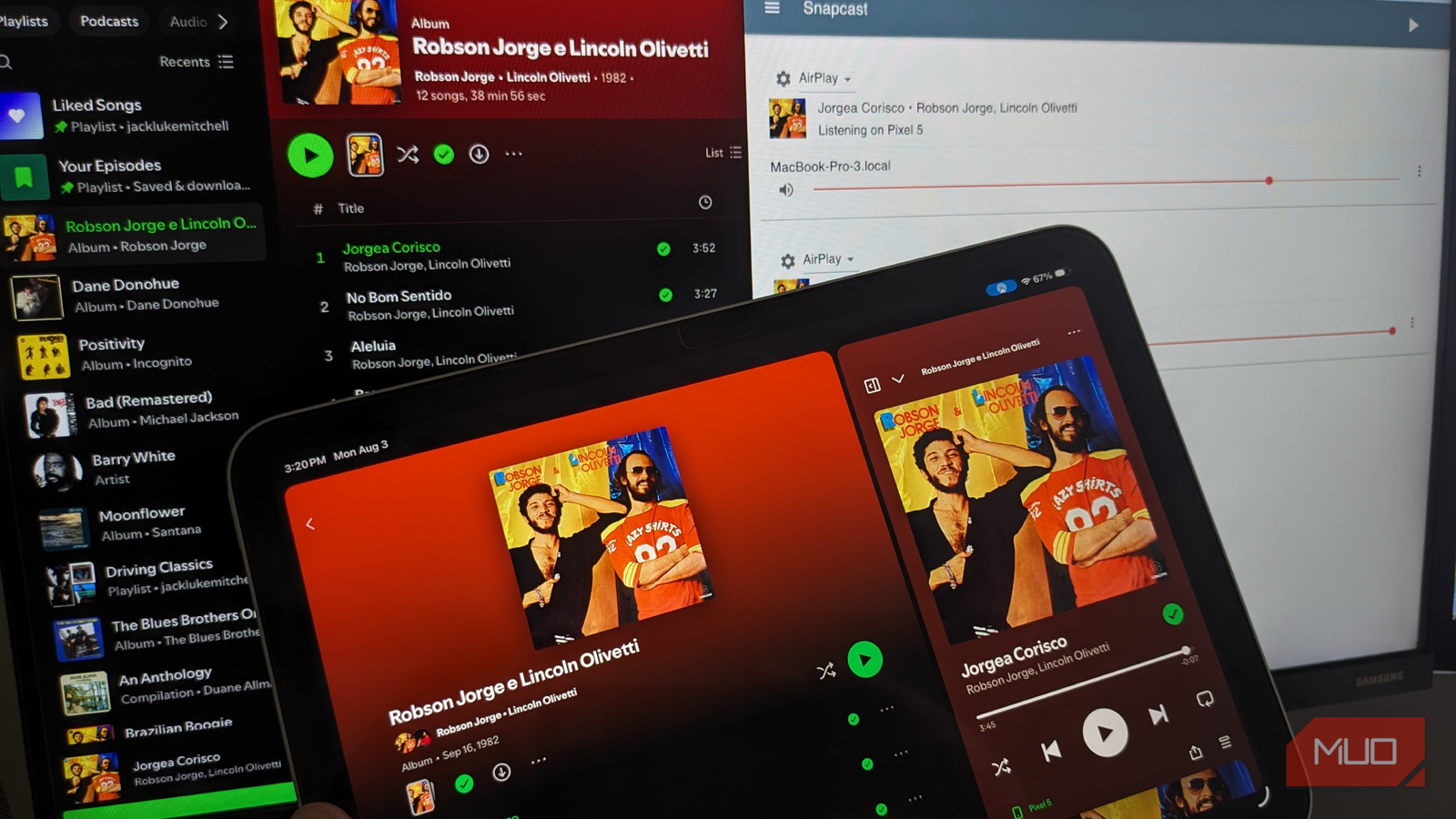
I decided to use Spotify as my audio source, running on an iPad. I sent its audio to the Mac via AirPlay, where Shairport Sync forwarded the stream to Snapserver. Snapcast then distributed that audio over my network to both clients.
While the process was certainly more involved than installing an app and connecting some devices via Bluetooth, I like that any device, such as an old laptop, tablet, phone, or Raspberry Pi, can potentially become the bridge between Snapcast and audio hardware to create multi-room streaming.
Snapcast requires a few moving parts
Homebrew, Snapweb, and Shairport Sync turned my Mac into the hub

To start, I installed Snapcast on macOS using Homebrew, which provided both Snapserver, the central distributor, and Snapclient, which handled playback through the Mac.
The next addition was Snapweb, a browser interface that gives a visual overview of the clients and stream, along with basic controls for volume and muting. The alternative was to manage everything through the Terminal, which would be too fiddly and, frankly, tedious.
Rather than relying on local music files, as I did with the Subwave radio DJ installation, I wanted to integrate Spotify into Snapcast, which required yet another component. I installed Shairport Sync via Terminal and configured it as Snapserver’s AirPlay source. One macOS-specific issue was that Apple’s built-in AirPlay Receiver occupied the same port Shairport Sync wanted, so I had to disable AirPlay Receiver under System Settings before proceeding.
After significant troubleshooting, my final Snapserver configuration was remarkably short:
[http]
doc_root = /Users/Admin/snapweb
[stream]
source = airplay:///usr/local/bin/shairport-sync?name=AirPlay&devicename=MacBook-Pro-3
From there, I started Snapserver in one Terminal and Snapclient in another. On my Android phone, I installed the Snapcast client, entered the Mac’s local IP address, and used ports 1704 for the stream and 1705 for control.
Suddenly, two completely different audio setups appeared as clients of the same server.
My random audio gear became one system
Spotify on my iPad now plays through speakers in different rooms
Up to this point, my experiment with Snapcast felt like a networking project, but all of a sudden, things came together and started working like a proper multi-room audio system. I opened Spotify on my iPad, selected the MacBook as my AirPlay destination, and played music normally. Snapserver received that audio and distributed it to both Snapclients.
One stream went through the Mac to my USB audio interface and active monitors. The other traveled over Wi-Fi to my Android phone and from there over Bluetooth to a separate speaker. It all felt very intuitive; in fact, I just played music as I normally would, with Snapcast working away in the background.
This opened the door to many useful scenarios, such as hosting barbecues or parties and streaming music throughout the entire house and into the backyard. With such a wide reach, you don’t need to blast music from the source, and people can enjoy it at sensible levels that allow for conversation. You have individual-level control via Snapweb, so you can create quiet and loud zones throughout the house, and with everything managed from a single source, you either have final say on the playlist, or you can pass it around.
There are easier ways to play music around the house
Spotify Connect does much the same thing without having to touch Terminal

There’s no getting around the fact that setting up Snapcast can be fiddly, especially to those with limited experience using Terminal, such as myself.
I had to install Homebrew, Snapcast, Snapweb, and Shairport Sync; edit a configuration file; disable macOS’s own AirPlay Receiver; configure an Android client; and keep the server and client processes running. It felt more like a project for tinkerers, not for those hoping to press a button and hear music.
Services like Spotify Connect solve much of the convenience problem already, while purpose-built multi-room systems make grouping speakers significantly easier. Snapcast also needs an intermediary device for conventional speakers, so it doesn’t magically make every old speaker network compatible on its own.
However, this highlights why I was initially attracted to this project. I created a system that made devices talk to each other when they weren’t designed to. My iPad, MacBook, audio interface, studio monitors, Android phone, and old Bluetooth speaker all ended up participating in the same audio chain.
While there were admittedly many Terminal commands and configuration stoppers along the way, hitting Play and hearing the same music coming from different setups was incredibly satisfying.
Snapcast takes effort, but that’s part of its appeal
Snapcast will never be a direct replacement for dedicated whole-home systems like Sonos. It requires a server, compatible clients, some networking knowledge, and potentially additional software depending on how you want to play your music.
What I liked about it was that it gave me the freedom to reuse whatever I had lying around and turn it into something genuinely useful. An old phone and Bluetooth speaker could sit alongside my Mac, audio interface, and studio monitors as part of the same multi-room setup.
Sure, Spotify Connect is easier to use, and Sonos is more sophisticated. However, neither will give you the satisfaction of building your own system with Snapcast.