When you’re setting up your smart home for the first time, you basically have carte blanche as to what you want to do. You can get as in-depth as you want by choosing as many smart home devices as you think are necessary, or you can make them as basic as you want, such as just starting with a smart speaker. If you aren’t interested in having a very deluxe smart home right away, that’s totally fine, and you can make it work for your own home.
I started with some smart speakers when I was living in my apartment, and when I bought a home, I decided to go full bore into running a smart home. However, there are absolutely some changes that I need to make to my smart home to make it run more efficiently. If I could start all over again, I would probably set myself up for better success by choosing some different devices.
Home Assistant is a smart way to go
It gives you much more control
When choosing my smart home setup, I wasn’t really focused on privacy. This hasn’t burned me much, but with more and more devices being added to my home network, the chances grow of being hacked or having my data leak.
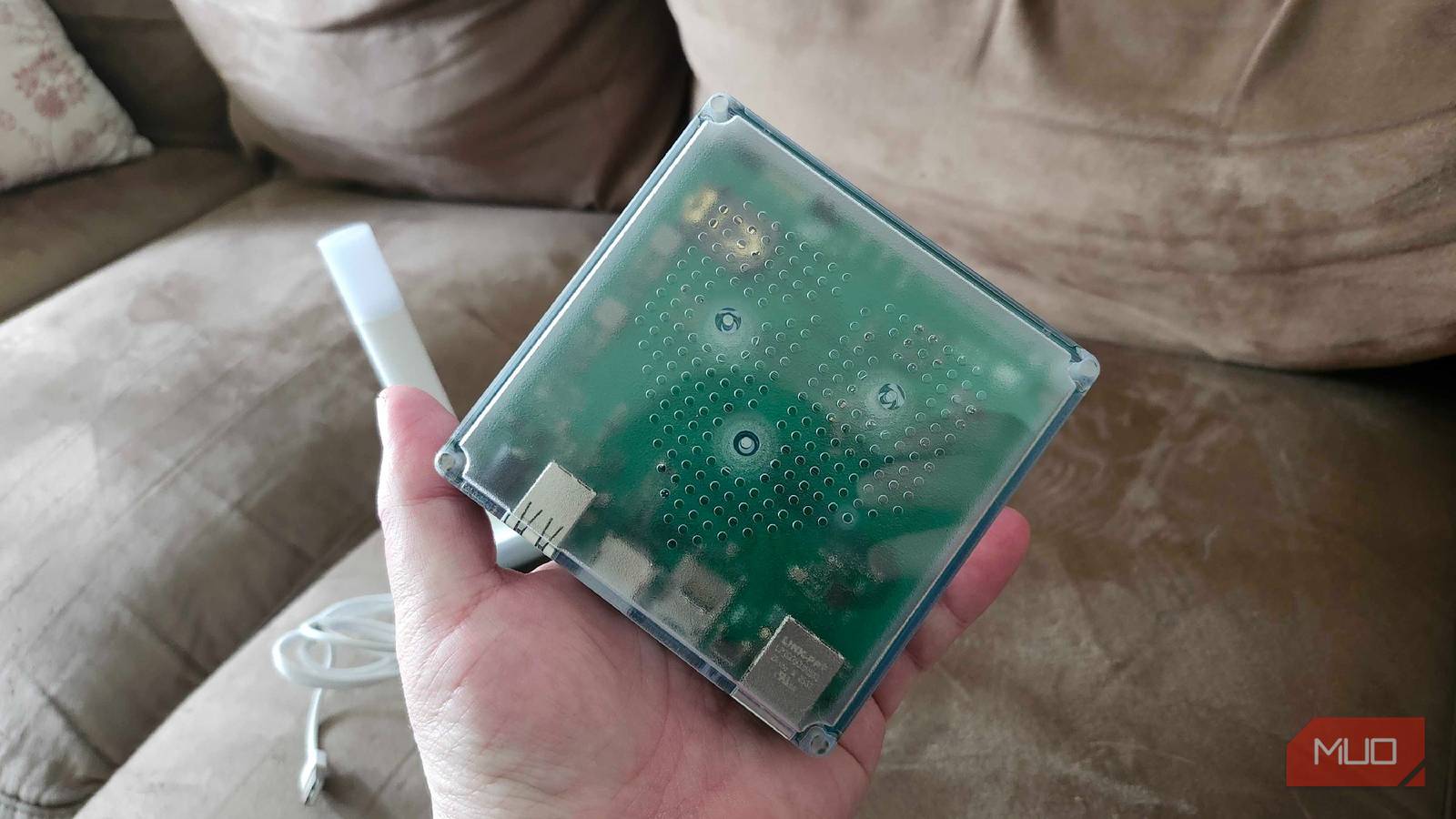
Opting for something like an open source platform such as Home Assistant to run my smart home provides more control and safety. Home Assistant can run on a mini PC or a Raspberry Pi that is always on to serve as your smart home hub. But something like Home Assistant Green doesn’t require you to configure your own device to replace something like an Amazon Echo speaker.
You can open this right up out of the box, plug it in, and run your smart home from it. The operating system is already installed on it, so you don’t have to do much other than plug it into your network and set up your devices with it.
While you can go the route of choosing something like a Thread border router or a Matter hub, Home Assistant Green works across smart home ecosystems as well. You don’t have to be loyal to one specific platform.
The thing that sets Home Assistant Green apart is the fact that everything is stored locally, so all your privacy controls lie with you. It also means that your smart home still works even if your power goes down.

- Brand
-
Home Assistant
- Storage
-
32 GB eMMC Flash
- CPU
-
1.8 GHz
- Memory
-
4 GB LPDDR4X
- Operating System
-
HAOS
- Ports
-
Gigabit Ethernet / 2 x USB 2.0 Type-A / HDMI /MicroSD Slot
Home Assistant Green can run your home and other smart home devices.
The Amazon Echo Show has worked well for me
This is another route you can choose

You don’t need a smart home hub such as an Amazon Echo Show as well as a Home Assistant Green. You can choose one or the other when setting up your smart home.
My home runs on the Amazon Alexa Smart Home System with many different devices that all use Amazon Alexa. My Amazon Echo Show is a Thread Border Router, so it helps run a low-power network that helps my devices connect to one another.
Not all Amazon devices are Thread Border Routers, but if you are interested in setting something up like that, choosing a newer Echo Show is the way to go. I prefer using Amazon because of its versatility and the fact that I already had a smart speaker to start when I was setting up my smart home.
Echo Show can connect to many different cameras, sensors, and all kinds of other devices that make up your smart home. You can run your smart plugs through it and your smart bulbs can turn on with a quick voice command from one.
I’ve had nothing but an easy time using an Echo Show and I would still use it even if I were starting up a new smart home, if I didn’t go the Home Assistant route.

- Display
-
15.6-inch Full HD
- Sound
-
Dual 1.6-inch full-range drivers
- Connectivity
-
Wi-Fi, Bluetooth
- Dimensions
-
15.8 x 9.9 x 1.4 inches
- Weight
-
78.1oz (2.2kg)
- Chipset
-
Amlogic Pop1 octa-core SoC with Amazon AZ2 neural network engine
The Echo Show 15 has a 15.6-inch screen and features a fast AZ2 Neural Edge processor.
These smart plugs monitor their own energy
These don’t shock me or my energy bill

When you’re running an entire smart home, you probably want to have a good idea of which one of your devices is using up the most. You can try to parse through your energy bill by figuring out which one of your devices is the culprit, or you can use something like an energy monitoring smart plug.
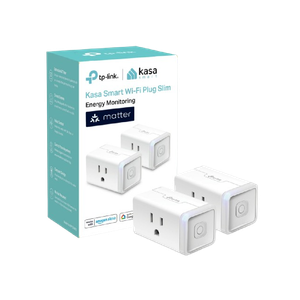
The Kasa Matter Smart Plug works with multiple smart home ecosystems and can provide you with a real-time as well as historical breakdown of the energy used by your device that’s plugged into it. I use smart plugs all over my house, and the Kasa Matter Smart Plug is the best one I found.
I honestly should be using more, and I wish I had been using these from the get-go when I set up my smart home. Using the designated app, I’m able to see exactly how much energy each day, week, or month my device is using. The device is also incredibly slim and can easily stack on top of another smart plug, so you’re able to fit this pretty much anywhere you need to use it.
- Dimensions
-
1.57″D x 2.62″W x 1.5″H
- Integrations
-
Matter
The Kasa Matter Smart Plug, also known as KP125M, comes in a pack of two. This can monitor your energy usage and the slim profile lets you fit two in one outlet.
Smart locks keep my mind at ease
This gives me security when I’m not at home

It’s important not to only think about security in terms of your data privacy. Your physical safety can also be an important part of setting up your smart home. Being able to lock or unlock your door remotely can give you peace of mind.
Having a smart lock in your home on either the front door, back door, or side door is an easy way to stop unwanted people from visiting your home. If you do have visitors that you’re expecting, many times you’re able to set a specific code that allows them to get into your house without you having to reset your overall code.
Many smart locks are controlled by native apps, or some of them can be controlled via voice commands through speakers or hubs. They also can have fingerprint scanners to provide you with an extra level of security. If there happens to be a video component to the lock, you can also watch what’s going on outside your door.
If you don’t want to carry around a key for your front door any longer, a smart lock eliminates the need for it much of the time. Always know the status of the lock on your door.

- Battery LIfe
-
Up to one year
- Dimensions H x W x D
-
6.8 x 3 x 2.6 inches
- Communication
-
None
The Wyze Lock Bolt is a smart lock with access codes or fingerprint scan. There are up to 50 fingerprints that can be stored.
These certain gadgets are great ones to be initially installed in your smart home
There are so many smart home devices to consider these days, but having a few solid entries to start is what’s going to make you continue to want to build out the home. Having a hub or lack thereof is one way to go, depending on how you want to interact with your setup. You can also just enjoy the different ecosystems all working together if you use Matter, Zigbee, Z-Wave, or another universal protocol. It’s time to consider how you want to make your smart home work for you.