Windows Search has been on a horrible run in recent years. Including the things no one asked for, like web results mixed into local search, a cluttered interface, and overall slow performance, everything has just been a mess.
Worse, it struggles at the one job it’s supposed to do. I can search for something I’m 100% sure is on my PC, but for some reason, Windows Search won’t be able to find it. Granted, Windows has been working on improving Search, but it took them long enough. I already called it quits on Windows Search a while ago and switched to Flow Launcher. This is a free application launcher and search tool that completely changed how I search for things on my PC.
Flow Launcher gets out of the way
No web results, no recommendations, just a search box

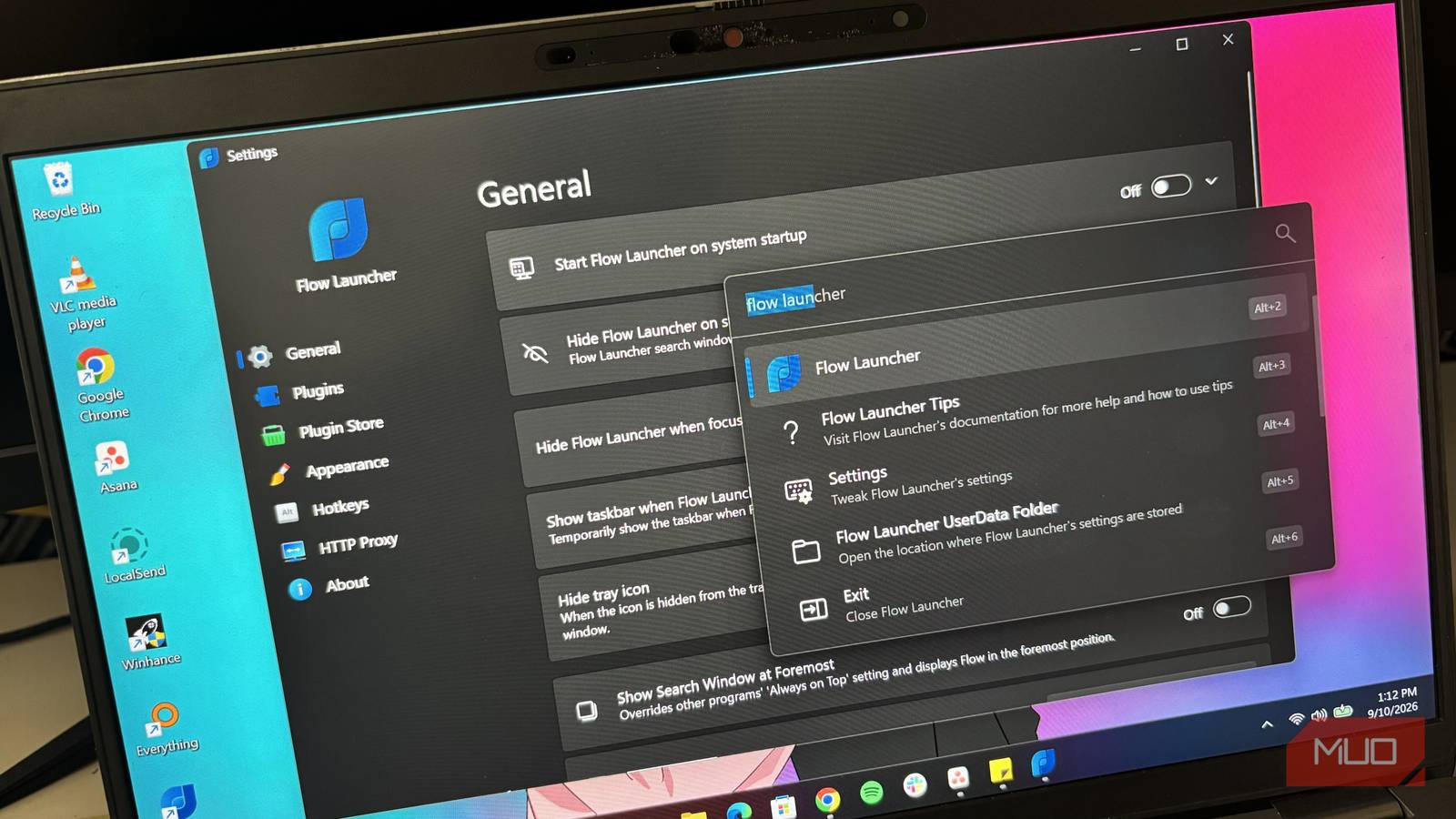
The first thing I noticed about Flow Launcher is how simple it is. There’s no cluttered home screen filled with recommended content, web results, advertisements, or other things fighting for my attention. When I open Flow Launcher, I get a small search box, and that’s basically it.
I type what I’m looking for, and Flow Launcher gives me matching results. This simplicity makes Flow Launcher feel much faster, even before getting into what’s happening under the hood. There’s less going on visually, and I don’t have to go through unnecessary results to get where I’m going.
Flow Launcher also gives me a keyboard shortcut, just like Windows Search does. Windows Search uses Windows + S, while Flow Launcher uses Alt + Space by default. The difference is that Flow Launcher doesn’t force me to stick with its default shortcut. I can change the hotkey to whatever I want from its settings.
Windows Index wasn’t cutting it, so I swapped it out
Combining Flow Launcher with Everything gives me incredibly fast file searches
Flow Launcher is already a good tool, but I think it becomes much more powerful when you pair it with Everything. Everything is a search tool created by Voidtools, and it’s well known for how quickly it can find files and folders on Windows.
Unlike the traditional Windows indexing process, Everything works by reading the NTFS Master File Table (MFT) directly. This allows it to build its file index extremely quickly and return results almost instantly, even when you’re dealing with a huge number of files.
In fact, this article could have easily been about Everything instead of Flow Launcher. The problem is that Everything is mainly designed as an incredibly fast file and folder search tool. It isn’t really a traditional application launcher like Flow Launcher and Windows Search. Thankfully, Everything found its way into Flow Launcher.
Flow Launcher’s default file search engine is Windows Index, but I can change that to Everything through the settings. I just open Flow Launcher’s settings, go to Plugins, select Explorer, expand the General options, and change the Index Search Engine, Content Search Engine, and Directory Recursive Search Engine to Everything.
Now, I get the best of both worlds. I get Flow Launcher’s clean interface and application-launching capabilities, while Everything handles the part it’s excellent at.
Plugins turn Flow Launcher into something bigger
Apps, files, commands, settings, and even YouTube, all from one search box

A huge part of what makes Flow Launcher useful is its plugin system. That’s basically its whole identity, to be fair. Plugins are like the components that give Flow Launcher access to different parts of Windows and other services. For example, the Explorer plugin gives Flow Launcher access to search for files in Windows File Explorer. There’s also a Windows Settings plugin that lets me search for Windows settings directly from Flow Launcher. Yeah, you get the gist.
Those plugins and several other important plugins are installed on Flow Launcher by default, and I can disable any of them if I don’t want them included in my searches. There’s also a plugin store where I can install additional plugins and expand what Flow Launcher can do.
I installed the FlowYouTube plugin, for instance, which lets me search for YouTube videos directly from Flow Launcher. So instead of opening my browser, going to YouTube, and typing my search there, I can bring up Flow Launcher, enter the video I’m looking for, and search YouTube directly.
The more plugins I add, the more Flow Launcher starts to feel like a central command box for my PC rather than just another search application.
I don’t miss Windows Search at all
Windows Search used to be something everyone relied on without thinking about it. But somewhere along the way, that simple experience became much more complicated than it needed to be.
Flow Launcher brought me back to that simplicity. I get a clean search interface without unnecessary content, a customizable keyboard shortcut, and extremely fast file searches when I pair it with Everything. Then there is the plugin system, which gives me many more search possibilities. Give it a try and see what you think.

- OS
-
Windows
- Price model
-
Free