Running local LLMs usually mandates a powerful, dedicated graphics card to handle all that compute. While it is still technically possible to run an LLM using your CPU, it’s still a fair deal slower than what you’d get from a proper graphics card.
Which brings us to the weird segment that is integrated graphics. These APUs are in no way close to desktop grade GPUs, but still technically qualify as such. Which means you could theoretically also run local LLMs on them. Curious, I took to the test bench and prepared a total of three iGPU setups to test things on.
A look at the setups
Three devices, representing three distinct iGPU generations
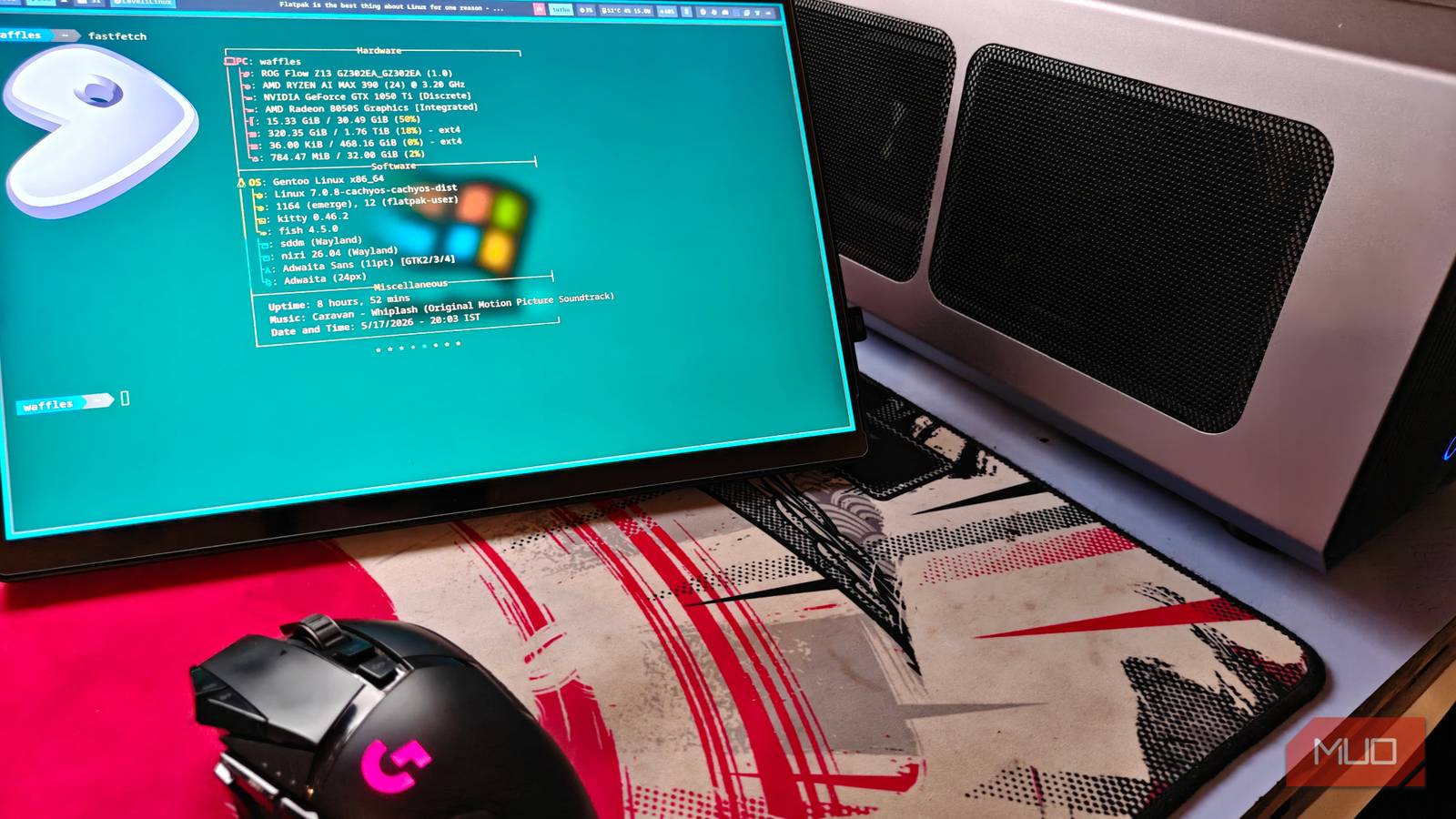
A total of three devices were used for this particular test — the ROG Flow Z13 (AI Max 390/32 GB), a Legion Go (Gen 1, with the Ryzen Z1 Extreme and 16 GB RAM) and finally, the humble integrated Vega 7 iGPU of the Ryzen 5 5600G.
Each iGPU is a step-up, and represents its evolution. The AI Max 390 is a powerful APU with a 12-core and 24-thread CPU, which is paired with one of the fastest iGPUs in the consumer market, making it one of the absolute best kits of hardware you can buy right now.
My particular model has only 32 GB of system memory, and this limits the range of models you can run on it. That being said, it’s a look at one of the best hardware kits you can get for local AI right now, and I’d say it lives up to the hype.
Next we have the Gen 1 Lenovo Legion Go, one of the many AMD Ryzen Z1 Extreme-powered PC handhelds that took on the Steam Deck. It’s fairly competent, but in no way holds a candle to the 8050S on the Flow Z13. We’re also going to be limited by our 16 GB of system memory here.
That still happens to be leagues superior to the final entry in the list — the Vega 7 iGPU of the Ryzen 5 5600G. It used to be a fantastic option back in the day, although its glory days are long past us now.
It does look like a bit of a meme entry at first, but you can actually run modern LLMs (with the usual hardware restrictions) on these older GPU architectures. And besides, it makes for a fun experiment.
Preparing the test setup
Notes, hacks and a lot of work for the 5600G

The test setup was simple – run an LLM benchmark based on a few parameters, with scripts assisted and built by Claude. The tests were carried out on all three machines with the intent to make use of every bit of resource it had access to.
This translates to higher VRAM usage, although you might soon find out that it doesn’t matter much if the iGPU is as slow as molasses.
The 5600G was a bit of a pain to set up. The Vega 7 iGPU (gfx90c) has no official ROCm support, so it’s better to go through the Vulkan backend for better results and compatibility.
|
Metric |
Ryzen 5 5600G (Vega 7 iGPU) |
Z1 Extreme (CPU) |
Z1 Extreme (780M iGPU) |
AI MAX 390 (8050S iGPU) |
|---|---|---|---|---|
|
Generation speed (tokens/s) |
17.5 |
22.4 |
44.1 |
85.1 |
|
Prompt processing (tokens/s) |
201 |
150 |
783 |
1,609 |
|
Time per run (seconds) |
16.8 |
13.7 |
6.3 |
3.2 |
|
Average power draw (W) |
41 |
18 |
33 |
64 |
|
Efficiency (tokens/s/W) |
0.43 |
1.25 |
1.34 |
1.33 |
|
Peak temperature (°C) |
57 |
64 |
81 |
95 |
I also had to manually assign the iGPU 16 GB of VRAM from the BIOS, which was the most you could cap it out at. This should eliminate any VRAM bottlenecks, although it doesn’t make much of a difference, as you’ll soon come to see.
Now, going back to the test results, the set fared as you’d expect, but there were a few interesting observations. To no one’s surprise, the AI Max 390 performed the best, topping the charts by a considerable margin. After all, the 8050S can keep up with a mobile RTX 4060, and has the added benefit of a larger VRAM pool (with faster memory).
The Ryzen Z1 Extreme trails behind next, and is about twice as slow. That being said, it did manage to score 44.1 Gen tok/s using the 780M iGPU, which isn’t too bad.
And finally, we arrive at the Vega 7 iGPU of the Ryzen 5 5600G, which performed the slowest, to no one’s surprise. With a Gen tok/s of 17.5, it is nearly 5 times slower than the AI Max 390. It also consumes a fair deal of power, peaking at 41 W without too much to show for it.
While the 5600G isn’t a powerhouse, it’s still capable of running local LLMs, to some extent. Call it morbid curiosity, or just a desire to explore the unknown, it’s still nevertheless fascinating that something this old could even manage to run it in the first place.
It is technically possible to run ROCm on unsupported GPUs, but it’s not going to make a difference. Ollama also doesn’t seem to like iGPUs by default either, and I had to change the config file to reflect the same.
Integrated graphics with unified memory access is the future of local AI
The AI Max 390 absolutely crushes through everyone else in this test, and can stand toe-to-toe with some desktop GPUs. That being said, there is one very big elephant in the room: the pricing.
Ryzen AI Max machines cost a pretty penny and are in no way accessible, but their performance and community support remains undeniably strong. Combined with fast (and unfortunately soldered) on-board unified memory, this kind of combination makes it ideal for local AI, and is quickly growing to be one of my favorite tech categories.