Windows’ security has come so far, and I mean very far. I remember that during the Windows XP and Windows 7 era, one of the first things you installed on a fresh Windows PC was antivirus software like Norton or McAfee. People were paying hundreds of dollars in subscriptions (and still do) for these antivirus software just to protect their systems from threats. In fact, those third-party antivirus programs were usually preinstalled on most Windows PCs.
Back then, Windows Defender was only an anti-spyware tool, so you actually needed third-party antivirus software. But all that changed when Microsoft finally added full antivirus protection directly into Windows Defender with Windows 8. At first, it wasn’t really great, but it was something.
Then, in Windows 10, Microsoft upgraded Windows Defender, adding more security features. Fast-forward to Windows 11, and Windows Defender has become so capable that you no longer feel the need to pay for a separate antivirus subscription.
Windows Defender is much more than a basic virus scanner
Microsoft has turned its free antivirus into a full security system

The biggest misconception about Windows Defender is that it’s still the basic antivirus tool many of us remember from older versions of Windows. But that could not be further from the truth. Windows Defender, also known as Microsoft Defender Antivirus, has grown into a full-blown security powerhouse, providing real-time protection against malware, viruses, spyware, and other threats. It constantly scans your system and can automatically block or quarantine suspicious files before they cause any real problems.
It also uses Microsoft’s cloud-based protection to respond to emerging threats. So, when you download a suspicious file or open something that Windows considers dangerous, Defender can check it against Microsoft’s threat intelligence and take action if necessary. And then there is Controlled folder access, which can help protect important folders from suspicious applications.
All of these are already baked into Windows, and you don’t have to install anything to stay protected. Meanwhile, third-party antivirus software takes up storage space and probably slows down your PC more than protecting it.
Windows Security covers more than antivirus
Defender is only one part of Microsoft’s built-in security tools
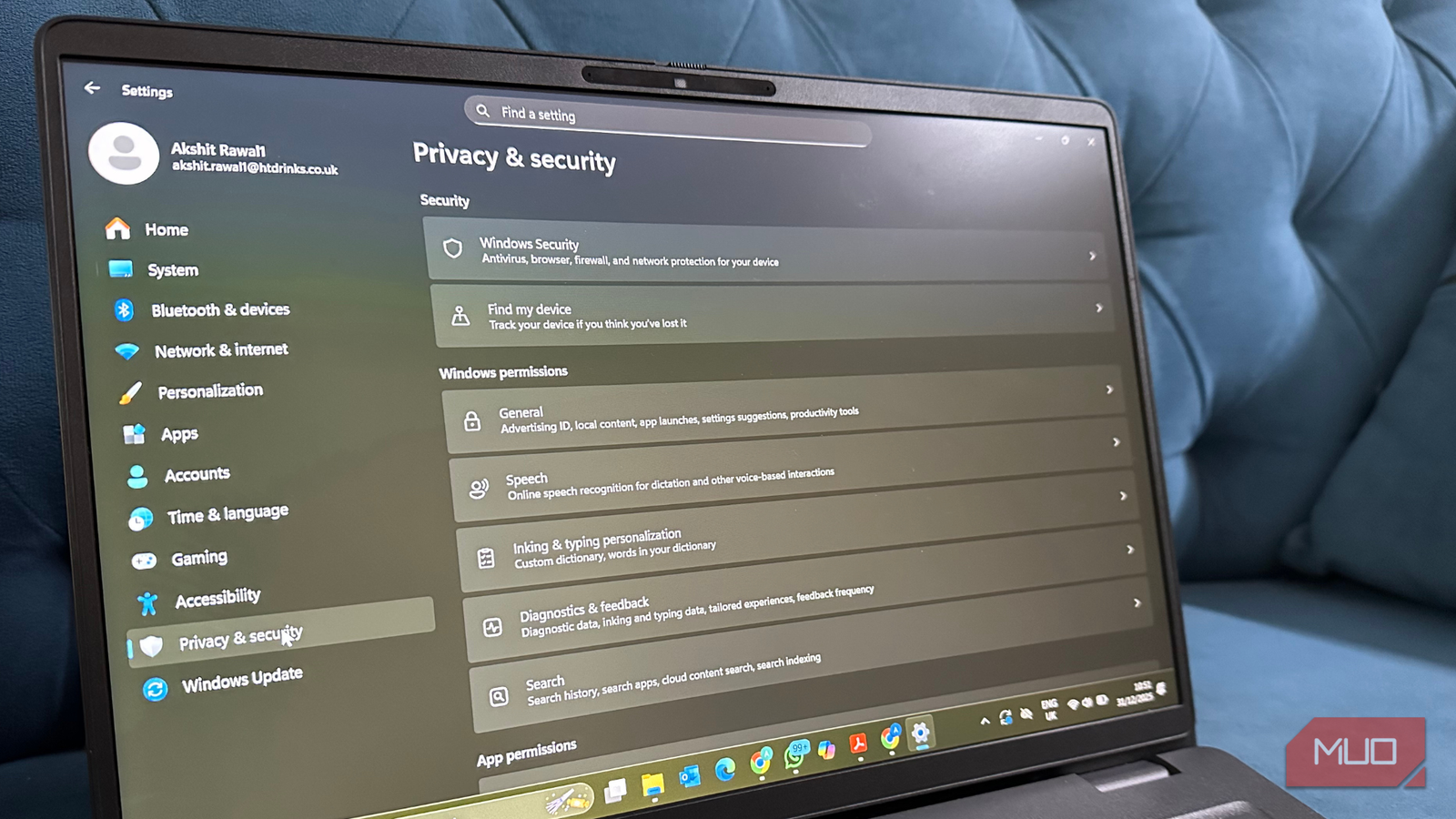
Windows Security brings several security features all together in one place, and Defender is just a piece of the pie. Open Settings -> Privacy & security -> Windows Security, and you’ll find several areas dedicated to protecting your PC.
There’s Virus & threat protection, which is where you will find Microsoft Defender Antivirus. There’s also Firewall & network protection, which monitors your network connections and helps prevent unauthorized access.
Then there’s App & browser control, which includes Microsoft’s reputation-based protection features. This can warn you about potentially dangerous apps and files before you run them. Windows also has Device security, which includes hardware-backed security features such as Secure Boot and the Trusted Platform Module on supported PCs.
Third-party antivirus can still add something

This doesn’t mean paid antivirus software is completely useless. There is a reason most of them still exist today. Some security suites come with features such as VPNs, password managers, parental controls, identity theft monitoring, more extensive web protection, and dedicated customer support. If you actually need those features, having them bundled into one subscription can be convenient.
Some paid antivirus products can also offer additional layers of protection and tools beyond what Microsoft Defender provides. But I’d separate those extras from the basic antivirus protection. If you’re paying for a subscription because you think Windows can’t adequately protect your PC without third-party antivirus software, I’d reconsider that assumption.
Antivirus can’t protect you from everything
Your own security habits still matter

There’s one thing no antivirus software can fix: poor security habits. Defender can warn me about a malicious download, but it can’t stop me from ignoring the warning. It can detect malware, but it can’t prevent me from entering my password into a convincing phishing website.
That’s why I don’t treat having antivirus protection as a reason to let my guard down. I still keep Windows updated, avoid downloading software from questionable websites, pay attention to browser warnings, and think twice before opening unexpected attachments. You don’t need to pay for an antivirus subscription to develop those habits, either.
I don’t think most people need to pay for antivirus anymore
The idea of using a Windows PC without antivirus software would have sounded strange to me a couple of years ago. But things are different now. Microsoft has spent years improving its security system, and the version included with Windows 11 provides enough protection for the way I use my PC. If you want the extra features that come with a paid security suite, sure, go for it. But if all you want is solid protection against everyday malware and other common threats, I’d give Windows Defender a chance before reaching for your credit card.