Running Windows applications on Linux can often turn out to be a challenge. For every game that works flawlessly under Wine or Valve’s Proton translation layer, there is always another app that remains entirely unsupported, or might not even be a game in the first place.
This is where Bottles comes into play. Bottles is a Wine prefix manager that uses a graphical user interface to configure things, not unlike Lutris. However, it’s way more specialized for productivity software (such as Office suites) and offers a sandboxed environment using Flatpak. I’ve been using it for a while now, and it’s managed to replace Lutris and vanilla Wine entirely for my usual day-to-day use.
Installing Bottles on Arch Linux
Use the Flatpak, not the AUR package
Getting the app itself up and running initially was by far the biggest hurdle for my Bottles install. Compared to something like Steam or Lutris, adding in a new Windows executable involved a myriad of menus and some painfully long progress bars.
This is without going into its installation process, which was surprisingly confusing. To start with, the AUR package is a no-go. A minor inconvenience, but a rather annoying one at that — since I wanted to go through the trouble of having a native binary instead of another Flatpak installation.
While the AUR version works, it is prone to all kinds of weird bugs that can keep you from actually using Bottles. Even the official ArchWiki page recommends that you use the Flatpak instead, which is what I ultimately settled for.
Going back to the installation, it was as simple as running a single command through the terminal. Since this is a Flatpak, you don’t even need to have sudo access. It also has a few advantages of its own. Once installed, you’ll want to launch Bottles once for the first time setup.
This will take a while, so you’ll have to be very patient, depending on the quality of your network connection. It took over ten minutes on my admittedly spotty Wi-Fi, and I’d recommend not interrupting the process.
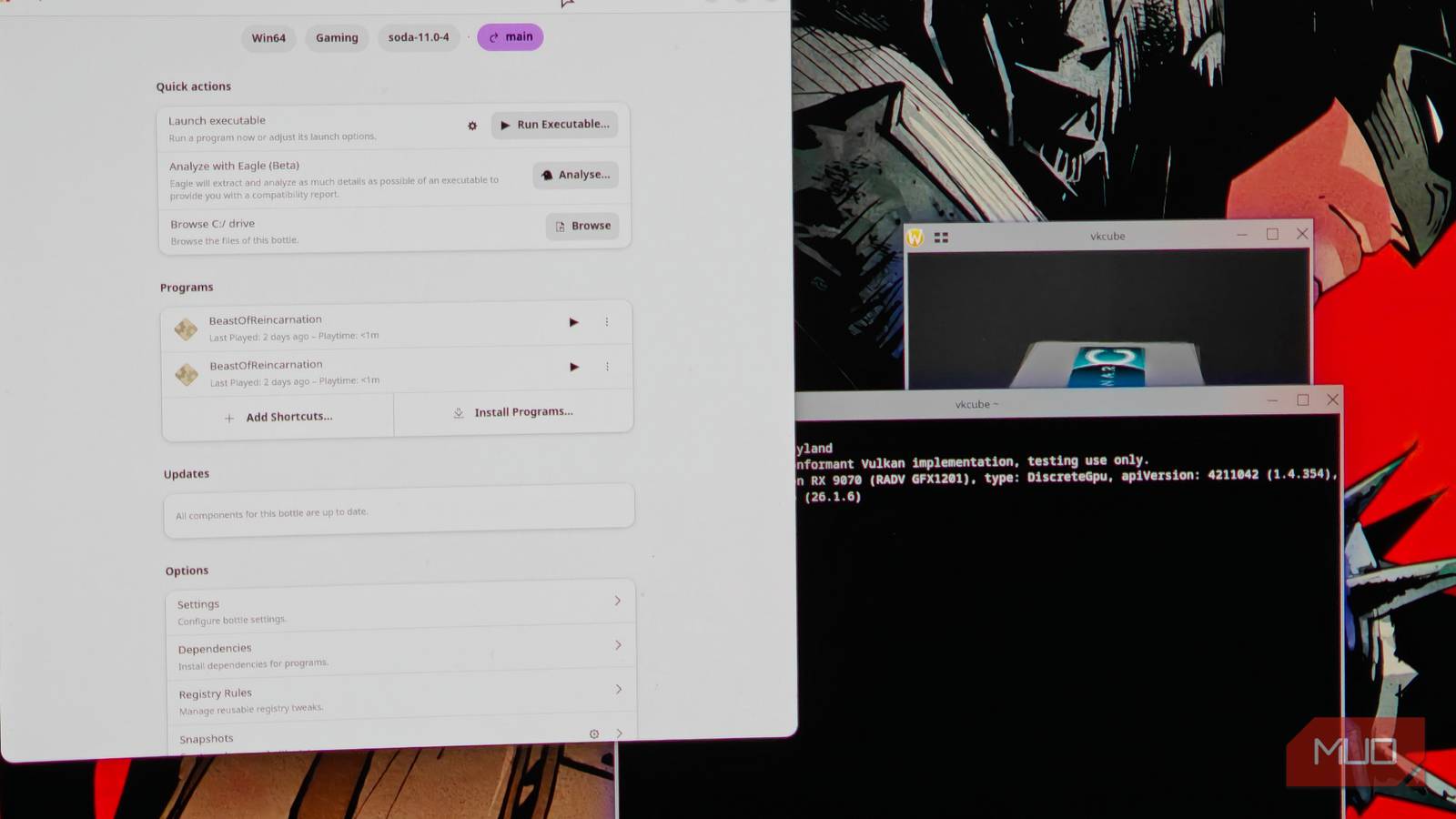
Once Bottles is updated and ready to go, it will relaunch into a very familiar, GNOME-like interface.
Lutris pales in comparison to Bottles
Bottles is just more modern and polished

Of course, Bottles isn’t the only Wine manager out there — there’s also Lutris, which used to be one of your only options for running games on Linux. Still, when compared to Bottles, Lutris is now far less appealing.
The interface isn’t as polished, and Bottles offers far superior options for customization. Lutris feels a lot more limited in comparison, and its interface doesn’t help either.
Lutris is also much older, with Bottles being a much more updated and prettier alternative. I’m not sure if it’s isolated to my particular installation, but Bottles has always been a lot less prone to weird crashes and timeouts as opposed to Lutris. Bottles has been relatively easy to use and is, more importantly, stable.
Sandboxing has its benefits
Isolated containers offer granular control

Per-app prefix control is something you cannot easily achieve with just vanilla Wine. Wine uses a global prefix by default, which, in other words, means that it is the same for all Windows executables on that install.
Every modification made on that Wine prefix will be globally applied to all Windows executables, and there is no easy way to separate or undo them, since it involves way too many steps.
Bottles, on the other hand, lets you create a separate prefix for each app if you want to. These Bottles remain entirely isolated from each other, and you can, in turn, change things, like adding in a custom Proton version instead of defaulting to the system Wine. In other words, there’s far greater control, and is especially useful when you have multiple non-gaming apps you’d like to run on Linux.
The more realistic approach is to create separate Bottles for gaming, productivity apps, and so on. Each Bottle serves its own purpose, and you’ll quickly find it much more useful than relying on the CLI for the same. It also integrates certain sane defaults, but still allows you to change things like the Windows version and other miscellaneous parameters like fonts and Windows dll components.
Bottles can run games, but it is strictly not just a game launcher
Despite what it might seem at first, make no mistake — bottles can most certainly run games. It does so with very little performance overhead, and the fact that you can containerize each instance means that it is already a better option than its alternatives.
That being said, Bottles is not exactly “just a game launcher”, even if it can run games (which has come a long way on Linux), and there’s nothing stopping you from doing it. It can do a whole lot more, even if gaming is still a big focus for it. It’s been a lot more reliable, and has entirely replaced Lutris and vanilla Wine for my Linux installs.