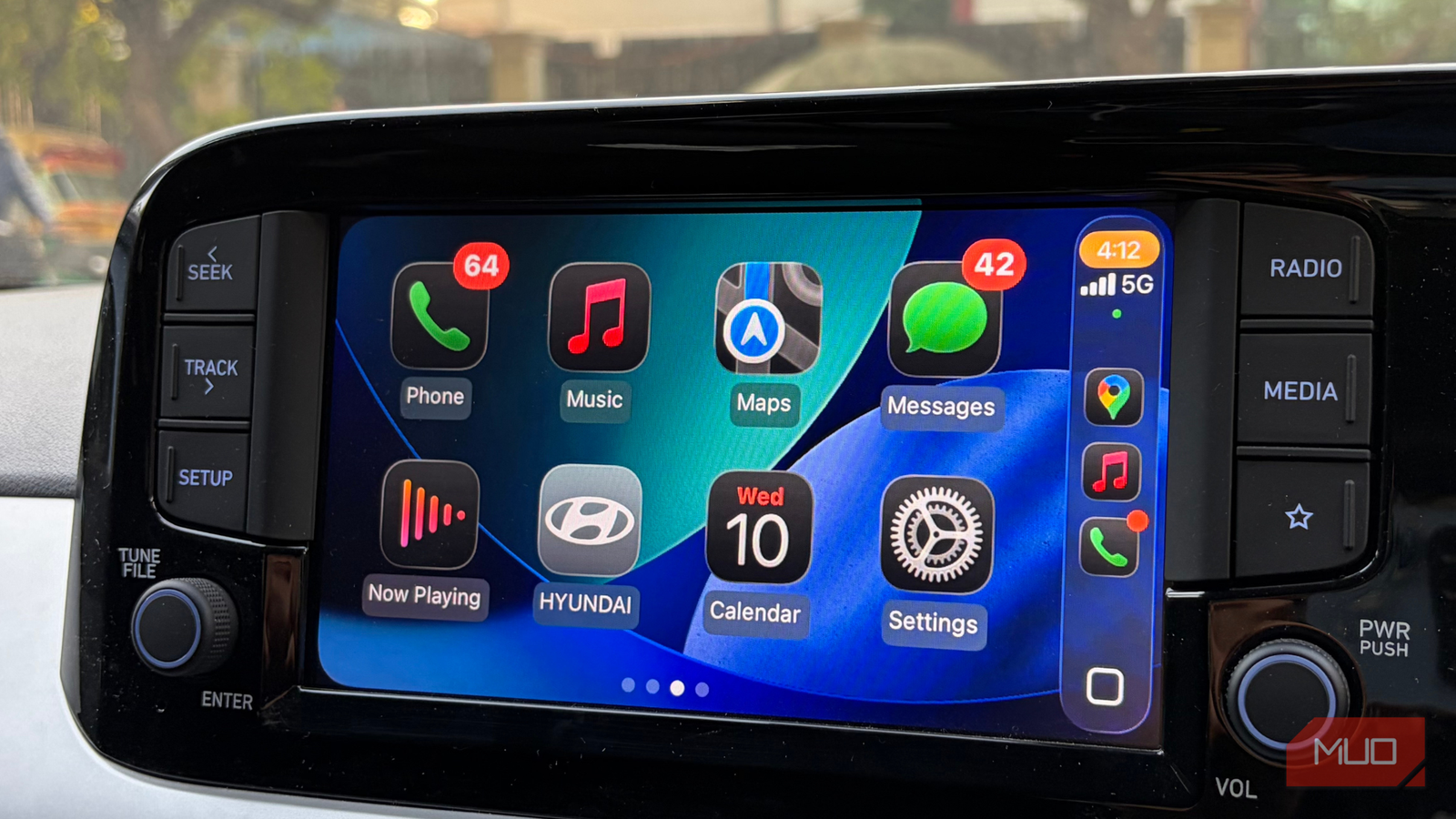
The Android vs. iPhone debate probably won’t end anytime soon, and interestingly, that rivalry follows you into your car, too. People have equally strong opinions about Android Auto and Apple CarPlay, and after spending a good amount of time using both in my own car, I get why.
Android Auto certainly has its advantages, especially in customization. You can fine-tune notifications, decide how much information appears on your dashboard, and use voice commands to make certain parts of your driving routine easier. There’s plenty to play around with, and as someone who enjoys tinkering with technology, I appreciate that freedom. And yet, despite everything Android Auto brings to the table, I still choose Apple CarPlay every time I get behind the wheel, and I have some strong reasons for that.
CarPlay just gets out of my way, and I love that
The little things make every drive feel better
For me, the biggest reason I keep coming back to Apple CarPlay is just how effortlessly everything works together. It’s not necessarily about having more features or customizing every little thing. It’s about getting into my car, connecting my iPhone, and having everything exactly where I need it. The interface looks great, feels responsive, and rarely gets in my way.
Take my everyday driving routine, for example. I use Google Maps for navigation and Apple Music for pretty much everything I listen to. Most of the time, I run both at once, with directions on one side and my music controls within easy reach. I can quickly check where I’m going, see what’s playing, or switch tracks without constantly jumping between apps.
iOS 27 also added a small feature I’ve grown particularly fond of: audio scrubbing in CarPlay. Previously, if I wanted to replay a particular part of a song, I was mostly stuck with skipping tracks or reaching for my phone. Now, I can jump to the exact part I want, whether it’s a song, podcast, or audiobook. I often replay my favorite bits of songs, especially when I’m singing along, so this has been a welcome addition.
And then there’s the interface itself. I’ve grown quite fond of Apple’s Liquid Glass design, and seeing that same visual language carry over from my iPhone to my car’s display makes the whole experience feel more cohesive. The translucent elements, smooth animations, and familiar controls give CarPlay a polished look without feeling overly complicated. More importantly, it doesn’t feel like I’m learning a completely different interface — everything feels familiar, almost as though my iPhone has simply expanded onto a bigger screen.
Of course, none of that would matter if the interface looked pretty but was frustrating to use. Thankfully, I’ve rarely had that problem with CarPlay. The controls are where I expect them to be, moving between apps feels natural, and I don’t have to think too much about what I’m doing. That’s really what wins me over.

Android Auto isn’t bad-looking or hard to use, and I can see why people appreciate the extra freedom it offers. But after using both extensively, I find myself enjoying CarPlay’s simpler, more polished approach much more. It might not let me do everything Android Auto can, but the things I actually use every day feel incredibly well-thought-out.
My car’s dashboard now keeps me in the loop
Flight updates, food deliveries, and everything in between

As much as I love CarPlay’s interface and how smoothly everything works, there’s another feature that has made me appreciate it even more: Live Activities. I’ve been a big fan of Live Activities on my iPhone for a while, especially because they let me track important things without constantly opening apps. Now that I can see those same updates on my car’s dashboard, I’ve found them even more useful than I expected.
A recent trip to the airport is a good example. My partner was dropping me off for a flight, and on the way, my airline’s Live Activity was right there on the CarPlay dashboard. It showed me everything I needed to know about my flight, including the boarding time, gate number, and even my seat number. And as the airline pushed new information, the details were updated automatically.
Now, I know what you’re probably thinking. Is checking flight information really that big of a deal? Not particularly. I could have just opened the airline’s app or checked my boarding pass. But that’s exactly what made the experience so good. I didn’t have to keep pulling out my iPhone, asking my partner to check something, or wondering whether the gate had changed. Everything was already there on the dashboard, ready whenever I needed a quick look.
And the best part is that Live Activities aren’t limited to situations like catching a flight. I’ve found them equally handy for something as ordinary as ordering dinner. Sometimes, when I’m just a few miles away from home, I’ll place a food order so that it arrives around the same time as I do. With supported delivery apps, I can follow the order’s progress directly through CarPlay.
Of course, there are limitations. Not every app supports Live Activities in CarPlay, and even when they do, the information you see can vary. But when an app supports the feature properly, it works beautifully.
The best co-pilot knows when to stay quiet
After spending so much time with both platforms, I’ve realized that what I want from my phone and what I want from my car’s dashboard are two very different things. On my phone, I love the freedom to experiment, rearrange things, and make everything work exactly how I like it. But when I’m driving, I don’t particularly care about having a hundred different options at my fingertips. I just want things to work without giving them a second thought.
And that’s where CarPlay has won me over. It’s not perfect, and Android Auto certainly does some things better, but I rarely wish CarPlay could do more. If anything, I’ve come to relish how little attention it demands. And to me, that’s the kind of freedom that matters more than any customization setting.