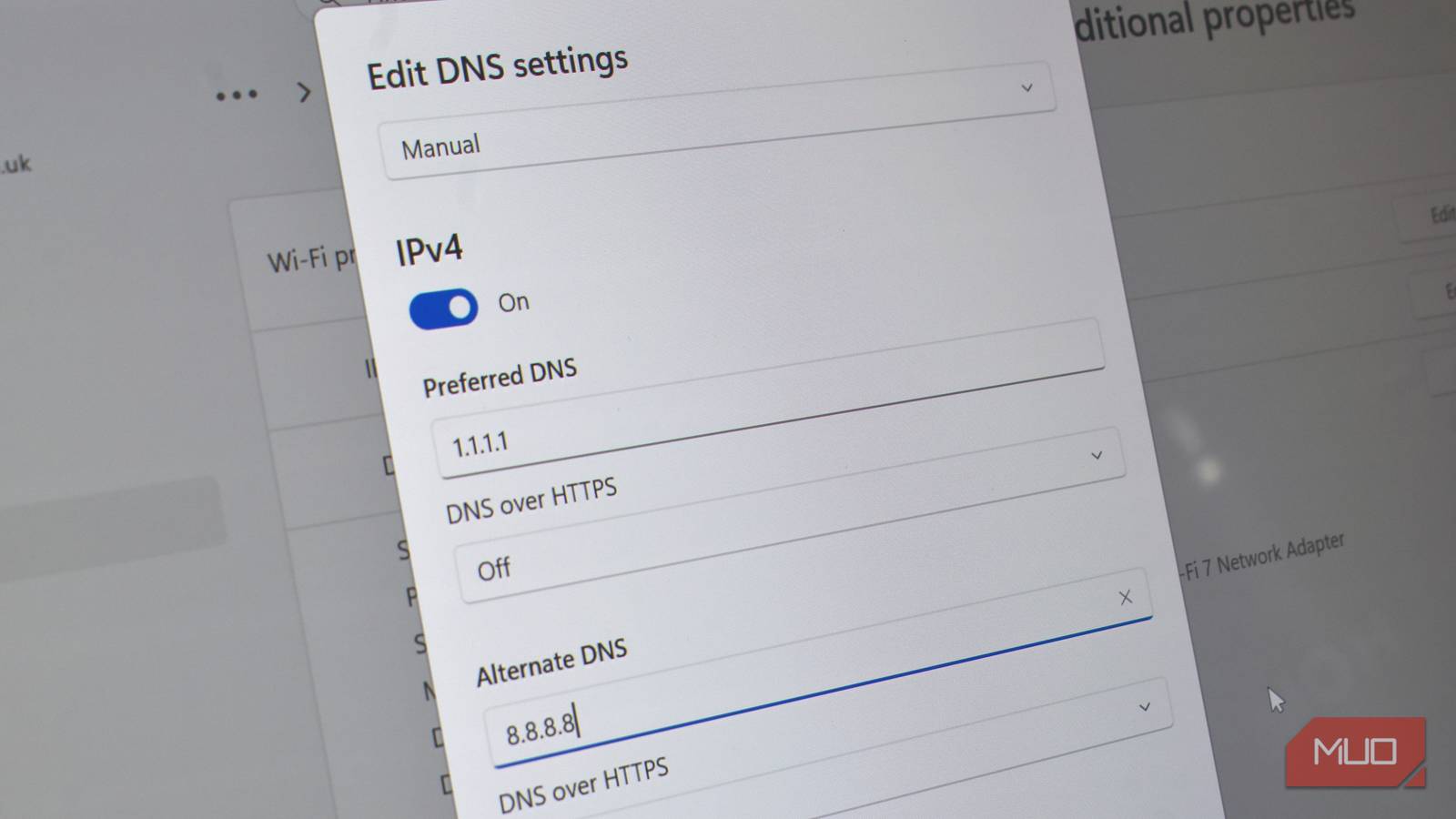
Every router and network settings page has the same two boxes: Preferred DNS and Alternate DNS. The naming tells you that the second address is the backup, sitting and waiting if the first DNS doesn’t do its job.
It’s a fair description. But what actually happens when your spare DNS gets involved isn’t always as clear-cut as you may think, and depends heavily on what ends up handling that request.
Your alternative DNS is a backup
But in the strictest sense, it doesn’t do what you think
On a typical device, DNS mostly behaves the way the label says. Your device asks the preferred server first, and it only tries the alternate one if the preferred server goes completely silent: no response, no partial answer… nothing.
However, the bit that is never advertised is how DNS is handled between the two: a blocked answer still counts as a response. So, one of my favorite DNS providers, Quad9, returns an NXDOMAIN response (basically “This doesn’t exist”) when it blocks something malicious.
But your device doesn’t have an effective way to tell that apart from a domain that genuinely doesn’t exist, and, as far as it’s concerned, the DNS request is complete. It doesn’t even bother asking the alternative DNS server for a second opinion.
That’s good news if you picked your primary DNS for a reason. Whatever filtering or protection it applies mostly sticks around, because your alternate address just sits there unused for as long as your primary keeps responding, blocked answers included.
It gets more confusing when you add routers into the mix
It handles DNS differently from your device

Most end-user devices like laptops, PCs, and smartphones handle DNS using this “one then the other” process. But it gets a little more complicated when you add routers, mesh systems, and anything else with a more direct role in DNS into the mix.
The issue lies with the fact that some DNS forwarders treat every configured address as equally valid and spread requests between them, while others prefer the first server until it fails or becomes unavailable.
Part of the software behind most consumer routers and mesh units is called dnsmasq, and it treats your “preferred” and “alternate” fields less like a hierarchy and more like a shortlist. Unless strict-order mode is switched on (a setting most folks have no idea about), dnsmasq queries every server it knows about at once, then locks onto whichever one answers first.
That locked-on server stays in charge for a while. It only lets go and re-shops the field when it gets a SERVFAIL or REFUSED, when a client times out and retries, or after roughly 50 queries or 10 seconds have passed. None of that has anything to do with which box you labeled “primary” in the admin panel.
The way that a specific router handles DNS isn’t typically something manufacturers document, though. It makes sense, as most folks aren’t poking around with DNS, so providing these details isn’t worthwhile.
But it’s also not really a bug in the system, either. It’s the way the system was designed, albeit a different one to how you think it might work. This way, the router (or similar device) can spread DNS load across a pool of resources rather than relying on a single resolver. Depending on how your hardware handles multiple DNS servers, some of your lookups may still end up going to the server you’ve marked as “alternate,” even while your preferred server is perfectly healthy.
Why alternate DNS handling actually matters more than you think
Your internet isn’t broken, but some of the protections are

So, with all of that said, you’re probably wondering what the big problem is with either system.
Well, it boils down to the difference between your Primary DNS and Alternate DNS and the features offered. I pick my DNS provider for a specific reason: ad-blocking, malware protection, a no-logging policy, faster resolution times, and so on.
But if your backup DNS provider doesn’t provide the same features and it’s getting used more often than “in an emergency,” the moment it switches over, you lose any of those features. It introduces inconsistency into the network, which can also lead to problems.
A malicious domain could be blocked one moment and resolve normally the next. Performance may even vary if the two providers use different infrastructure or caching. None of this is dramatic enough to look like a fault, but it makes your internet behave less predictably than you intended.
It can also make troubleshooting harder. If you have two DNS providers sharing the workload, the same website can behave differently from one visit to the next, leaving you chasing problems that only appear some of the time.
Browsers complicate this further, since most now allow you to run an encrypted DNS setting that can override whatever you’ve configured at the device or router level entirely. It’s the same underlying issue wearing a different hat: DNS isn’t one setting anymore; it’s several, stacked on top of each other, and each layer is capable of overruling the one below it.
So, what should you actually do about alternative DNS providers?
Keep it in the family
I must admit that I’ve been guilty of this in the past myself: adding different DNS providers as the backup. I’ve never noticed huge problems by doing so, but it could be that I wasn’t paying close enough attention.
The easiest “fix” is to just use the alternate DNS from a single DNS provider, rather than using two primary DNS addresses from two. Those two IP addresses usually point to the same DNS service running on separate infrastructure, giving you redundancy without changing the filtering, privacy policy, or performance characteristics of the service itself.
For example, Cloudflare gives you 1.1.1.1 and 1.0.0.1. Quad9 gives you 9.9.9.9 and 149.112.112.112. Most filtering services publish their own matching pair for exactly this reason. However your device, router, or mesh system actually treats the two entries, you’re no longer betting on whether you’ll lose the exact behavior you switched providers to get in the first place.
Then you know you have a solid DNS resolver in place, and you no longer have to worry about any network issues between a mismatched pair.