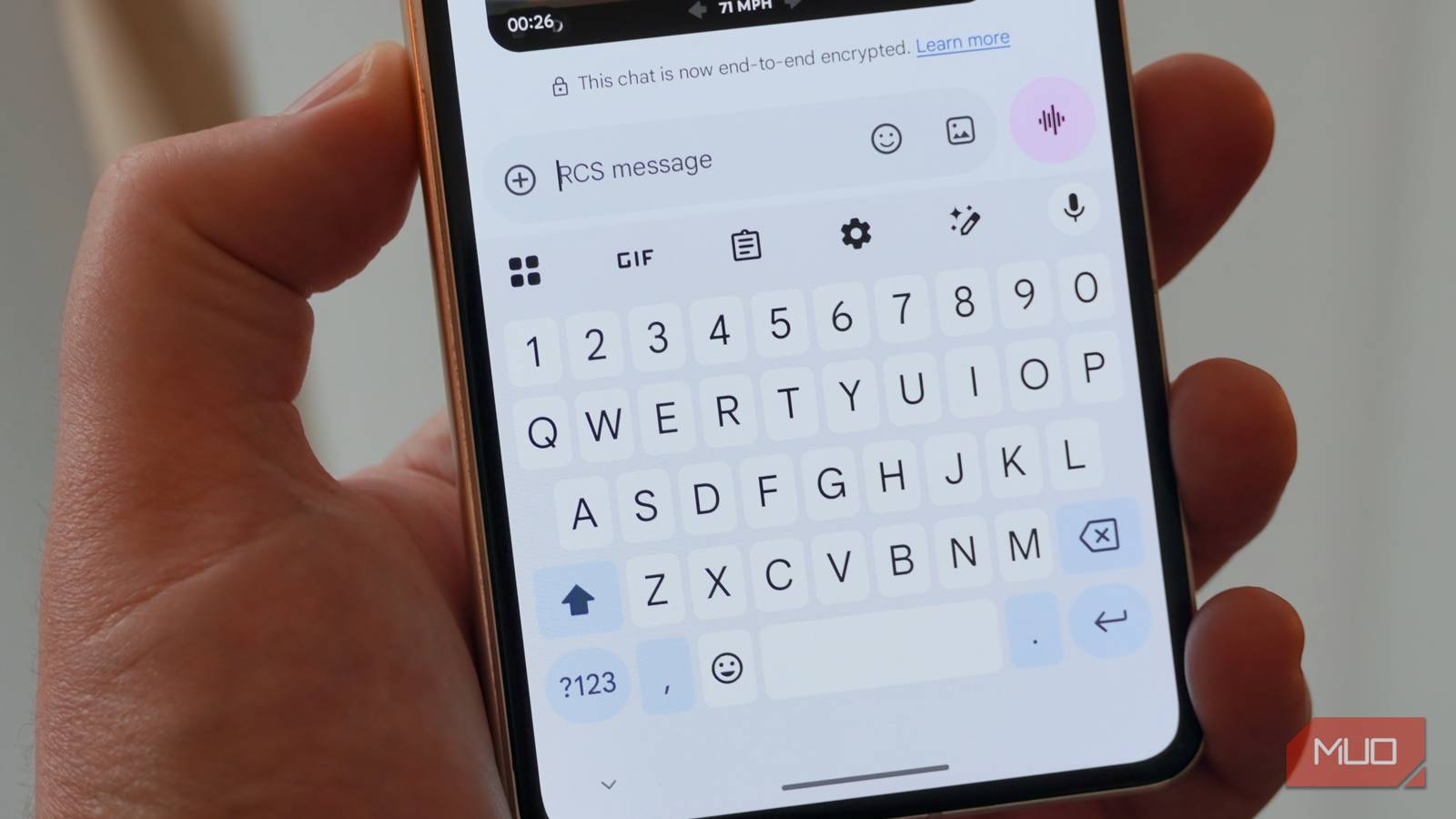
If you use an Android phone, you probably count on Google Messages to handle your texting. You send high-resolution photos, watch typing indicators bounce in real time, and take it for granted that your texts are protected. But a silent shift hits millions of Android devices every day. Without any warning, your phone can drop RCS and fall back to decade-old SMS. Your messages still go through, but under the hood, your phone has quietly downgraded to basic texting.
Signs your messages are using RCS
Visual clues hiding in your chat
The trickiest part of this background fallback is that Google Messages rarely throws a red flag when it happens. Instead, the app keeps your chat window open and lets you type away, leaving you to spot the subtle clues on your own. Look at the text box before you type a single character. When your phone is actively using RCS, that muted placeholder text reads RCS message. If that label switches to Text message, your phone has already dropped back to standard cellular texting.
That placeholder text is not the only clue. The send button looks different depending on whether you’re on RCS or SMS. On an active RCS thread, a tiny padlock icon appears on or beside the send arrow, which means your message is encrypted. Once that lock is gone, your text goes out as basic SMS. You can also double-check by long-pressing any sent message and opening its details menu to see the protocol listed.
Of course, if you want certainty across your entire device rather than inspecting individual chats, you have to check at the system level. Tap your profile icon in Google Messages, head into Settings, and open the RCS chats menu. A “Connected” status means your RCS session is live. If it shows Setting up or Disabled instead, your phone is stuck in fallback mode.
But even with a connected status, some conversations can still slip back to SMS. You might have RCS working in one chat, only to find it’s fallen back in another, depending on the other person’s carrier and whether their phone supports RCS at all. If something feels off in a specific thread, check that conversation individually rather than assuming your whole account has a problem.
What to do when it stops working
Getting your RCS connection back

Most disconnections stem from a temporary sync issue between your phone and Google’s servers. Forcing a fresh connection usually resolves it. Open Google Messages, tap your profile icon, select RCS chats, and turn it off. Wait about ten seconds, then turn it back on. If that doesn’t bring RCS back, turn Airplane Mode on for a few seconds and switch it back off to reset your connection.
Sometimes the issue goes deeper than a quick reset. Corrupted app data or an outdated cache can block your phone from completing the RCS setup. Clearing both out gives your phone a fresh starting point. Head to Settings, open Apps, and tap See all apps to find Carrier Services. Open its Storage & cache menu and clear the cache. Do the same for Google Messages. If your status remains stuck in a “Setting up” loop, go back to Carrier Services and clear its storage completely.
When even clearing your app data leaves you stuck, the issue is no longer on your device. A recent SIM swap or carrier update can lock your phone number into an old session on Google’s servers. As a last resort, Google offers an online RCS deactivation tool that completely disconnects your number from their servers. Once your number is disconnected, open Google Messages and turn RCS back on to trigger a clean, conflict-free registration.
RCS beyond the Android bubble
Inside the Android bubble, RCS gives you the full package: encrypted messages, high-quality media, read receipts, and typing indicators. For years, none of that carried over when you texted someone on an iPhone. Your messages would automatically fall back to standard SMS. Apple changed that by adding RCS to iPhones with iOS 18.
With iOS 26.5, cross-platform conversations now support end-to-end encryption as well, though it only works when carriers on each side support the updated RCS Universal Profile and each device is running the latest software. You can check whether a specific conversation is encrypted from the lock icon in Google Messages or the Text Message RCS Encrypted label on the iPhone side. Encryption was the biggest missing piece, and now that it’s here, the cross-platform experience is much closer to native Android texting. But some gaps remain. Emoji reactions from iPhones don’t always display correctly on Android; only Android users can edit messages, and unsend doesn’t always work across platforms.
RCS between Android and iPhone is well past the SMS era, but the experience still shifts depending on carriers and software updates. If a conversation feels off, the signs covered here will tell you whether you’re actually on RCS or back on SMS.