A great note-taking app improves your productivity without adding distractions or complexity, and very few apps fit the bill. There are free, paid, and open-source note-taking apps that all aim to make learning easier. I’ve tried many of them, and a handful of apps are great at one thing. There’s only one app I could trust for everything throughout my entire high school and college studies, though. It’s Notability, a singular note-taking app that handles handwriting, text, images, audio, and documents.
Notability’s versatility allows you to use the same app for note-taking, lecture recording, and textbook annotating — or even use all three features in the same notebook. As a longtime Notability Classic user that paid $10 for lifetime access many years ago, I only had two complaints about the app: the subscription model and the lack of cross-platform support. Well, Notability listened. The app is finally sold as a one-time purchase once again, and it’s now available on iOS, Android, and the web.
If you’re gearing up for another year of studies, here’s how I used Notability to conquer every semester, and why it’s the best money I ever spent on a study tool.
Notability records lectures as you write or type
The audio recordings are synced to your notes for easy revisiting

Notability adapts to your needs. It can serve as a basic tool for jotting down notes or a feature-rich PDF editor, depending on what the situation requires. The extra tools stay out of the way when you don’t need them, allowing you to maintain focus. The one feature that sold me on Notability in the first place was audio recording. It’s a good idea to record your classes or lectures for future reference, as you can’t possibly write or type everything in real time. But how do you find the information you’re looking for at the end of the semester, when you have tens of hours of audio recordings?
Notability figured out the solution to this problem: synchronization. When you record a lecture, the audio is synced up to your notes. Notability remembers what you were writing or typing as audio is recorded. All you have to do is tap a word in a note while listening to the recording, and you’ll jump to the audio clip from the exact moment the word was added to the note. This is helpful when reviewing older notes. If you get to a spot and become confused about what you wrote, tap the play button and press the writing. You’ll hear your professor explaining what you wrote about, and chances are, it’ll all start to make sense again.

There are too many AI-powered voice recorders to count, and they usually come with summarization and search tools. They’re decent, but there’s no replacement for a voice recorder that integrates and syncs with your primary notebook. A recorder for lectures needs to be optimized for dense recordings spanning hours at a time. Some of my Notability notes from college contained audio recordings over 100 hours long, and they were easy to parse since they were synced up to my written and typed notes.
The recordings are also editable, so you can cut out any dead portions of a lecture. I preferred to leave Notability recording while in class and trim the audio snippets later. For those that like to play back their entire sessions, the app supports tuning and playback speed adjustments. I’ve found Notability to be a better recording app than some dedicated voice memo apps, which is high praise considering it’s only a small part of what Notability does.
Notability is better than a physical notebook
I blend handwriting, text, and images into cohesive study materials
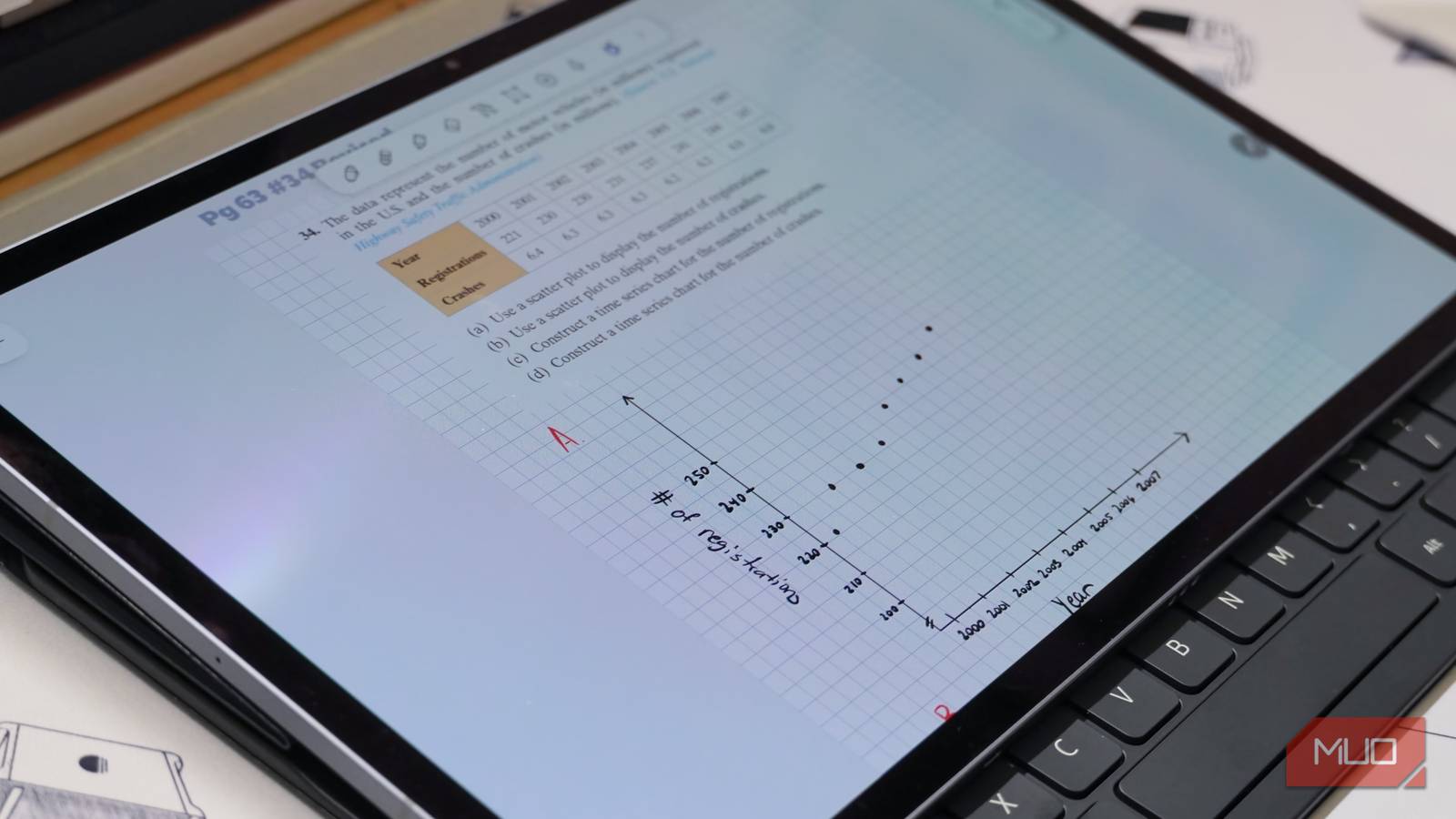
I was never the type of learner that could use a physical notebook. My messy handwriting and disorganized backpack pushed me to use tablets as notebooks instead. Once I got started using Notability, I couldn’t go back. I even convinced some of my professors who banned technology in the classroom to let me keep using it after showing them what the app could do. Most of all, I love how Notability handles text, images, handwriting, and documents all in the same note.
I’d type notes in writing and law classes, using a smart pen to annotate and highlight the information later. For math and science, I’d handwrite notes, switching between pen tools and colors for emphasis. In certain classes, I snapped pictures of the whiteboard or screenshotted a slide deck and inserted them into the note. If there was a key chart, graphic, or figure in a textbook that I felt could improve my notes, I dropped it into Notability. The result was a digital notebook that was part textbook, part lecture slides, and part notes — with a recording of my professor’s explanations topping it all off.
Using the app’s organizational tools, I could manage an entire class with one app. I had running notes, homework documents, and PDF versions of textbooks all separated into folders and subfolders in Notability. Before switching, I’d use separate apps for handwritten notes, typed documents, voice recordings, and PDF annotation. Notability replaced them all. As of today, I have more than 500 notes in Notability, and some of them have tens of pages.
Finally, there’s an Android app and a web client
Plus, Notability Classic helps you avoid a monthly or yearly subscription

When I attended college, I appreciated being able to start a note on my iPad, continue it on my Mac, and review it on my iPhone while walking to class. The cross-platform support only worked because I lived within the Apple ecosystem. Notability remained an Apple exclusive for a while, but that’s officially changed.
Earlier this year, Notability added a web client that lets you view and edit notes on any device with a browser. Following a beta program, Notability is now available on Android. I tested it on a Samsung Galaxy Tab S10 Plus with an S Pen, and the app was just as good as I remembered on my iPad Pro.
Notability now supports true cross-platform compatibility, complete with cloud syncing across all your devices. There is a free tier, but it’s quite limited. Crucially, Notability brought back the one-time purchase option I used to buy the app nearly a decade ago. If you don’t want to pay for a subscription, you can get Notability Classic for $50 (discounted to $40 currently) and use it forever. Looking back, I’d have gladly spent that money on Notability, as it proved to be an invaluable tool that helped me earn my degree.