Here’s the loop I got tired of: record a clip on my phone, try to send it, watch the messaging app either refuse the file outright or crush it into a smeared 480p mess on its own terms. Or take the other route: open a video editor, reduce the video file size by lowering its bitrate or resolution, find the export in my gallery, share that, then remember to delete it later. Which I never do, so my storage fills with files named VID_20260714_compress_final_2.mp4.
FFShare sits in the middle of that loop and removes it. It’s a 54MB open-source app that does exactly one thing, and it does it in the two seconds between me tapping Share and choosing where the file goes.
Installing FFShare means stepping outside the Play Store
It installs itself into the share sheet, not just your app drawer

FFShare’s official downloads are available through F-Droid and GitHub Releases, with no Google Play listing. F-Droid offers the simplest route because its client handles both installation and future update checks. It’s roughly 54MB APK is the universal Full build, which bundles image, video, and audio support for every listed processor architecture.
GitHub provides several smaller APKs for people who prefer a more tailored download. The full package supports all three media types, and the Video package handles images and video without including audio compression. Most current Android phones use the arm64 build, while armeabi is intended for older 32-bit devices.
The universal APK is the safest choice when you are unsure, after which Android will ask you to permit installations from the browser or file manager you used. Unlike F-Droid, downloading an APK directly from GitHub does not automatically give it a conventional app-store update channel. Anyone who installs several apps from release pages can use Obtainium to track updates for sideloaded Android apps rather than checking each repository manually.
I installed FFShare from GitHub on my Samsung Galaxy S10+, which still runs Android 12 with One UI 4.1. The interface is deliberately sparse, presenting little beyond a Select file button and a settings menu. I kept Video Codec and Audio Codec set to Do not specify (let ffmpeg decide), left the FFmpeg compression preset at medium, and retained the original formats under Image file output extension, Video file output extension, and Audio file output extension.
The default settings limit video output to 1080p and images to 2160p, with Video crf set to 23 and JPEG image qscale set to 10. Those values provide a sensible starting point for everyday sharing. Reducing the resolution removes pixels, while increasing the CRF or qscale produces stronger lossy compression and smaller files. From there, you can adjust the settings according to how much visual or audio quality you are willing to trade for a lighter attachment.
Preserve Exif tags is off by default, although removing the invisible metadata attached to an image does not guarantee anonymity. I would also avoid Custom Video Parameters, Custom Image Parameters, and Custom Audio Parameters unless you understand FFmpeg syntax. FFmpeg is simply the media-processing engine doing the conversion behind FFShare’s interface.
The Share sheet sends the file on a round trip
Share it once, then share it properly
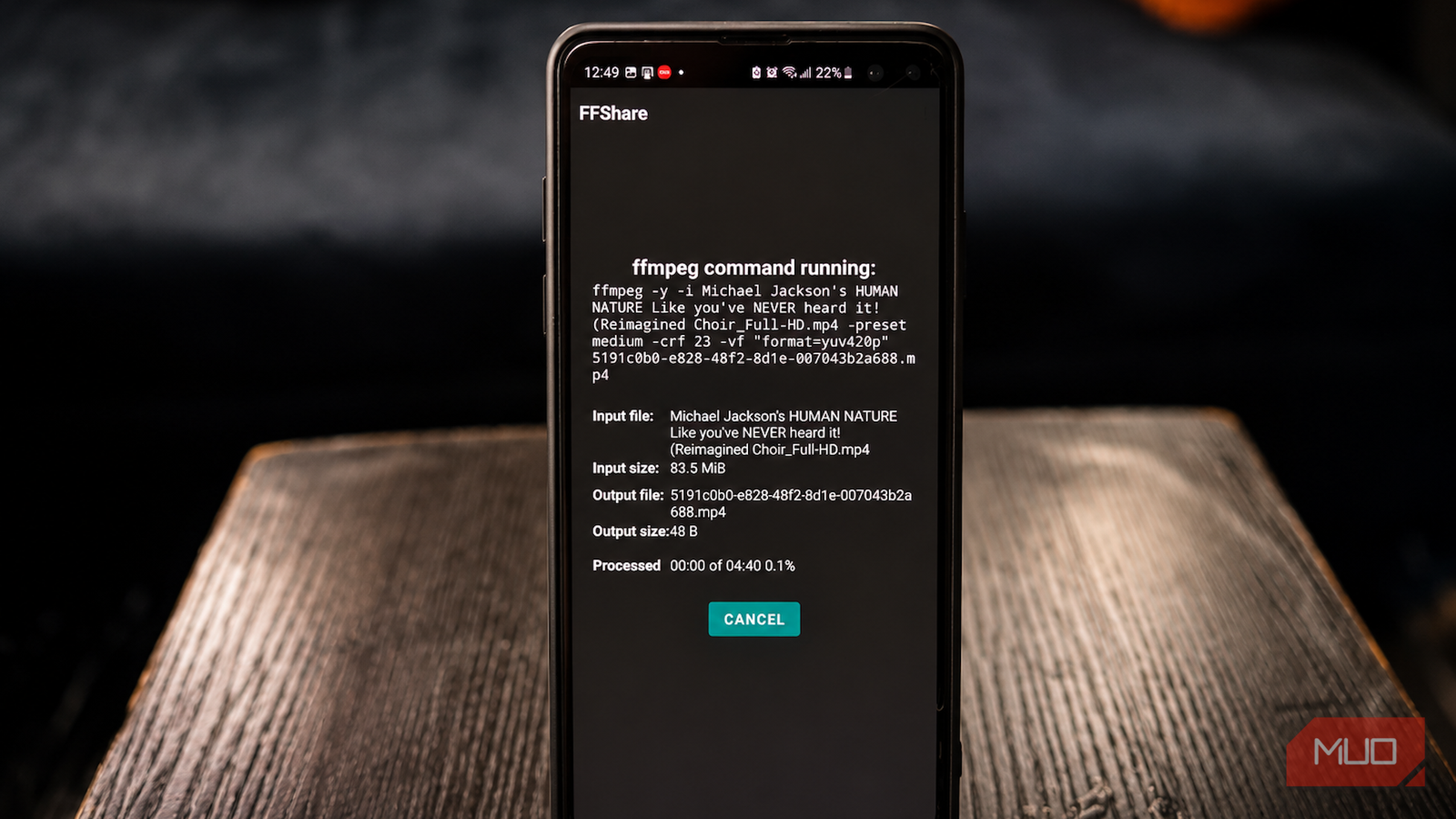
I opened a YouTube-downloaded video in Google Photos, tapped Share, and selected FFShare instead of the app I wanted to share. FFShare opened its conversion screen, showed progress, and summoned Android’s Share menu again with the smaller file attached. I then chose WhatsApp and sent it normally. Placement and wording vary by phone, but the order remains the source app, FFShare, then destination app.
That brief return trip is the whole trick. FFShare does not compress every upload automatically, and I do not need to open it beforehand. Its Select file button is a secondary route through Android’s file picker, useful when another app does not expose FFShare in its sharing menu.
For my photo test, I used a 2268 × 4032 JPG image measuring 4.7MB. FFShare produced a 220KB copy in less than a second. The compressed image still looked perfectly acceptable at normal viewing size, although fine details appeared softer when I zoomed in and compared both versions closely. The result opened and shared correctly in WhatsApp.
My video was a 1920 × 1080 MP4 clip lasting 4 minutes and 40 seconds and measuring 88MB. It fell to 27.7MB after about four minutes of compression. The smaller version retained enough detail for casual viewing, although it looked slightly softer than the original during scenes with movement. The phone became mildly warm during the conversion but remained responsive, and the final clip opened, played, and shared correctly. Video takes longer because the phone must decode and re-encode thousands of frames, so duration, resolution, codec, compression preset, and processor speed all affect the wait.
The original remains untouched. FFShare writes the converted version to its cache and gives the receiving app temporary access, rather than replacing the source or saving a permanent duplicate beside it. Cached outputs older than an hour become eligible for periodic cleanup. To keep one, I can share it to a storage app or file-saving destination.
The middleman Android sharing actually needed
FFShare supports JPG, JPEG, PNG, GIF, and WebP images, along with MP4, MKV, WebM, AVI, and MOV video files. The full build also handles MP3, OGG, AAC, WAV, and Opus audio. All processing happens locally through FFmpegKit, and the current app manifest requests shared-storage access without declaring Internet permission.
The trade-offs are the usual ones that come with media compression. Aggressive settings can soften fine detail in photos and video, while longer encodes consume more time, battery power, and processing headroom. Older phones may struggle with heavier files, and compatibility can still vary between codecs and compression standards, as well as between containers and the chat app receiving the result. HDR footage, unusual formats, incomplete metadata, and damaged files may also produce unpredictable results. FFShare is a compression tool rather than a full editor, and an ill-judged custom command can leave you with output that refuses to play.